What is Evernote?
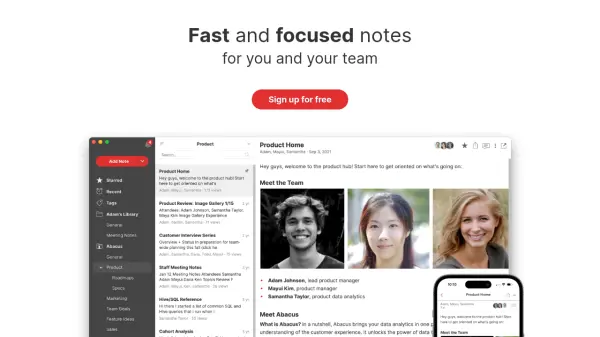
Evernote serves as a versatile digital workspace designed to help users capture, organize, and manage their ideas and information effectively. It allows for the creation of notes incorporating various media types, including text, images, audio recordings, scanned documents, and PDFs, ensuring all essential data is stored securely in one centralized location. The platform synchronizes notes automatically across multiple devices, providing seamless access whether online or offline.
Beyond basic note-taking, Evernote enhances productivity through features like integrated task management and calendar connections, allowing users to manage projects and schedules alongside their notes. Collaboration is facilitated through real-time editing and flexible sharing options. Advanced search capabilities, including AI-Powered Search, enable users to quickly find specific information within their notes, attached documents, and images. Evernote also incorporates AI tools for transcription and rewriting to further streamline workflows.
Features
- Note Taking: Create notes with text, images, audio, scans, PDFs, and documents.
- Cross-Device Sync: Automatically syncs notes across all devices.
- Offline Access: Use Evernote even without an internet connection.
- AI-Powered Search: Use natural language to search notes, PDFs, documents, and images.
- Task Management: Integrate to-dos with notes, set dates, reminders, and assign tasks.
- Calendar Integration: Connect Google or Microsoft Office calendars to manage schedules alongside notes.
- Web Clipper: Save web pages, articles, or PDFs directly to Evernote.
- Document Scanning: Use your device camera to scan documents directly into notes.
- Real-Time Collaboration: Edit notes simultaneously with others and manage sharing permissions.
- AI Transcribe: Convert audio recordings into searchable text notes.
- AI Edit: Utilize AI for summarizing, tidying, translating, and rewriting notes.
Use Cases
- Capturing meeting notes and action items.
- Organizing research materials for projects.
- Managing daily tasks and to-do lists.
- Storing and accessing important documents and receipts.
- Planning projects and collaborating with team members.
- Clipping and saving online articles or resources.
- Transcribing interviews or lectures.
- Drafting and refining written content with AI assistance.
- Keeping a digital journal or personal log.
FAQs
-
How long is the free trial for paid plans?
Unless otherwise specified, free trials of Evernote last for 7 days. If you cancel before the trial ends, your credit card will not be charged. -
How do I switch or downgrade plans?
To upgrade, go to account settings in Evernote Web and select the desired plan. Downgrading instructions depend on the payment method and are detailed in the Help & Learning center. Subscriptions via iTunes or Google Play must be managed through them. -
How do I change my payment method?
Go to account settings in Evernote Web, click ‘Billing’, then ‘Update’ next to your current method. Enter new details and click 'Update'. Subscriptions via iTunes or Google Play must be managed through them. -
Do you offer a student discount?
Yes, eligible college students can get 40% off a one-year subscription to Evernote Personal. -
Is there a free trial for Evernote Enterprise?
Yes, you can try Enterprise free for 30 days by visiting the Enterprise trial page.