
What is Minimal?
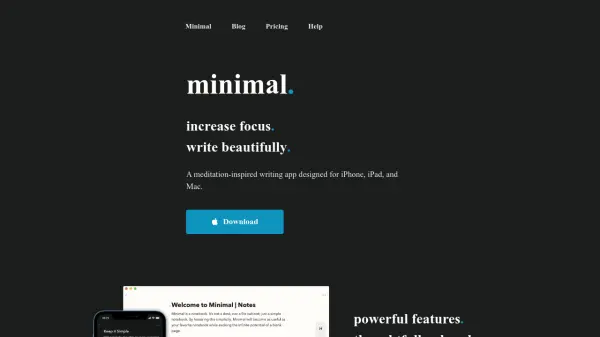
Minimal is a unique writing and note-taking app crafted for iPhone, iPad, Mac, and Apple Watch, inspired by the principles of meditation, architecture, and nature. The app is designed to foster focus and open-mindedness, ensuring a clutter-free environment where users can write and organize their thoughts beautifully and efficiently. One of its distinctive features, the Note Lifetime, enables notes to be automatically archived after a set duration of inactivity, helping maintain an organized and up-to-date notebook that reflects users' current priorities.
Minimal offers seamless synchronization across devices, supports collaborative writing, and allows users to publish their notes as elegant websites. It provides Markdown-style formatting for effortless writing, customizable themes, comprehensive search functionalities, and integration with Apple's Calendar for task management. With export capabilities to PDF, HTML, and Markdown, and effortless import of notes from other apps, Minimal is tailored for individuals and teams seeking a focused and beautifully designed digital writing experience.
Features
- Note Lifetime: Automatically archives notes after chosen duration of inactivity to maintain organization.
- Collaborative Writing: Enables multiple users to write and edit notes together with flexible permissions.
- Markdown-Style Formatting: Allows rapid text formatting with headlines, lists, quotes, and more as you write.
- Publish as Website: Quickly transforms any note into a simple, elegant website in just a few taps.
- Cloud Sync: Seamlessly synchronizes notes across iPhone, iPad, Mac, and Apple Watch.
- Todo and Project Management: Integrated task lists that can be synced with Apple's Calendar and managed in projects.
- Comprehensive Search: Search within notes, across folders, and using Spotlight Search for quick access.
- Customizable Themes and Layouts: Personalize styling, keyboard, note actions, and more.
- Export and Import: Export notes as PDF, HTML, or Markdown and import notes, text, and URLs from other apps.
- Gentle Reminders: Receive notifications before notes are archived, offering time to review or revive content.
Use Cases
- Personal journaling and reflective writing in a distraction-free space.
- Collaborative project planning and sharing notes with colleagues or classmates.
- Maintaining tidy meeting notes with automatic archiving to keep content relevant.
- Task management and syncing to-do items with personal or professional calendars.
- Drafting essays or articles and publishing them directly as elegant web pages.
- Seamlessly switching between devices to capture thoughts on the go.
- Organizing professional brainstorms or creative writing workshops.
- Setting up quick, clean note-taking routines for students or educators.
FAQs
-
What devices are supported by Minimal?
Minimal is available for iPhone, iPad, Mac, and Apple Watch, with seamless synchronization across all supported devices. -
How does Note Lifetime work?
Note Lifetime automatically archives notes after a user-defined period of inactivity, helping to keep your notebook current and organized. -
Can I collaborate with others on my notes?
Yes, Minimal supports collaborative writing with flexible permissions, including invite-only, public link access, and view/edit options. -
Is there a free trial for Minimal?
Minimal offers a 2-week free trial before requiring a paid subscription. -
Can notes be published as websites?
Yes, any note can be published as a simple website in just a few taps, making it easy to share your work.