
What is 1Writer?
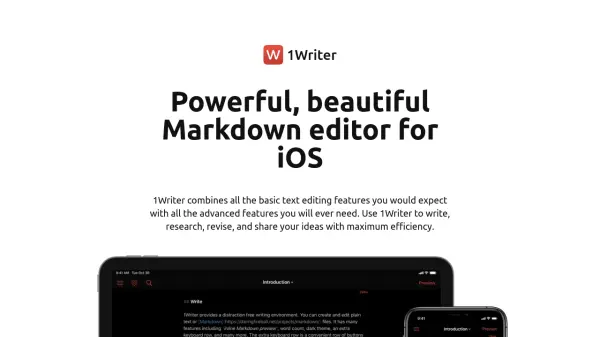
1Writer is a feature-rich Markdown editor designed specifically for iOS devices, providing users with a seamless writing experience. It integrates essential text editing capabilities with advanced functionalities to enhance productivity. The editor supports plain text and Markdown files, featuring an inline preview that displays formatted results as you type, along with a full rich-text preview upon completion.
The application facilitates efficient workflow through cloud synchronization with Dropbox, WebDAV, and iCloud Drive, allowing offline work and automatic updates when reconnected. Users can import documents from various sources, including Safari via Share extensions. 1Writer includes a robust action system for sharing documents in multiple formats, customizable themes, and additional tools like an in-app web browser for research without switching apps.
Features
- Inline Markdown Preview: See formatted results while writing with a full rich-text preview upon completion
- Cloud Sync: Synchronize documents with Dropbox, WebDAV, and iCloud Drive for offline work and automatic updates
- Customizable Actions: Share documents in plain text or PDF, email in multiple formats, and create custom actions using URL scheme or JavaScript
- Themes: Choose from Dark Mode, light theme, and various colored themes for personalized writing experience
- In-App Web Browser: Research and look up information directly within the editor without switching apps
Use Cases
- Writing and editing Markdown documents on iOS devices
- Researching and compiling notes with integrated web browsing
- Synchronizing documents across multiple devices using cloud services
- Creating and sharing documents in plain text or PDF formats
- Personalizing writing environment with customizable themes and fonts
FAQs
-
What cloud services does 1Writer support for synchronization?
1Writer supports synchronization with Dropbox, WebDAV, and iCloud Drive, allowing users to work offline and sync changes when connected to the internet. -
Can I customize the writing environment in 1Writer?
Yes, 1Writer offers customizable themes including Dark Mode, light theme, and different-colored themes, along with options to change fonts, font size, and line spacing. -
How does the in-app web browser feature work?
The in-app web browser allows users to research and look up information directly within 1Writer without switching to another app, and convert text selections to Markdown syntax with a single action. -
What sharing options are available in 1Writer?
1Writer enables users to share documents by generating links in plain text or PDF, emailing in plain text, formatted text, or PDF, and creating custom actions using URL scheme or JavaScript. -
Does 1Writer support the latest iOS features?
Yes, 1Writer is ready for latest iOS features including open in place, drag and drop, Siri Shortcut, Dark Mode, and multiple windows.