
What is Buffer Editor?
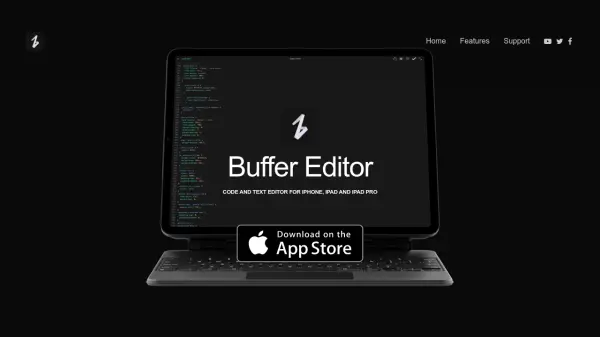
Buffer Editor is a comprehensive code and text editor tailored for iOS devices, including iPhone, iPad, and iPad Pro. Its powerful interface supports advanced coding and writing needs, allowing users to seamlessly create, edit, and manage files on the go. Designed for both professional developers and writers, it features unlimited remote connections to popular services like GitHub, Dropbox, Google Drive, iCloud, SFTP, SSH, and FTP, ensuring maximum flexibility for working anywhere.
The editor delivers a highly customizable environment, supporting dark and light themes, multiple font choices, and adaptable settings. Productivity is enhanced through features like multiple tabs, split view, slide over, live editing, and full external keyboard compatibility. Additional capabilities include robust terminal support and the ability to preview websites locally or remotely, making platform-agnostic coding and content creation efficient and intuitive within the iOS ecosystem.
Features
- Multi-Platform Support: Optimized for iPhone, iPad, and iPad Pro
- Remote Service Integration: Unlimited connections to GitHub, GitLab, BitBucket, custom Git, Dropbox, iCloud, Google Drive, SFTP, SSH, and FTP
- Customizable Interface: Multiple themes, adjustable fonts, and workspace personalization
- Advanced Editor Capabilities: Tabs, multiple windows, split view, and slide over for multitasking
- Live Editing: Edit and save changes within the same interface with upload and download options
- Comprehensive Terminal: Multiple terminal tabs for simultaneous project management
- Full Keyboard Support: External keyboard compatibility for desktop-like editing
- Seamless File Access: Integration with iOS Files app and compatibility with all supported cloud providers
- Website Preview: Split view for side-by-side coding and preview, both locally and on server
Use Cases
- Editing code remotely while traveling or away from a desktop
- Managing and updating text or code files stored on cloud platforms
- Previewing website changes in real-time before deployment
- Taking programming notes and managing scripts on iOS devices
- Connecting to remote servers for live code updates via terminal
- Collaborating on projects using Git services integrated within the editor
- Simultaneously working on multiple files or projects using multitasking features
- Personalizing the coding environment for accessibility and productivity
FAQs
-
Which remote services can Buffer Editor connect to?
Buffer Editor allows connections to BitBucket, GitHub, GitLab, custom Git, Dropbox, iCloud, Google Drive, SFTP, SSH, and FTP. -
Does Buffer Editor support multitasking features?
Yes, Buffer Editor supports multitasking through tabs, multiple windows, split view, and slide over. -
Can I preview website changes in Buffer Editor?
Yes, Buffer Editor lets you preview website changes side-by-side either locally or on your server. -
Is there external keyboard support in Buffer Editor?
Yes, Buffer Editor provides full support for external keyboards, enhancing desktop-like editing on iOS devices.