What is 1Piece?
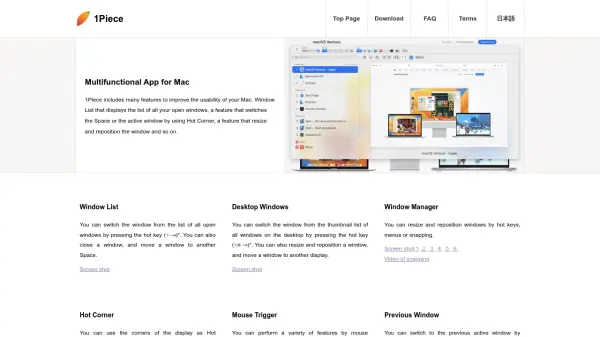
1Piece is a multifunctional application designed for Mac users to enhance the usability and productivity of their desktop environment. It includes a comprehensive set of features such as a Window List for managing all open windows, Hot Corner functionality for performing actions by mouse movements, and Window Manager tools for resizing and repositioning windows with hot keys or snapping. The app also offers capabilities like switching to previous or favorite windows, deminimizing minimized windows, and adjusting windows automatically upon app activation.
Additional functionalities include moving the mouse cursor to specific locations, hiding the cursor, and using modifier keys twice to execute various tasks. 1Piece supports Stage Manager extensions on macOS 13 or later, allows for quitting or rebooting apps, and integrates with QuickTime Player and screen shots. Users can customize hot keys in the preferences to tailor the experience to their workflow needs.
Features
- Window List: Displays a list of all open windows for switching, closing, or moving to another Space
- Hot Corner: Uses display corners as triggers for various features through mouse actions
- Window Manager: Resizes and repositions windows using hot keys, menus, or snapping
- Mouse Trigger: Performs features by mouse actions on specific locations like title bars
- Previous Window: Switches to the previous active window with hot keys and floating thumbnails
- Favorite Window: Switches to pre-set favorite windows via hot keys or menus
- Deminimize Window: Deminimizes minimized windows using hot keys or menus
- Adjust Windows: Automatically adjusts window size and position when an app is activated
- Modifier Key Twice: Executes features by pressing a modifier key twice for tasks like launching apps
- Stage Manager Extensions: Switches the central stage with hot keys on macOS 13 or later
Use Cases
- Managing multiple open windows efficiently on a Mac
- Enhancing desktop navigation with hot corners and mouse triggers
- Automating window resizing and repositioning for better workspace organization
- Switching quickly between favorite or previous windows to boost productivity
- Customizing hot keys and actions to streamline workflow tasks
FAQs
-
What is 1Piece and what does it do?
1Piece is a multifunctional app for Mac that enhances usability by providing features like window management, hot corners, and mouse triggers to improve desktop navigation and productivity. -
Can I customize the hot keys in 1Piece?
Yes, you can change the hot keys in 1Piece Preferences to tailor the app to your workflow needs. -
Is 1Piece available for all versions of macOS?
1Piece is designed for Mac, with Stage Manager extensions available on macOS 13 (Ventura) or later, while other features work on compatible macOS versions. -
Does 1Piece support automatic window adjustment?
Yes, 1Piece can automatically adjust the size and position of app windows when the app is activated, such as maximizing large windows or moving them to fit the desktop. -
What are some key features of 1Piece?
Key features include Window List for managing open windows, Hot Corner for mouse-triggered actions, Window Manager for resizing and repositioning, and capabilities like switching to favorite windows and deminimizing minimized windows.