What is YCloud?
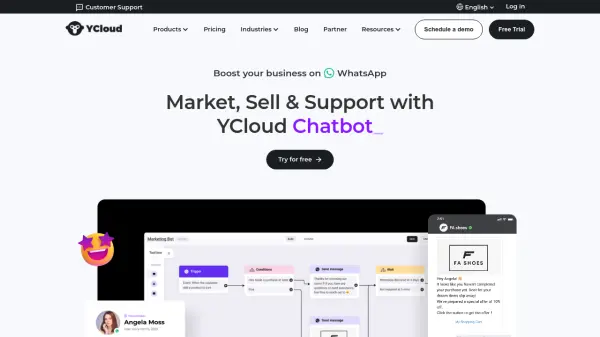
YCloud offers a comprehensive platform designed to help businesses utilize WhatsApp for various communication needs. It enables organizations to engage customers effectively on the world's most popular messaging application by facilitating marketing, sales, and support interactions directly through WhatsApp.
The platform supports sending various message types, including promotional messages, transactional notifications like order confirmations and delivery updates, and one-time passwords for verification. Businesses can manage customer interactions, automate responses with chatbots, and integrate the system with their existing CRM and other work tools for a seamless workflow. YCloud emphasizes ease of setup and integration, aiming to get businesses operational on WhatsApp quickly.
Features
- WhatsApp API Integration: Allows developers to integrate WhatsApp Business messaging into their systems using popular coding languages.
- Campaign Management: Facilitates broadcast marketing campaigns with personalized messages and provides insightful reports.
- Chatbot Builder: Offers a visual editor to build and deploy chatbots for automated customer interactions on WhatsApp.
- Journey Automation: Triggers automated actions based on specific customer behaviors or interactions.
- Contact Management: Provides a centralized list of customers for personalized marketing and communication.
- Inbox (Live Chat): A tool for real-time conversations with customers to provide support and service.
- CTWA Integration: Maximizes the use of Click-to-WhatsApp Ads from Facebook and Instagram.
- Growth Tool: Helps businesses expand their WhatsApp contact list.
Use Cases
- Sending promotional marketing messages to a wide audience.
- Engaging in personalized one-on-one sales conversations.
- Providing customer support through live chat or AI chatbots.
- Delivering real-time transactional notifications (e.g., order confirmations, shipping updates).
- Using WhatsApp for secure one-time password (OTP) verification.
- Automating customer interactions based on behavior triggers.