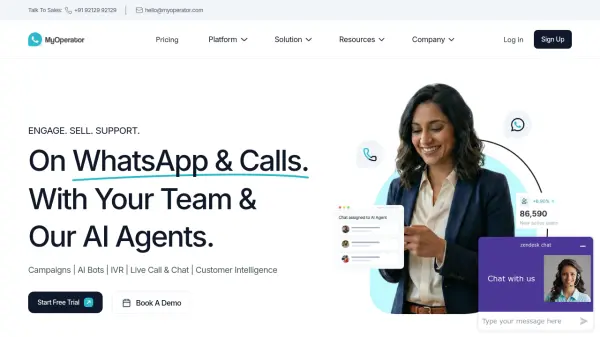


What is MyOperator?
MyOperator is a unified business communication platform that combines WhatsApp Marketing Suite, Call Management Suite, and AI agents into a single system. It enables businesses to engage customers through AI-powered chatbots and voicebots, run WhatsApp campaigns, manage inbound and outbound calls with IVR, and track unified analytics. The platform supports omnichannel communication across WhatsApp and calls, allowing teams to switch between human and AI-led interactions seamlessly.
With features like WhatsApp Business API, CTWA integration, lead qualification AI agents, and smart call routing, MyOperator helps sales, marketing, and support teams accelerate revenue, maximize ROI, and reduce response times. It serves over 12,000 brands globally and offers no-code bot creation, CRM integrations, and real-time dashboards.
Features
- WhatsApp Business API: Official WhatsApp API for secure, automated customer chats at scale.
- AI Chatbots & Voicebots: No-code conversational AI agents for WhatsApp and calls that self-learn from data.
- IVR System: Interactive voice response with multi-level menus, time-based routing, and call recording.
- Unified Analytics: Real-time dashboards tracking performance across WhatsApp, calls, and AI interactions.
- CRM Integrations: Seamless sync with Zoho, Freshsales, Shopify, and custom APIs.
Use Cases
- Automate sales lead qualification and follow-ups via WhatsApp and voice
- Run WhatsApp marketing campaigns with broadcasts and CTWA ads
- Provide 24/7 AI customer support with chatbot and voicebot
- Manage high-volume inbound calls with smart IVR and routing
- Track and optimize multi-channel communication performance
FAQs
-
Is there a free trial available?
Yes, MyOperator offers a short onboarding demo and a limited feature trial. You can get a sandbox account to test WhatsApp campaigns, call routing, or AI agents. -
How much time does it take to set up?
Team-led setups typically go live within 24–48 hours after KYC and WhatsApp verification. AI-led setups take 2–5 working days depending on bot training and automation complexity. -
Can I switch between Team-Led and AI-Led plans later?
Yes, you can switch anytime or run both modes together for hybrid communication. Your existing credits, templates, and data remain intact. -
Are WhatsApp message costs included in the plan price?
No, WhatsApp conversation charges are billed separately according to Meta's official pricing structure. -
Can I integrate MyOperator with my existing CRM?
Yes, MyOperator integrates with tools like Zoho, Freshsales, Shopify, and supports custom API integrations for in-house systems.