What is XConvert?
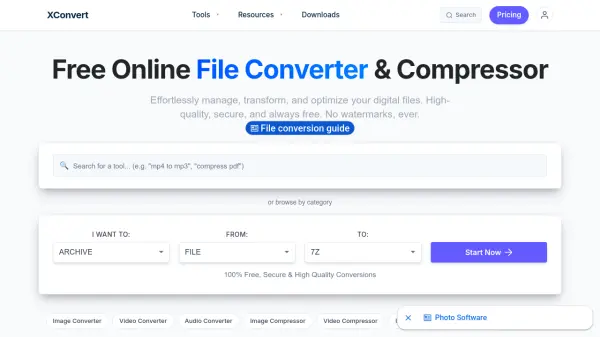
XConvert is a comprehensive online file conversion and compression platform that enables users to effortlessly manage, transform, and optimize their digital files. The tool supports a wide range of file types including images, videos, audio, documents, archives, and more. All conversions are processed securely over SSL encryption, and uploaded files are automatically deleted from servers within hours, ensuring complete privacy.
With XConvert, users can convert formats, compress file sizes, resize images, trim videos, merge PDFs, and utilize various utilities such as color conversion, hash generation, and text case conversion. The platform is powered by a robust cloud infrastructure for fast processing and delivers uncompromising quality without watermarks. It is completely free to use with no hidden costs.
Features
- File Conversion: Convert between various formats for images, videos, audio, and documents.
- File Compression: Reduce file size without significant quality loss for images, videos, and audio.
- Image Resizing: Resize images to specific dimensions.
- Video Trimming: Cut video clips to desired lengths.
- PDF Merging: Combine multiple PDFs into a single document.
- Batch Processing: Process multiple files simultaneously for efficiency.
- Secure and Private: Files encrypted via SSL and automatically deleted after processing.
Use Cases
- Compress large image files for email or web upload.
- Convert video formats for compatibility with different devices.
- Merge multiple PDF documents into one file.
- Resize images to fit social media requirements.
- Extract audio from video files.
FAQs
-
Is XConvert really free to use?
Yes, XConvert is completely free to use with no hidden charges. All tools are available without any cost. -
Are my files secure during conversion?
Yes, all files are transferred over a secure SSL connection. Uploaded and converted files are automatically deleted from our servers within a few hours. -
What file types does XConvert support?
XConvert supports a wide range of file types including images (JPG, PNG, HEIC, WebP, RAW), videos (MP4, MOV, AVI), audio (MP3, WAV, FLAC), documents (PDF, Word), archives (Zip, RAR, 7z), and more. -
Does XConvert add watermarks to converted files?
No, XConvert never adds watermarks to any converted files. The output retains the original quality. -
How fast is the conversion process?
XConvert uses a robust cloud infrastructure, so most conversions are processed in seconds. Batch processing can save even more time.