

What is FreeConvert?
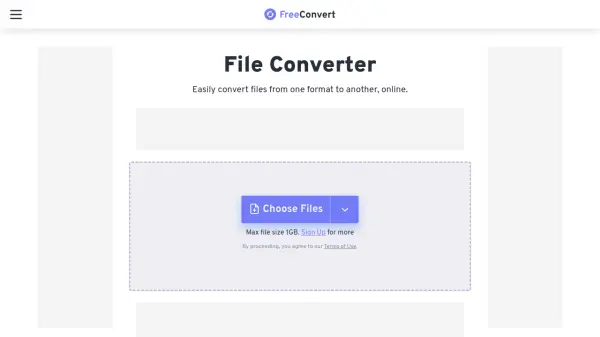
FreeConvert is a versatile online file conversion platform designed to handle a wide array of file transformation needs. It supports over 1500 different file formats, encompassing video, audio, images, documents, e-books, archives, and vector graphics. As a web-based service, FreeConvert is accessible from any operating system, including Windows, Mac, and Linux, as well as mobile devices, directly through major web browsers without requiring software installation.
Prioritizing user data security and privacy, the platform employs 256-bit SSL encryption during file transfers and implements an automatic deletion policy, removing files from its servers after a few hours. Beyond simple format changes, FreeConvert offers advanced options allowing users to fine-tune their conversions for specific requirements. It also includes robust file compression capabilities for various formats like video, images (JPEG, PNG), audio (MP3, WAV), and PDF documents, alongside additional tools for video editing and GIF creation.
Features
- Extensive Format Support: Convert between over 1500 file types including video, audio, image, document, e-book, archive, and vector formats.
- File Compression: Reduce file sizes for video, images (JPEG, PNG), GIF, MP3, WAV, and PDF.
- Advanced Conversion Options: Fine-tune conversion parameters for specific needs.
- Security Focused: Utilizes 256-bit SSL encryption for file transfers and deletes files automatically after a few hours.
- Cross-Platform Compatibility: Access and use the converter online from any operating system (Windows, Mac, Linux) or mobile device via a web browser.
- OCR Conversion: Extract text from images or scanned documents.
- Video Tools: Includes features like video cropping and trimming.
- GIF Tools: Convert videos to GIF, images to GIF, and includes a GIF maker.
Use Cases
- Converting video files for different devices or platforms.
- Changing image formats for web use or compatibility (e.g., HEIC to JPG, WebP to PNG).
- Extracting audio from video files (e.g., MP4 to MP3).
- Converting documents for editing or sharing (e.g., PDF to Word, Word to PDF).
- Compressing large files for easier sharing or storage.
- Making e-books compatible with different readers (e.g., EPUB to MOBI).
- Digitizing documents using OCR.
- Creating animated GIFs from video clips.
- Resizing or cropping videos for specific requirements.
FAQs
-
What is a conversion minute?
Conversion minutes measure the server time used for file conversion. Simple conversions like photos/documents usually take one minute, while larger files or complex codecs use more. Usage is tracked, and billing applies only to successful conversions. -
Can I sign up for just one month?
Yes, you can subscribe to a plan for a single month and cancel the subscription anytime via your account page to prevent renewal. -
Are my payment details secure?
Yes, payments are processed via industry leaders like Stripe and PayPal using 128-bit secure HTTPS. Payment data is not stored on FreeConvert servers. -
What payment methods are available?
Accepted methods include Credit/Debit Cards (Visa, MasterCard, Amex, etc.), PayPal, Google Pay, Apple Pay, Alipay, iDEAL, Sofort, GiroPay, with availability varying by country. -
Are there any hidden charges or setup fees?
No, FreeConvert uses transparent billing with no contracts, hidden fees, or setup charges. You will see exactly how many conversion minutes you use for each task, and refunds are issued for failed tasks.