What is Converter365?
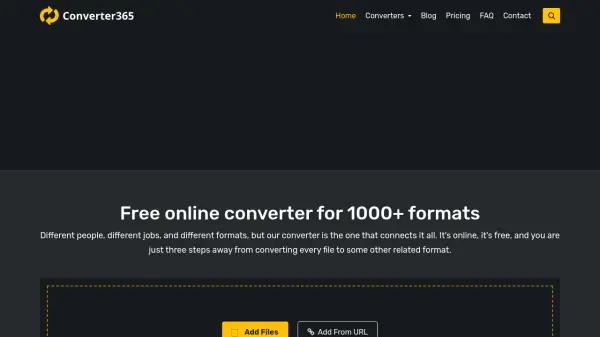
Converter365 is a comprehensive online platform that provides users with the ability to convert files between more than 1,000 formats, spanning images, audio, video, documents, archives, ebooks, presentations, spreadsheets, and vector files. Designed for maximum accessibility and ease of use, this service allows users to upload their files from various devices and convert them to the format best suited for their needs—all without the requirement to download or install software.
The platform boasts high-quality conversion results, strict privacy safeguards through rapid file deletion, and flexible conversion limits tailored to both occasional and professional users. Converter365’s simple three-step process—upload, select format, and download—ensures a seamless conversion experience for files up to hundreds of megabytes in size, making it ideal for individuals and businesses alike.
Features
- Broad Format Support: Converts between 1000+ file formats across multiple categories
- Web-Based Access: Accessible online with no software installation required
- Drag and Drop Upload: Easy file upload from computer or via URL
- Three-Step Conversion: Simple workflow—add files, choose new format, download results
- Privacy and Security: Automatic file deletion after conversion for user safety
- Multiple Conversion Plans: Free and premium packages to suit different usage needs
- High Conversion Quality: Reliable conversions with minimal loss in output integrity
- Batch Conversion: Supports converting multiple files simultaneously (within file size limits)
- Priority Task Handling: Enhanced upload speeds and higher priority for paid users
- Cross-Platform Compatibility: Usable on Windows, Mac, Linux, iOS, and Android devices
Use Cases
- Quickly convert photos between popular image formats for sharing or printing
- Transform audio files for compatibility with different music players
- Convert videos to formats optimized for mobile devices or web platforms
- Prepare documents for printing, archiving, or platform-specific use (e.g., Word to PDF)
- Extract or compress files using various archive formats
- Change ebooks between devices with different supported formats
- Convert professional presentations to popular and editable file types
- Handle spreadsheets for financial analysis or data exchange
- Update graphics or vector files for use in design and publishing tools
FAQs
-
Which files do you support?
Converter365 supports over 1,000 different file formats spanning images, audio, video, documents, ebooks, archives, spreadsheets, presentations, and vector files. -
Are my files safe after I upload them?
Uploaded files are automatically deleted within a minute after conversion, ensuring user privacy and security. -
How many files can I convert at the same time?
You can convert as many files as you want, provided each conversion batch does not exceed the file size and usage limits of your plan. -
What is the maximum file size I can upload?
Maximum upload size ranges from 50MB for free plans up to unlimited for the highest paid plans. -
How can I convert a file from one format to another?
Upload your file, choose the desired output format, start the conversion, and download the result—this process is straightforward and completed in three steps.