What is Convert.Guru?
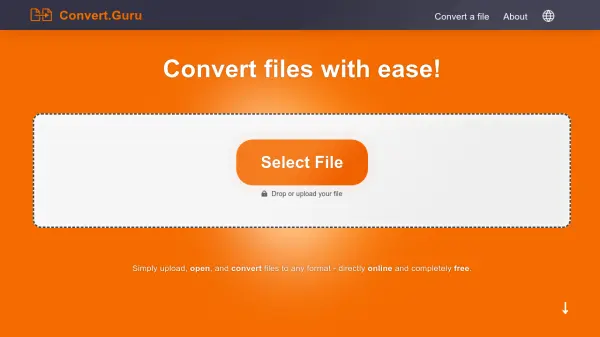
Convert.Guru is an all-in-one online solution for viewing and converting files. It supports over 2,000 file formats, including documents, spreadsheets, images, audio, and video. The platform ensures high-quality conversions while preserving original details like fonts and layouts. Files are processed securely in the cloud and deleted after conversion, with no data stored permanently. The tool works on any device, including desktops, tablets, and smartphones, across Windows, macOS, Android, and iOS. No downloads or technical knowledge are required.
Features
- Supports 2,000+ Formats: Convert files between thousands of formats including documents, images, video, and audio.
- High Quality Conversions: Preserves original details like fonts, layouts, and image clarity.
- Secure and Private: Uploaded files are deleted immediately after conversion; converted files are erased within hours.
- Easy to Use: Drag-and-drop interface with no technical knowledge required.
- Cloud Based: All conversions happen in the cloud, saving local resources.
- Works Everywhere: Compatible with Windows, macOS, Android, iOS, and any browser.
Use Cases
- Converting a Word document to PDF for easy sharing and viewing.
- Transforming an image from PNG to JPG for web optimization.
- Changing a video file from MP4 to AVI for compatibility with older devices.
- Converting a spreadsheet from XLSX to CSV for data analysis.
- Converting an audio file from MP3 to WAV for higher quality editing.
FAQs
-
Is Convert.Guru free to use?
Yes, Convert.Guru is completely free with no hidden fees or subscriptions. -
Are my files secure?
Yes. Uploaded files are deleted immediately after conversion, and converted files are erased within a few hours. -
Do I need to install software?
No. Convert.Guru works entirely online without any downloads or installations. -
What file formats are supported?
Convert.Guru supports over 2,000 formats including documents, spreadsheets, images, audio, video, and more. -
Can I use Convert.Guru on mobile?
Yes, it works on any device, including smartphones and tablets, via a web browser.