Teams adopt AI assistants in Slack because conversation is where work already happens. Without integration architecture, those assistants inherit broad channel visibility, store pasted customer data in unknown regions, and bypass the same DLP rules that apply to email and tickets.
Integrating AI tools with Slack workflows requires scoped OAuth, workspace admin approval, deliberate choices between Workflow Builder and custom apps, and logging for pasted content. This guide covers IT and platform owners deploying private AI chatbot experiences alongside native Slack automation and broader AI automation patterns. The goal is useful AI in channels without silent data exposure.
Integration Goals and Threat Model
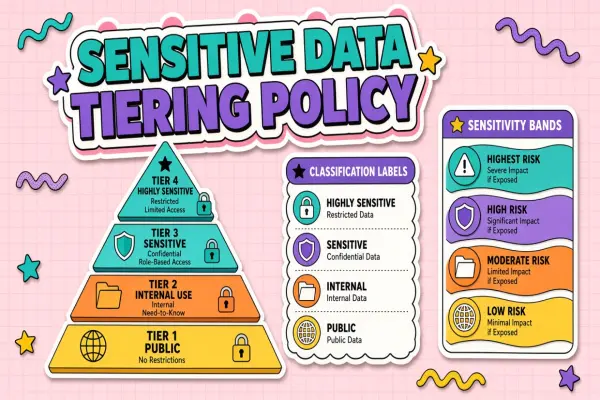
Define what the Slack AI integration may read, write, and retain before selecting scopes or vendors. Common goals include summarizing threads, drafting replies, and triggering downstream workflows. Threats include over-scoped tokens, guest user access, and employees pasting credentials or customer PII into DMs with bots.
- Data classes: public channels only versus HR, legal, and customer support channels.
- Retention: whether prompts and responses are stored by the vendor and for how long.
- Identity: SSO mapping between Slack user IDs and corporate directory accounts.
- Outbound actions: can the bot post messages, upload files, or call external APIs?
OAuth Scopes and Workspace Admin Approval
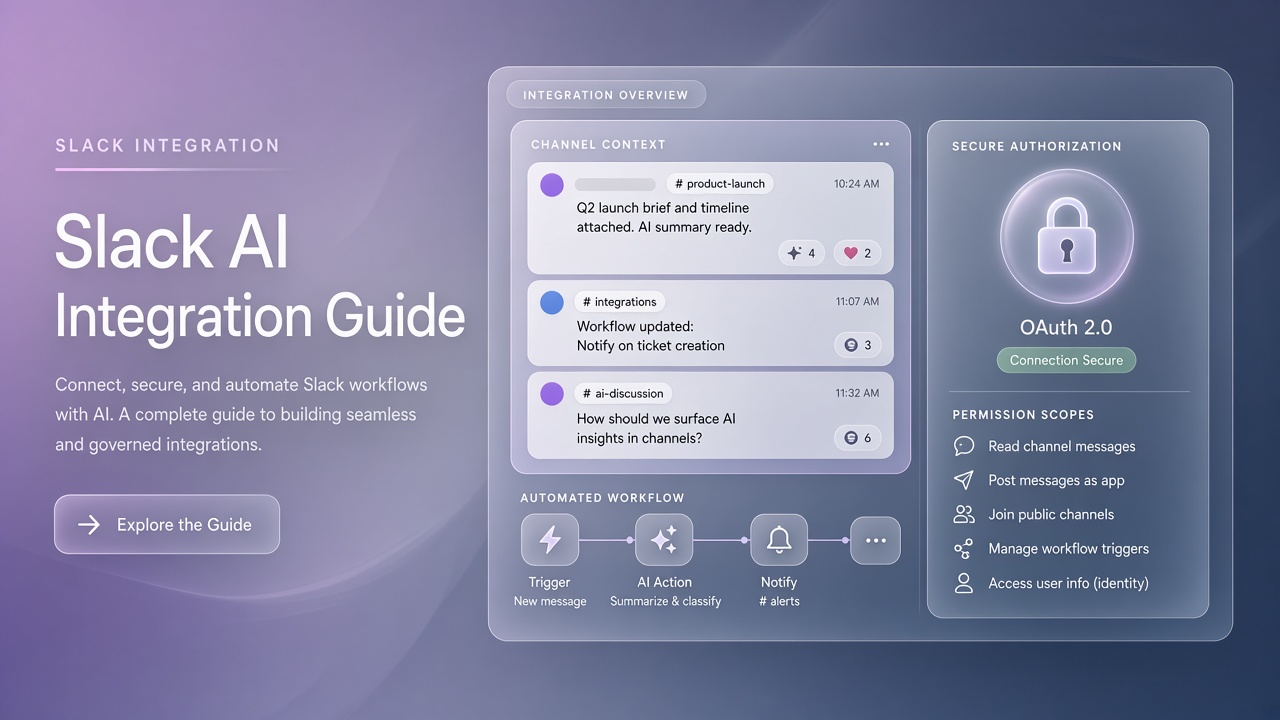
Request the minimum Slack OAuth scopes required for the integration; workspace admins should review scope lists during app installation on Enterprise Grid or standard workspaces. Broad scopes like reading all channel history are convenient for vendors and risky for tenants. Prefer granular bot scopes tied to explicit user actions.
- Document each scope with business justification and data touched.
- Use Slack admin approval workflows before production install.
- Rotate tokens on a schedule and after personnel changes on the integration team.
- Separate dev, staging, and prod Slack apps with distinct credentials.
- Publish an internal FAQ linking to the vendor DPA and subprocessor list.
| Scope pattern | Typical use | Risk if overused |
|---|---|---|
| channels:history (selected) | Thread summarization in allowlisted channels | Exposure of confidential project channels |
| chat:write | Bot replies and workflow notifications | Spam or mistaken posts to broad channels |
| im:history | DM-based assistant experiences | Personal chats logged by third parties |
| files:read | Document Q&A on uploaded files | Leakage of attachments with regulated data |
Admin Approval Checklist
Workspace admins should verify app publisher identity, requested scopes, data residency options, and offboarding steps before approving install. Maintain a registry of approved Slack AI apps; block duplicate shadow IT bots that employees invite without review.
Channel vs DM Data Exposure
Channel integrations inherit channel membership rules; DM integrations feel private but often send content to external model providers. Architecture should default to allowlisted channels for team-visible AI and restrict DM bots to authenticated employees with training on acceptable use.
- Public channels: lowest surprise factor; still filter regulated topics.
- Private channels: require explicit bot invite and legal review for customer data.
- DMs: highest paste risk; enforce DLP and short retention where possible.
- Shared channels with externals: treat as cross-boundary; often block AI bots.
A private chatbot deployed only inside your VPC or tenant-isolated SaaS reduces exposure compared to consumer endpoints, but Slack message content still crosses the integration boundary. Log which channels each bot instance may access.
Ephemeral vs Persistent Responses
Use ephemeral messages for sensitive draft content that should not remain in channel history. Persistent bot posts become searchable and may violate retention policies. Document when employees should use ephemeral slash commands versus full thread replies.
Workflow Builder vs Custom App
Slack Workflow Builder suits no-code triggers and form intake; custom apps suit model calls, retrieval, and complex authorization. Many teams combine both: Workflow Builder collects structured input, custom app calls the AI backend, results post back through a bot user.
| Approach | Best for | Limitations |
|---|---|---|
| Workflow Builder | Approvals, ticketing handoffs, simple webhooks | Limited logic; connector governance varies |
| Custom Slack app | RAG, SSO, audit logs, fine-grained scopes | Engineering maintenance and security reviews |
| Third-party marketplace app | Fast rollout with vendor SLA | Scope creep; data leaves your boundary |
Connecting to Broader AI Automation
Slack is often the notification layer for wider AI automation pipelines. Ensure workflow webhooks authenticate with secrets, retry safely, and do not echo full model prompts into public channels when errors occur.
Logging and DLP for Pasted Content
Log prompt metadata, user identity, channel ID, and model version; apply DLP scanning to outbound and inbound Slack messages where vendors support hooks or proxy gateways. Employees paste passwords, API keys, and customer records into bots despite training. Technical controls complement policy.
- Block or redact patterns matching secrets, PAN, and national IDs before model calls.
- Store audit logs in your SIEM with retention aligned to compliance needs.
- Alert on high-volume bot usage from single users or guest accounts.
- Provide a report export for security investigations without exposing full prompts broadly.
- Review vendor subprocessors when models change regions or providers.
Incident Response for Slack AI
Document how to revoke app tokens, disable the bot user, and purge cached embeddings if a channel is compromised. Run tabletop exercises that include Slack admin and AI platform owners. Speed matters when regulated data hits the wrong model endpoint.
Rollout and Training
Pilot in one department with allowlisted channels before enterprise-wide install. Collect feedback on false positives from DLP and tune scopes. Publish acceptable use examples: summarizing public launch threads is in scope; pasting unreleased financials is not.
Slack AI Architecture Patterns
Most production deployments use an event subscription from Slack to a middleware layer that enforces auth, DLP, and routing to the model provider. The middleware holds OAuth tokens, never the client browser. Store channel allowlists in configuration the security team can update without redeploying the entire app.
Socket Mode vs HTTP Endpoints
Socket Mode simplifies firewall rules for internal bots; HTTP endpoints suit scalable cloud workers with request signing verification. Both patterns need idempotency when Slack retries events. Log event IDs to debug duplicate AI responses in busy channels.
Rate Limits and Cost Controls
Per-user and per-channel rate limits prevent runaway token spend when someone @mentions the bot in a high-traffic incident channel. Set daily caps for free-tier model backends and alert platform owners when usage spikes. Cost controls are part of security governance, not finance alone.
Vendor Due Diligence
Before approving a marketplace Slack AI app, collect SOC 2 reports, data processing agreements, and subprocessors lists. Compare vendor retention claims to your internal records retention policy. Re-review when the vendor adds new model providers or changes default hosting regions.
User Training Examples
Training should show three safe use cases and three prohibited examples with realistic channel names. Employees remember concrete stories better than policy PDFs. Include how to report a bot that responded with sensitive content and what admins will do within the first hour of an incident report.
Frequently Asked Questions
How does Enterprise Grid change AI Slack integrations?
Enterprise Grid org admins centralize app approvals across workspaces; integrations may need org-level install with workspace-specific channel allowlists. Data residency and eDiscovery requirements often stricter than single-workspace tenants. Coordinate with Slack org admin before multi-workspace bot rollout.
Can guest users access Slack AI bots?
Default deny for guests unless the use case is explicit and contracts cover external identity. Guests in shared channels can see bot replies and may trigger bots if not restricted. Use Slack role settings and custom app middleware to block guest user IDs from AI endpoints.
How do we stop unapproved AI apps in Slack?
Enable admin app management, maintain an allowlist, and monitor OAuth grants through Slack audit logs. Communicate an internal request process for new AI tools. Security teams review scopes faster when teams submit through a standard form instead of installing ad hoc.
Does Slack host the AI model data?
Native Slack AI features and third-party bots have different data paths; read each vendor's documentation separately. Custom apps typically send message text to your chosen model provider. Architecture diagrams should show every hop from Slack event to inference endpoint.
Scoped Access, Visible Data Flows
Slack AI integrations succeed when OAuth scopes stay minimal, channel and DM policies match data classification, Workflow Builder and custom apps play defined roles, and logging plus DLP cover pasted content. Admins approve installs; engineering owns the threat model.