What is WordToHTML?
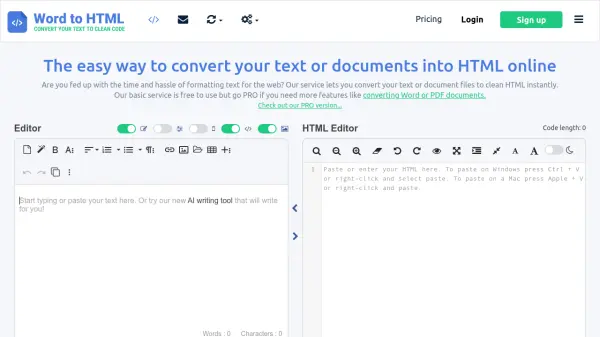
WordToHTML is a comprehensive online document conversion platform that enables users to transform various file formats into clean, web-ready HTML code. The tool supports conversion from Word, PDF, DOCX, DOC, ODT, RTF, TEXT, and Markdown files to HTML and other formats like PDF, JPG, and PNG. It offers a visual HTML editor with real-time preview capabilities, allowing users to edit and format content directly within the interface.
The platform includes AI-powered processing features that can generate custom JavaScript code based on user descriptions to automate HTML cleanup and transformation tasks. Users can specify how they want their HTML processed, and the AI will create code to remove styles, make content responsive, modify tags, or perform other custom operations. The tool also provides extensive HTML cleanup options, find-and-replace functionality, and tag management tools to optimize code for web use.
Features
- Document Conversion: Convert Word, PDF, DOCX, DOC, ODT, RTF, TEXT, and Markdown files to HTML and other formats
- AI-Powered Processing: Generate custom JavaScript code based on natural language descriptions to automate HTML cleanup and transformation
- Visual HTML Editor: Edit and preview HTML content in real-time with a visual interface
- HTML Cleanup Tools: Extensive options to clean and optimize HTML code including style removal, tag management, and compression
- Batch Conversion: PRO users can convert multiple documents simultaneously
Use Cases
- Converting Word documents to HTML for website content
- Transforming PDF files into editable HTML format
- Cleaning up messy HTML code from various sources
- Creating responsive HTML from existing documents
- Generating email HTML templates from document content
- Converting Markdown files to HTML for web publishing
- Processing multiple documents simultaneously for bulk web content creation
FAQs
-
What file formats can be converted to HTML?
The tool supports conversion from Word, PDF, DOCX, DOC, ODT, RTF, TEXT, and Markdown files to HTML format. -
How does the AI-powered processing work?
Users describe how they want their HTML processed in natural language, and the AI generates custom JavaScript code to perform the specified transformations automatically. -
What are the limitations of the free version?
The free version allows 1 HTML cleanup per day, 1 document conversion per day, and 10 visual editor pastes per day, with no access to AI features or batch conversion. -
Can multiple documents be converted at once?
Yes, PRO users can perform batch conversion of multiple documents simultaneously. -
How long are converted files stored?
All uploaded and converted files are automatically deleted after 24 hours for security and privacy.