What is Froala Online HTML Editor?
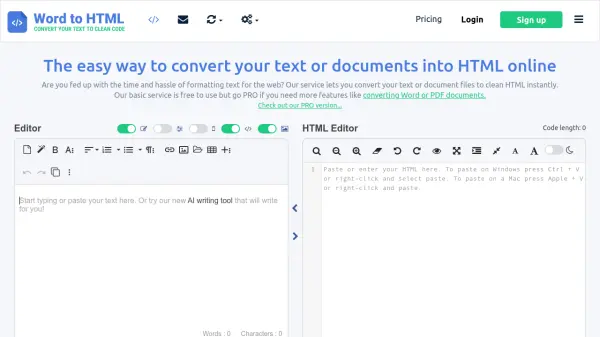
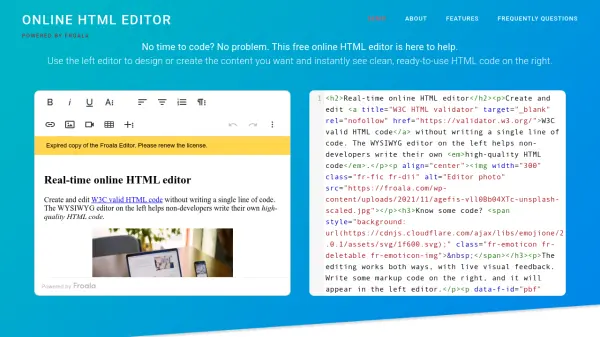
The Froala Online HTML Editor offers a seamless experience for users who want to create and edit HTML content without needing advanced technical skills. The intuitive WYSIWYG interface makes it accessible for non-developers to design visually rich content and instantly generate HTML code. Real-time synchronized editing allows editing either in visual mode or code mode, ensuring flexibility and user control.
This powerful tool retains formatting when pasting content from documents and spreadsheets, supporting popular formats such as Microsoft Word and Excel. It is engineered with features like high-quality code generation, automatic HTML cleanup, cross-browser compatibility, robust security defenses, and a modular plugin-based system for easy extension. Users can also export or print documents directly, similar to traditional word processors.
Features
- WYSIWYG Editor: Create and edit HTML content visually without coding.
- Real-Time Dual Editing: Synchronize visual and code-based HTML editing instantly.
- Document Conversion: Paste and format content from Word, Docs, Excel, and Sheets.
- Clean HTML Output: Automatic code cleanup ensures high-quality, standards-compliant HTML.
- Cross-Browser Compatibility: Works on all major browsers and devices with sufficient screen size.
- PDF Export and Printing: Export finished documents or print them directly from the editor.
- Security: Robust XSS protection safeguards content editing.
- Plugin Architecture: Extend editor capabilities via modular plugins.
- Integration Ready: Multiple framework plugins available for easy application integration.
- Intuitive Interface: User-friendly design enhances content creation workflow.
Use Cases
- Designing web page content visually with instant HTML code generation.
- Converting formatted documents and spreadsheets into clean HTML for websites.
- Editing and testing HTML files online in a browser without local installation.
- Creating rich text emails or messages with advanced formatting.
- Building and managing online documentation or knowledge bases.
- Collaborating on content creation and reviewing changes in real time.
FAQs
-
Can I use the Froala online HTML Editor for free?
Yes, the Froala Online HTML Editor is completely free for online HTML editing and code conversion. -
Can I edit and test HTML files online?
Absolutely. The tool allows you to insert and edit HTML code and view the formatted output instantly in your browser. -
What is the difference between Froala Online HTML Editor and Froala WYSIWYG Editor?
The online HTML editor is a free resource for editing and converting HTML, while the Froala WYSIWYG Editor is a full-featured, enterprise-grade HTML editor for integration into applications. -
Does the editor keep document formatting when pasting from Word or Excel?
Yes, when content is pasted from documents or spreadsheets, existing formatting is retained in the HTML output.