
What is VeriClock?
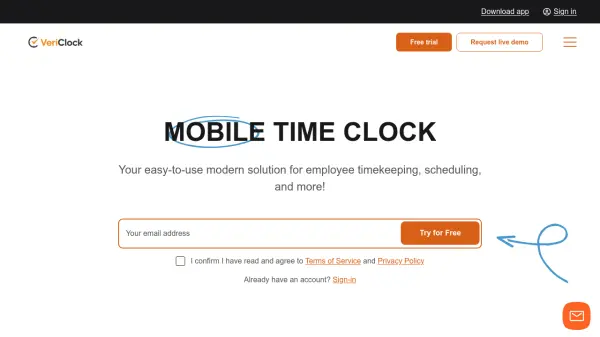
VeriClock is a comprehensive cloud-based time clock software designed to streamline employee timekeeping, scheduling, and management processes. This modern solution eliminates manual tracking and billing by providing intuitive tools for GPS-based clock-ins, customizable reporting, and seamless integration with popular payroll systems like QuickBooks and Sage.
The platform offers robust features including location management with geofencing, PTO tracking, job costing, and real-time alerts. With mobile apps for iOS and Android, web browser access, and telephone IVR support, VeriClock ensures accessibility across devices without requiring additional hardware. Businesses can benefit from automated overtime calculations, exportable reports, and configurable settings tailored to their specific needs.
Features
- GPS Location Tracking: Verify employee clock-ins with GPS tagging and geofencing capabilities
- Mobile Accessibility: Native apps for iOS and Android with web browser and telephone IVR support
- Payroll Integration: Seamless connection with QuickBooks and Sage accounting systems
- Customizable Reporting: Exportable reports in multiple formats including CSV, XLSX, and PDF
- Employee Scheduling: Easy setup and management of work schedules with team engagement tools
Use Cases
- Automating employee time tracking for businesses with remote or field workers
- Managing employee schedules and attendance across multiple locations
- Streamlining payroll processing with accurate time data and overtime calculations
- Tracking paid time off, vacation days, and sick leave with approval workflows
- Verifying employee location for job sites using GPS geofencing technology
FAQs
-
What devices can I use to access VeriClock?
VeriClock is accessible through web browsers on Windows and Mac computers, mobile apps for iOS and Android devices, tablets running Windows, iPadOS, or Android, and telephone IVR/SMS systems. -
Does VeriClock require special hardware to use?
No, VeriClock works on the devices you already use without requiring additional hardware. You can access it through standard web browsers or mobile apps. -
How long is the free trial period?
VeriClock offers a 30-day free trial with access to all features, and no credit card is required to start the trial. -
Can VeriClock handle multiple locations for businesses?
Yes, VeriClock supports location management with GPS functionality that allows specifying authorized locations and radius parameters for employee clock-ins. -
What happens to my data if I cancel my subscription?
VeriClock maintains customer data according to compliance requirements, but specific data retention policies after cancellation should be confirmed with their support team.