
What is Time Clock Wizard?
Time Clock Wizard is a web-based employee time management solution designed to streamline workforce operations for businesses of all sizes. The platform provides a comprehensive suite of tools including employee scheduling with self-management capabilities, accurate time tracking with features like photo capture and GPS location restrictions, and customizable payroll reporting that integrates seamlessly with accounting solutions like QuickBooks Online.
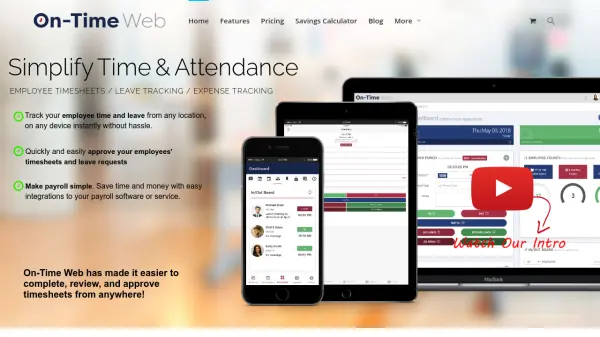
The software offers robust task management functionality, expense reimbursement tracking, and PTO benefit accruals. With mobile apps for iOS and Android, employees can clock in from any location while managers receive instant notifications about attendance and schedule changes. The platform prioritizes security with military-grade encryption, multi-server backups, and user-based permissions to protect sensitive business data.
Features
- Employee Scheduling: Intuitive scheduling system with self-management and attendance tracking capabilities
- Time Tracking: Accurate tracking of work hours, absences, late clock-ins, PTO, and breaks with photo capture verification
- Payroll Reporting: Customizable payroll reports that integrate easily with existing accounting solutions
- Mobile Apps: iOS and Android applications for remote time tracking and management
- Task Management: Create, assign, and monitor tasks for individuals and teams
- Security Features: Military-grade encryption, multi-server backups, and user-based permissions for data protection
- Instant Notifications: Customizable mobile and email alerts for managers and employees
- Expense Reimbursements: Track and automate employee reimbursement requests for travel, mileage, and bonuses
Use Cases
- Small business employee time tracking and scheduling
- Remote workforce management with location monitoring
- Payroll processing and reporting automation
- Task delegation and team productivity monitoring
- Employee attendance and PTO management
- Business expense reimbursement tracking
- Multi-location business operations management
- Seasonal workforce scheduling and time tracking
FAQs
-
How does the free trial work?
All plans include a 14-day free trial with full access to Time Clock Wizard Pro features including phone and email support, with no credit card required and no fees during the trial period. -
Is my business data secure with this platform?
Yes, the platform uses Secure Socket Layer (SSL) protocol for encryption, military-grade security measures, regular data backups, and user-based permissions to protect sensitive information. -
Do I need to install software to use this tool?
No installation is required as it is completely web-based. You can access it through any internet-connected device browser, with optional free mobile apps available for iOS and Android. -
What happens when my free trial ends?
After the 14-day trial, you can choose from Enterprise, Pro, Value, or Free plans based on your business needs and continue using the service. -
Can I get help setting up the software for my business?
Yes, the support team provides assistance during business hours via phone at 1-866-208-7618 or through live chat on the website to help with setup and configuration.