

What is OnTheClock?
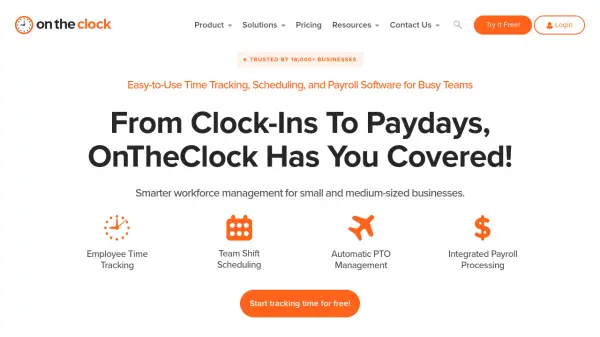
OnTheClock is a comprehensive workforce management solution designed for small and medium-sized businesses. It combines time tracking, employee scheduling, paid time off (PTO) management, and integrated payroll processing into a single, easy-to-use platform. Employees can clock in via mobile devices, desktops, or kiosks, while managers benefit from GPS tracking, geofencing, and biometric options to prevent time theft and ensure accurate payroll.
The platform syncs timecards directly with popular payroll systems like ADP, Gusto, and QuickBooks, and its own payroll solution handles direct deposit, tax filings, and compliance. With a focus on simplicity, OnTheClock promises setup in under two minutes and offers U.S.-based customer support. Trusted by over 18,000 businesses, it helps reduce administrative time by 5-10 hours per week and recover costs from time theft.
Features
- Mobile and Web-Based Time Tracking: Employees can clock in from phones, tablets, laptops, or kiosk stations with flexible punch options.
- GPS Tracking and Geofencing: Real-time location verification prevents off-site clock-ins and buddy punching.
- Shift Scheduling: Create, adjust, and share schedules with drag-and-drop tools and instant employee notifications.
- PTO Management: Automate accruals, allow employee self-service requests, and maintain accurate balances.
- Integrated Payroll Processing: Sync timecards directly to payroll for accurate and fast payment, including tax compliance and direct deposit.
- Biometric Punching: Use fingerprint readers for added security against time theft.
- Custom Reporting: Generate reports on gross pay, job costing, attendance, and more.
- 24/7 U.S.-Based Support: Real human support via phone, email, chat, and text.
Use Cases
- Tracking employee hours for accurate payroll processing.
- Managing shift schedules for hourly teams in industries like construction, retail, and food service.
- Monitoring remote or mobile workforce locations with GPS and geofencing.
- Streamlining PTO requests and accruals to avoid payroll errors.
- Integrating time data with accounting software for seamless payroll runs.
FAQs
-
How do I calculate my total monthly bill?
Multiply your number of active employees by the price per employee ($4) and add the monthly base fee of $5. For example, 12 employees would be 12 x $4 = $48 plus $5 base fee, totaling $53 per month. -
What is an active user?
Any employee on your employee list within 20 days of the billing date is considered an active user. -
Are there any setup fees?
No, there are no setup fees for time tracking, scheduling, or PTO products. OnTheClock Payroll does require a one-time $250 migration fee. -
Can I cancel at any time?
Yes, you can cancel at any time. If you cancel after the 14th day of the month, you will be charged for that entire month of service. -
What forms of payment do you accept?
We accept Visa, MasterCard, American Express, monthly check draft, and annual invoice.