

What is Breeze Clock?
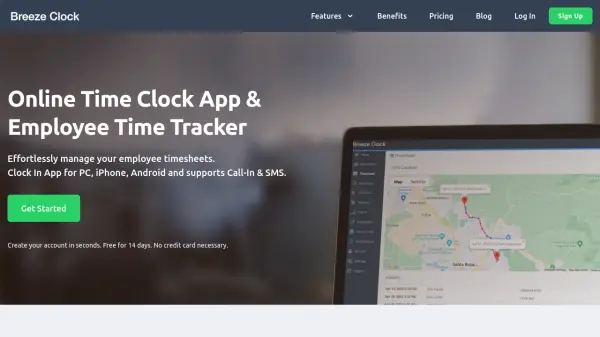
Breeze Clock is an online time clock application designed to simplify employee time tracking and payroll management for businesses. The platform offers comprehensive features including GPS location tracking, geofencing, and automated payroll calculations to eliminate manual timesheet processing.
The system works across multiple devices including desktop computers, iPads, and mobile phones, with data synchronized in the cloud. It automatically calculates overtime, paid time off, and holiday pay while providing professional reports for payroll processing. The mobile app includes GPS tracking capabilities to monitor employee locations during work hours.
Features
- GPS Time Tracking: Track employee locations via mobile devices with GPS capabilities
- Geofence: Set virtual boundaries for clocking in and out from specific locations
- Payroll Reports: Generate professional reports with automated overtime and PTO calculations
- Tamper Proof: Restrict clock-in to specific IP addresses to prevent time theft
- Multi-Device Support: Access time tracking on desktop, iPad, and mobile devices with cloud sync
Use Cases
- Tracking employee work hours across multiple locations
- Managing payroll calculations for businesses with shift workers
- Monitoring remote employees with GPS location tracking
- Automating timesheet approvals and job code reporting
- Preventing time theft through tamper-proof clock-in systems
FAQs
-
How does the GPS time tracking feature work?
Location time tracking is available on iPhone and Android devices with Location Services turned on. When employees clock in, their location is recorded and can be viewed on maps from PC or mobile app. Location recording stops when they clock out. -
Can I export data to payroll systems?
Yes, you can export employee clock-in data to ADP Workforce Now format. Simply download the export file from reports and import it into ADP without manual typing. -
What happens if my number of users changes?
Any employee you add will be included in your next monthly bill. You can deactivate employees by setting them to 'Inactive' status, and they won't be billed until reactivated. -
Are there any long-term contracts required?
No, there are no long-term contracts. You pay monthly and can cancel at any time with no commitment or cancellation fees.