What is Vailo?
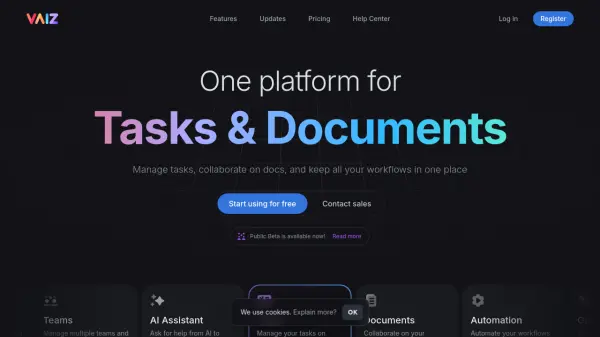
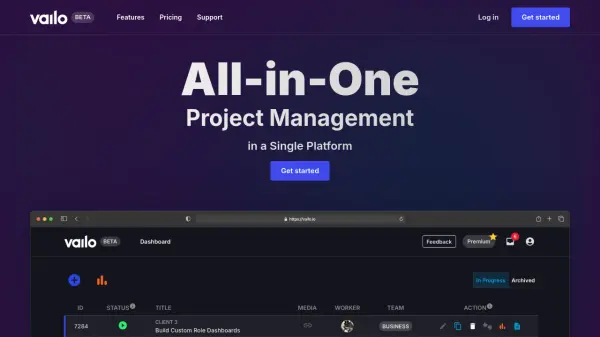
Vailo offers a unified solution for managing projects, tasks, and team collaboration within a single platform. Its goal is to simplify workflows by bringing together essential project management functionalities, thereby reducing the need for multiple subscriptions and applications. The platform features a visually appealing user interface designed for ease of use and enhanced productivity.
With Vailo, teams can manage their work more efficiently through features like smart task control, real-time status updates, and simplified decision-making processes. It includes tools for tracking task time, viewing task history, and analyzing project statistics to monitor progress and profitability. Vailo aims to provide a comprehensive environment where teams can focus on their objectives without being hindered by tool management complexities.
Features
- Stunning UI: Visually captivating and functional interface.
- Smart Task Control: Efficiently manage and control tasks.
- Real-Time Status Updates: Track project and task progress live.
- Simplified Decision Making: Streamlined processes for task decisions.
- Dynamic Notification System: Keep teams informed with relevant updates.
- Enhanced Worker Actions: Improved functionalities for team members.
- Advanced Task Time Tracking: Monitor time spent on specific tasks.
- Task History Log: Maintain a record of task changes and progress.
- In-Depth Project Statistics: Analyze project performance and data.
- Planned Feature - Media Storage: Upload and manage media files within tasks.
- Planned Feature - Improved Login System (SSO): Integrate Single Sign-On for secure login.
- Planned Feature - Advanced Time Tracking and Reporting: Monitor employee hours and generate productivity reports.
- Planned Feature - Event-Driven Mailing System: Automate email notifications for task updates.
- Planned Feature - Internal Chat System: Real-time communication within the workspace.
- Planned Feature - AI-Powered Task Prioritization: Automatically prioritize tasks using AI.
Use Cases
- Centralizing project management for teams.
- Managing tasks and tracking progress in real-time.
- Simplifying team collaboration and communication.
- Monitoring task time and project profitability.
- Streamlining decision-making processes within projects.
- Reducing reliance on multiple software subscriptions.
- Analyzing project performance with detailed statistics.