What is Project.co?
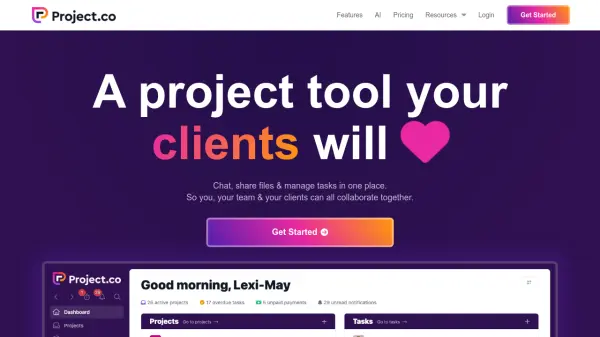
Project.co is a project management platform designed to streamline collaboration between teams and clients. It provides a centralized hub for all project-related activities, including communication, file sharing, and task management.
The platform emphasizes ease of use for both internal teams and external clients, promoting efficient project workflows. It offers various views, including list, card, calendar, scheduler, and Kanban, allowing teams to visualize work in their preferred format. Additionally, Project.co offers features like custom branding, time tracking, invoice creation, and real-time collaborative notes. It offers integration capabilities and data import from spreadsheets or existing project management software.
Features
- AI Assistant: A built-in assistant that performs tasks quicker and makes you more productive!
- Custom Branding: Add your colors, logo, and domain to match your brand.
- Complete Visibility: See all your work and your team's work across multiple views (List, Cards, Calendar, Scheduler, Kanban).
- Get Paid: Create, send, and get paid on invoices.
- Track Time: Allocate and record time on projects.
- Collaborative Notes: Collaborate on notes in real time.
- Client View: Clients can only see projects they are invited to, with a reduced set of permissions.
Use Cases
- Manage agency projects with team and client collaboration.
- Improve client experience and secure document access for law firms.
- Manage music sessions, share files, and collaborate with clients.
- Organize financial documents and track projects for finance professionals.
- Simplify the property process for real estate agents and clients.
- Manage projects for creators, including video editors, graphic designers, and podcasters.
- Centralize work and client communication for freelancers.
- Track development projects, tasks, and documents.
- Manage event planning, including dates, files, resources, and communication.
FAQs
-
What are creator & collaborator users?
Creators are typically people on your team. They have a higher level of permissions so they can create and edit things within your account. Collaborators are typically clients or freelancers. They have a lower level of permissions so they can collaborate with you on projects but they can’t do some things. -
When will I be charged?
You won’t be charged until you decide to enter your card details and pay. We don’t ask for a credit card to sign up so you won’t be billed until you upgrade to the Pro plan. When you do decide to upgrade you can pay monthly or annually. -
Do you offer discounts?
We offer discounts for charities, non-profits & education. If you feel like you qualify then get in touch. We’ll set you up with an account and a sweet discount.