The hardest part of adopting AI software is no longer finding a product. It is deciding whether that product deserves a recurring subscription, a seat on your team, and access to your data. A polished demo can make almost any AI tool look indispensable. After two weeks of real use, the questions change: How much correction does the output need? What happens when usage scales? Can you leave without rebuilding the workflow?
This guide gives you a practical AI tool evaluation checklist you can run before you buy. The goal is not to crown a universal winner. The goal is to answer one question clearly: does this tool improve a specific workflow enough to justify its cost, review burden, and risk? If you want to explore options with low commitment first, browse free AI tools you can try without a long signup flow before running a paid pilot.
Start With the Workflow, Not the Product Name
The best evaluations begin with a defined job, not a category label. "AI writing assistant" or "AI coding tool" is too broad to test. A usable workflow statement names the input, the task, the expected output, who reviews it, and what success looks like.
Replace "Which AI tool is the best?" with "Which tool fits this workflow under these constraints?" That shift turns marketing comparisons into evidence you can defend to a manager, a finance team, or your future self when renewal season arrives.
Workflow statement template
Write one paragraph before you open any vendor demo. Use this structure:
- Input: What goes in (a draft, a repo, a CSV export, customer tickets)
- Task: What the tool must do (summarize, generate tests, remove backgrounds, classify leads)
- Expected output: Format, length, tone, or technical constraints
- Human review: Who checks the result and what they verify
- Success condition: Measurable improvement (time saved, fewer errors, higher throughput)
Example: "Input: changed TypeScript functions in our main app. Task: generate unit tests compatible with our Jest setup. Expected output: tests that cover edge cases without mocking unavailable APIs. Human review: developer verifies coverage and runs the suite. Success: less time writing repetitive tests without increasing debugging work."
Once the workflow is written, you can score every candidate against the same task instead of comparing unrelated feature lists. Teams focused on daily execution often start in our AI productivity category to shortlist tools that match how they already work.
Seven Evaluation Criteria That Predict Real-World Fit
Demos reward breadth. Production rewards fit. These seven criteria surface problems before they become subscriptions. Score each one with notes, not vibes.
| Criterion | What to ask | Red flag |
|---|---|---|
| Task coverage | Can it complete the workflow end to end on your real inputs? | Needs manual steps the vendor did not mention in the demo |
| Output quality | How often is the first draft usable without major rewrites? | Confident tone on wrong facts or broken code |
| Review effort | How many minutes of verification does each output require? | Faster generation but longer correction than doing it manually |
| Reliability | Does performance stay consistent across repeated similar tasks? | Great on simple examples, unstable on your actual file sizes |
| Integration | Does it fit your stack, SSO, export formats, and approval flow? | Copy-paste bridge that breaks audit trails |
| Cost at scale | What happens at realistic seats, credits, API calls, and storage? | Headline price that doubles once the team actually adopts it |
| Exit cost | Can you export data, switch vendors, or pause without rework? | Proprietary formats, no export, or workflows locked to one model |
1. Task coverage
Task coverage measures whether the tool finishes the job you defined, not whether it can do twenty other things you will never use. A product that writes great marketing copy but cannot follow your brand style guide fails coverage even if the demo looked impressive.
2. Output quality
Output quality is about usable first drafts, not literary polish. For code, that means compilable logic with correct assumptions. For text, that means accurate claims in the right structure. For images or video, that means artifacts you would actually ship after minor edits.
3. Review effort
Review effort is the most overlooked metric in how to test AI software. A tool that generates output in twenty seconds but needs ten minutes of debugging is slower than a tool that takes forty-five seconds and two minutes of review. Track total work time:
Total work time = generation time + review time + correction time + testing time.
4. Reliability
Reliability asks whether the tool performs the same way on Tuesday as it did in the sales call. Run the same representative task three to five times. Note variance in structure, factual drift, and failure types.
5. Integration
Integration covers APIs, browser extensions, SSO, role-based access, and how outputs land in the systems you already use. A standalone web app can be fine for individual experiments. Team adoption usually needs connectors, audit logs, and admin controls.
6. Cost at scale
Cost at scale includes subscription seats, credit packs, per-token API usage, overage fees, required add-ons, and the labor cost of review. A twenty-dollar plan for one person behaves very differently at thirty seats with daily usage spikes.
7. Exit cost
Exit cost is what you lose if the vendor raises prices, changes models, or shuts down a feature. Check export formats, data retention, whether prompts and histories are portable, and how much process knowledge is trapped inside the product.
How to Run a 30-Minute Validation Session on Real Tasks
You do not need a month-long bake-off to eliminate bad fits. A focused thirty-minute session on real work surfaces more signal than an hour of slides. Use the same workflow statement for every candidate.
- Minutes 0-5: Open your workflow statement and pick one real input you would process this week. Do not use the vendor sample.
- Minutes 5-15: Run the task once with your normal constraints (file size, tone guide, repo branch, privacy rules).
- Minutes 15-25: Review the output as you would in production. Time how long verification takes. Note every correction.
- Minutes 25-30: Log results in your failure-mode record (template below). Repeat once if the first run failed for a fixable setup reason.
Run this session for two or three shortlisted tools, not ten. Identical inputs make comparisons fair. If you only have thirty minutes total, test the tool most likely to win on paper first, then stop when a clear loser appears on review effort or reliability.
What to bring to the session
- Real inputs (redacted if needed, but representative in size and complexity)
- Your acceptance checklist (facts to verify, tests to run, brand rules)
- A timer for review effort
- A simple log template so results survive memory
Failure-Mode Log Template
Most comparisons document successes. Strong evaluations document how tools fail, because failure types carry different risk. A formatting mistake costs seconds. A wrong financial figure or insecure dependency costs much more. Keep a lightweight log per run:
Tool: [product name]
Workflow: [one-line task description]
Input summary: [file type, length, sensitivity level]
Task coverage: full / partial / failed
Review minutes: [number]
Corrections required: [count and brief description]
Failure mode: [hallucination, wrong API, ignored style guide, etc.]
Critical failure: yes / no (would this have caused harm if shipped?)
Data constraints respected: yes / no / untested
Evidence date: [YYYY-MM-DD]
After three to five logged runs per tool, you are comparing observations, not debating impressions. That evidence becomes the core of an AI tool pilot program if you move forward.
How to Structure a Short AI Tool Pilot Program
A thirty-minute session filters bad fits. A one-to-two-week pilot confirms good ones under real load. Keep the scope narrow: one workflow, a small user group, and success criteria written before anyone logs in.
Pilot setup
- Participants: Two to five people who actually perform the workflow weekly
- Duration: One to two weeks for most SaaS tools; longer only when compliance or integration work is heavy
- Task count: Ten to twenty representative jobs, including at least two edge cases
- Baseline: Record current time, error rate, or throughput before the pilot starts
- Decision rule: Define adopt, limited use, or reject thresholds in advance
What to measure during the pilot
Track the same fields from your failure-mode log across every participant. At the end, compare median review minutes, critical failure rate, and estimated monthly cost at projected usage. Ask whether people reached for the tool voluntarily or only because the pilot required it. Voluntary reuse is one of the strongest adoption signals.
End with a one-page decision memo
Summarize the workflow, tools tested, evidence collected, risks accepted, and the recommendation. Future you (and finance) will thank you when renewal questions arrive. A memo also prevents the common trap where a pilot quietly becomes production because nobody wrote down why you started.
Define Data Boundaries Before Anyone Pastes Content
Teams often evaluate output quality before they evaluate data risk. Flip that order when the workflow involves source code, customer records, internal docs, or anything regulated. Before the first real input enters a vendor system, document what is allowed.
- May production customer data be submitted? Under which plan tier?
- Is content used to train or improve models? Can that be disabled?
- Where is data processed and stored? Are sub-processors listed?
- What retention and deletion options exist for prompts and outputs?
- Do admin controls (SSO, DLP, audit logs) exist on your plan?
If answers are vague, treat the tool as suitable for public or synthetic data only until contracts catch up. Evaluation and procurement are separate steps, but knowing your data boundary early prevents a tool from "winning" on quality while failing on trust.
When to Reject a Tool Even If the Demo Looks Great
Reject early when the product fails on constraints you cannot negotiate away. A dazzling UI does not fix unacceptable data handling, unpredictable output on your real inputs, or pricing that only works at demo-scale usage.
- Review effort exceeds manual work. If verification takes longer than doing the task yourself, the tool is a net negative.
- Critical failures on representative inputs. One harmless mistake is fine in exploration. Repeated harmful errors are a stop signal.
- Unclear data use. If you cannot confirm whether customer content, code, or PII is used for training, treat that as a blocker for production use.
- No export or exit path. Proprietary lock-in is a hidden subscription that renews in panic every time pricing changes.
- Integration tax. When every output requires reformatting, re-uploading, or manual copy across three systems, adoption friction will kill ROI.
- Success criteria never defined. If nobody can name what "better" means numerically, pause before paying. Excitement is not a metric.
"Not now" is a valid outcome. So is "use only for drafts" or "free tier only for low-risk tasks." The goal of evaluation is a clear decision, not a purchase.
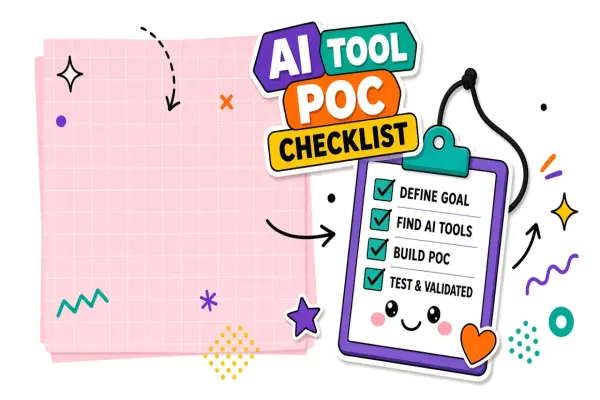
Printable AI Tool Evaluation Checklist
Use this checklist verbatim before sign-off. Copy it into a doc, ticket, or procurement form.
- Workflow statement written with input, task, output, reviewer, and success condition
- Two to three candidates shortlisted against the same workflow, not generic rankings
- Thirty-minute validation completed on real inputs for each candidate
- Review effort timed and recorded for each run
- Failure modes logged, including at least one edge case
- Reliability checked with repeated runs on similar tasks
- Integration requirements confirmed (SSO, API, export, admin controls)
- Cost modeled at realistic seats and usage, including overages
- Exit cost assessed (export, retention, switching effort)
- Data boundaries defined: what may and may not enter the tool
- Decision recorded: adopt, pilot, limited use, or reject
Frequently Asked Questions
What is the difference between evaluating an AI tool and comparing AI tools?
Comparison asks which product wins a feature checklist. Evaluation asks whether a product improves your workflow enough to justify cost and risk. Comparison articles help you discover names. Evaluation proves fit on your inputs, with your reviewers, under your budget.
How long should an AI tool pilot program run?
Most teams learn what they need in one to two weeks with a small group and ten to twenty real tasks. Longer pilots help when usage is seasonal, compliance review is required, or integration work is non-trivial. Define pass/fail rules before the pilot starts so it cannot drift into an unofficial permanent license.
Who should sign off before the team adopts an AI tool?
At minimum, the workflow owner should confirm task coverage and review effort. Add finance when cost at scale is material. Add security or legal when customer data, employee records, or regulated content is involved. Document who approved what; renewals are easier when the original rationale is on file.
How many AI tools should we test before buying?
Two or three serious candidates tested on identical workflows beat a dozen shallow trials. Start from a directory or category page, narrow by constraints (budget, platform, privacy), then run the same validation session on each finalist.
Should we start with free tiers before a paid pilot?
Yes, when the free tier covers your workflow well enough to judge review effort and failure modes. Free plans often have usage caps or weaker privacy terms, so re-check constraints before upgrading. Exploring free AI tools first is a low-risk way to practice the evaluation habit before you commit budget.
The Bottom Line
The right AI tool is the one that improves a defined workflow with acceptable review effort, predictable reliability, and survivable exit cost. Write the workflow first, run a thirty-minute validation on real tasks, log failure modes, and reject great demos that fail your constraints. That process turns hype into evidence you can cite when someone asks why you chose this stack.
When you are ready to shortlist candidates, browse AI productivity tools on EliteAI.tools and run the same checklist on every finalist before you add another subscription to the pile.