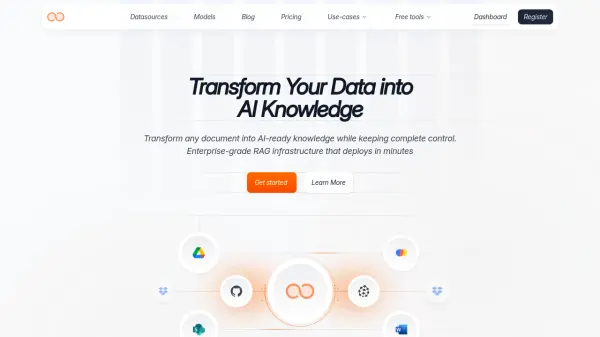
What is Unli.ai?
Unli.ai enables organizations to unlock the intelligence within scattered documents across various formats and storage systems, converting them into secure, AI-ready knowledge. With advanced Retrieval-Augmented Generation (RAG) infrastructure, it instantly processes PDFs, Word files, presentations, and even images containing text, delivering universal document intelligence for enterprise use.
Designed for versatile business needs, Unli.ai streamlines employee onboarding, enhances customer support, centralizes internal knowledge, and accelerates academic research. The platform ensures robust privacy controls, seamless deployment, and an intuitive interface that helps teams retrieve, analyze, and act on their proprietary data efficiently.
Features
- Universal Document Processing: Handles PDFs, Word documents, presentations, and text images from any storage system.
- Enterprise-Grade Security: Offers robust permissions and ensures complete control over data privacy.
- Retrieval-Augmented Generation: Delivers advanced RAG infrastructure for instant deployment and data integration.
- Customizable Integrations: Supports integration with Google Drive, Sharepoint, Notion, and more.
- Flexible Workspaces: Enables collaboration with multiple workspaces and user management.
- Scalable Pricing Plans: Meets the needs of individuals, teams, and growing businesses.
- Bring Your Own Storage: Allows utilization of existing vector store and storage solutions.
- Log Retention & Analytics: Provides detailed log retention and data usage analytics.
Use Cases
- Automating and streamlining employee onboarding with intelligent document workflows.
- Enhancing customer support by enabling quick access to organization-wide information.
- Centralizing internal knowledge for efficient information retrieval and decision-making.
- Accelerating academic research by synthesizing scholarly content into actionable insights.
- Transforming large-scale document repositories into searchable AI-ready knowledge bases.
- Maintaining data privacy and compliance while leveraging AI-powered document processing.
FAQs
-
What types of documents and formats can be processed?
Unli.ai processes a wide array of document formats, including PDFs, Word files, presentations, and images containing text from various storage systems. -
Is my data secure with Unli.ai?
Yes, Unli.ai implements enterprise-grade security standards and ensures that all data remains private and under the user's control. -
Can Unli.ai integrate with existing storage solutions?
Unli.ai supports integration with major storage platforms such as Google Drive, Sharepoint, Notion, and allows you to bring your own storage or vector store. -
Does Unli.ai offer scalable solutions for teams?
Yes, Unli.ai provides flexible pricing and workspace management, suitable for individuals, teams, and growing organizations.