Twiddla favicon

Twiddla
Collaborative Online Whiteboard for Real-Time Teamwork

What is Twiddla?

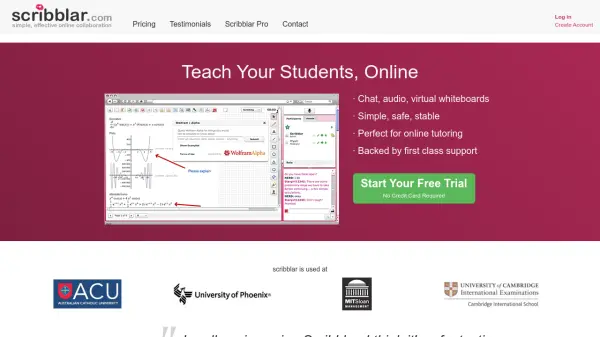
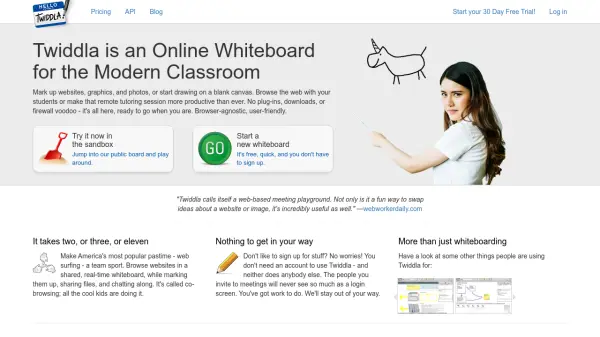
Twiddla is an intuitive online whiteboard designed to enhance collaboration in classrooms and remote team settings. The platform allows users to mark up websites, graphics, and photos or create from scratch on a blank canvas, supporting seamless interaction whether for teaching, brainstorming, or project discussions. Twiddla’s browser-agnostic design ensures accessibility across devices and platforms, requiring no downloads, plugins, or complex firewall configurations.

With features like real-time web co-browsing, integrated file sharing, and live chat, Twiddla streamlines the process of holding interactive meetings and remote tutorials. Users can start sessions instantly without signing up, making it exceptionally user-friendly for teachers, students, and professionals aiming for productive online collaboration sessions.

Features

  • Real-Time Collaboration: Multiple users can work together simultaneously on a whiteboard.
  • Co-Browsing: Browse and annotate websites together in a shared session.
  • No Sign-Up Required: Start or join boards instantly without registering an account.
  • File Sharing: Upload and share files within sessions for enhanced discussions.
  • Integrated Chat: Communicate with participants through built-in chat during meetings.
  • Browser-Agnostic: Accessible across all major browsers without downloads or plugins.
  • Blank Canvas Drawing: Draw or sketch ideas freely on a blank canvas.

Use Cases

  • Online classroom teaching and tutoring sessions
  • Remote team brainstorming meetings
  • Collaborative website or image mark-up
  • Live project planning and discussions
  • Virtual workshops and training seminars

Related Tools:

Blogs:

  • Boost Engagement in Ads with AI

    Boost Engagement in Ads with AI

    Discover how AI music and AI SDR agents are reshaping modern advertising. Learn how emotional resonance through AI-generated soundtracks combined with smart, automated sales outreach can turn viewers into loyal customers faster, cheaper, and more personally than ever before.

  • Top 6 AI note-taking tools for 2026: in-person, online, and hybrid use cases

    Top 6 AI note-taking tools for 2026: in-person, online, and hybrid use cases

    Most AI note-taking lists are really lists of meeting bots, which join your video call and transcribe it. That's useful, but it's half the picture. Decisions happen in hallway conversations, client dinners, on-site visits, and hybrid rooms where nobody is on a video link. This guide covers different parts of the note-taking workflow: hardware capture for in-person settings, platform-native tools for online calls, and AI layers for organizing and synthesizing what you've captured. It compares six tools by capture context, workflow fit, pricing, and limitations.

  • Top AI tools for Teachers

    Top AI tools for Teachers

    Explore the top AI tools designed for teachers, revolutionizing the education landscape. These innovative tools leverage artificial intelligence to enhance teaching efficiency, personalize learning experiences, automate administrative tasks, and provide valuable insights, empowering educators to create engaging and effective educational environments.

Didn't find tool you were looking for?

Be as detailed as possible for better results