
What is TextCapture?
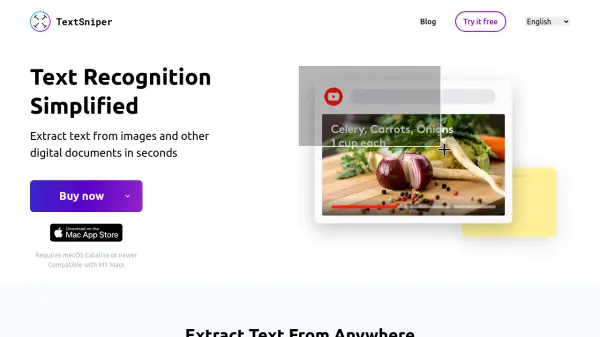
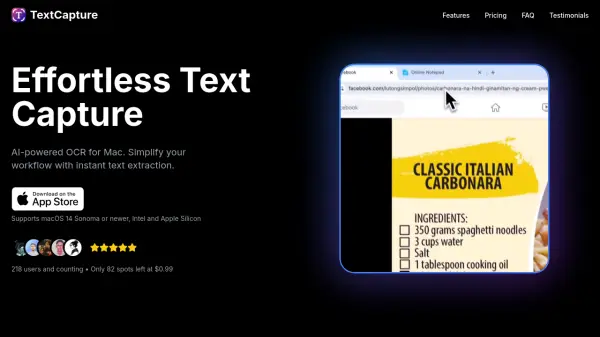
TextCapture is an advanced text extraction tool designed specifically for Mac users, combining lightning-fast on-device OCR with powerful AI-driven recognition capabilities. By simply dragging to select any area on the screen, users can extract text—including complex formatting, tables, code snippets, and emojis—with accuracy and ease. The tool offers both a local mode for secure, offline processing and an AI mode leveraging OpenAI for enhanced context and formatting preservation, supporting over 55 languages in total.
TextCapture prioritizes user privacy by processing data locally unless the AI mode is activated with the user's own API key. Customizable keyboard shortcuts, multi-lingual support, and one-time straightforward pricing make it a tailored solution for professionals who value efficiency, accuracy, and security in their workflow. Suitable for a range of use cases, it streamlines tasks that require extracting unselectable or embedded text from videos, images, or secured documents.
Features
- Lightning Fast: Instantly captures and processes text for seamless workflow.
- Secure On-Device Processing: Ensures all data stays local unless AI mode is enabled.
- Custom Shortcuts: Allows personal keyboard shortcuts for quick access.
- Multi-lingual Support: Recognizes and extracts text in over 55 languages.
- AI-Powered Extraction: Uses advanced AI for superior recognition and format preservation.
- Format Detection: Intelligently preserves text formatting and layout.
- Emoji Support: Accurately captures emojis along with text.
- Flexible Modes: Choose between local fast OCR or advanced AI extraction with OpenAI API key.
- Table & Code Extraction: Maintains indentation and spacing in complex content.
Use Cases
- Extracting unselectable or embedded text from videos, images, or PDFs.
- Copying code snippets with formatting intact for programming workflows.
- Capturing tables and structured documents while preserving layout.
- Transcribing multilingual content from visual material for translation or reference.
- Archiving handwritten notes or classroom board writings for digital storage.
FAQs
-
What is the difference between Local and AI Text Extraction mode?
Local mode uses fast, secure on-device OCR without the need for an API key, while AI mode leverages advanced AI (with a user-provided OpenAI API key) for enhanced format preservation and context understanding. -
Do I need an OpenAI API key to use TextCapture?
An OpenAI API key is only required for AI Text Extraction mode. Local mode functions fully without it. -
Can I customize the keyboard shortcut?
Yes, TextCapture allows you to set custom keyboard shortcuts for faster and more personalized text capture. -
What macOS versions does TextCapture support?
TextCapture supports macOS 14 Sonoma or newer on both Intel and Apple Silicon devices. -
What languages does TextCapture support?
TextCapture supports text extraction in over 55 languages in AI mode, and 18 languages in local mode.