What is TranslateAir?
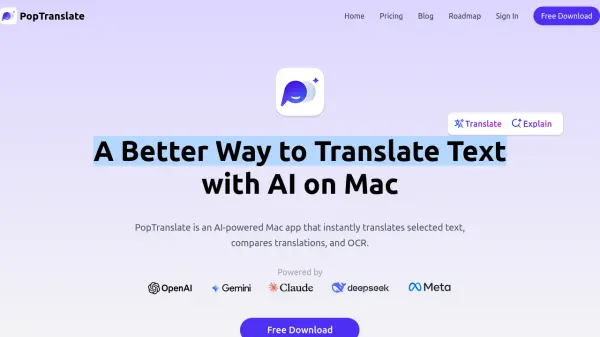
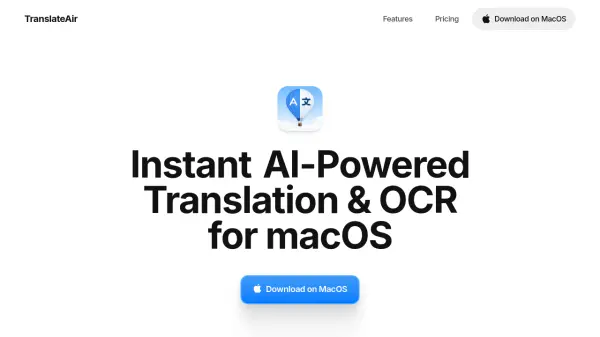
TranslateAir is a macOS application that leverages advanced artificial intelligence to provide instant translation and optical character recognition (OCR) capabilities. It integrates with top-tier AI translation engines like ChatGPT, Gemini, DeepL, and Google Translate to deliver context-aware, natural translations in over 100 languages. The tool enables users to translate text directly from any application through a pop-up interface, extract text from various sources including screenshots and PDFs, and refine translations with smart rewriting options.
The application is designed to be lightweight and fast, featuring customizable keyboard shortcuts for efficient workflow management. It supports text extraction from over 100 languages and works seamlessly with more than 1000 apps, making it a versatile solution for professionals and individuals needing quick, accurate language processing on macOS devices.
Features
- AI-powered Translations: Driven by top-tier AI engines like ChatGPT, Gemini, DeepL, and Google Translate for natural, accurate translations across 100+ languages
- Smart Rewrite: Polish translations with one-click options to make them more friendly, professional, concise, or detailed
- Pop-up Translation: Instantly translate selected text from any app with a floating bar that works with 1000+ apps
- Text OCR Extraction: Extract text from screenshots, designs, videos, PDFs, and source code in 100+ languages
- Keyboard Shortcuts: Customize shortcuts for translations, OCR, and floating bar actions to tailor workflows
Use Cases
- Translating documents or text in real-time while working on macOS
- Extracting text from images, screenshots, or PDFs for editing or translation
- Refining translated content to match specific tones like professional or friendly
- Quickly understanding foreign language text in apps or websites without switching contexts
- Enhancing productivity by integrating translation and OCR into daily workflows with shortcuts
FAQs
-
What languages does TranslateAir support for translation and OCR?
TranslateAir supports over 100 languages for both translation and OCR text extraction. -
Can TranslateAir extract text from PDFs and screenshots?
Yes, TranslateAir can extract text from PDFs, screenshots, designs, videos, and source code using its OCR feature. -
Does TranslateAir work with all applications on macOS?
TranslateAir works with over 1000 apps on macOS, allowing pop-up translations from any application. -
How does the smart rewrite feature work in TranslateAir?
The smart rewrite feature allows users to fine-tune translations with one-click options to make them more friendly, professional, concise, or detailed. -
Can I customize keyboard shortcuts in TranslateAir?
Yes, users can set personalized keyboard shortcuts to trigger translations, OCR, or floating bar actions for tailored workflows.