What is PopTranslate?
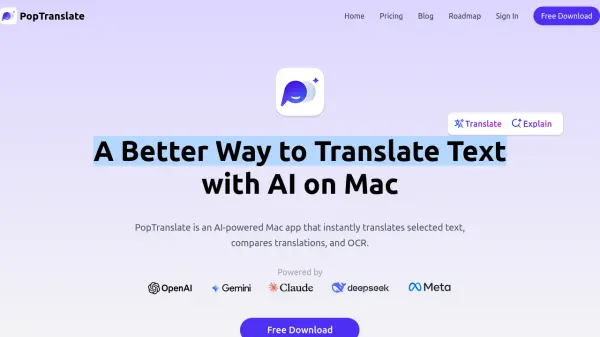
PopTranslate is an AI-driven application designed specifically for macOS users, offering instant translation capabilities directly within the operating system. Users can select text from various sources like browsers, PDFs, e-books, or documents and receive immediate translations with a single click, powered by advanced AI models such as OpenAI and Gemini. The tool facilitates overcoming language barriers and accessing global information effortlessly.
Beyond simple translation, PopTranslate provides features to compare results from different AI translation engines and utilizes Optical Character Recognition (OCR) to translate text from images. It also includes functions like AI Explain to clarify sentence meanings, AI Rewrite to refine text for grammar and tone, and AI Voice for natural-sounding pronunciation, aiding in language skill improvement. The application boasts a native Mac experience, full keyboard control, and support for over 30 languages.
Beyond simple translation, PopTranslate provides features to compare results from different AI translation engines and utilizes Optical Character Recognition (OCR) to translate text from images. It also includes functions like AI Explain to clarify sentence meanings, AI Rewrite to refine text for grammar and tone, and AI Voice for natural-sounding pronunciation, aiding in language skill improvement. The application boasts a native Mac experience, full keyboard control, and support for over 30 languages.
Features
- AI Translate: Instantly translate selected text using AI models like OpenAI and Gemini.
- Translation Result Compare: Compare translations from different AI engines side-by-side.
- AI Explain: Get AI-powered explanations for selected sentences.
- AI Rewrite: Refine sentences for better grammar, tone, and clarity using AI.
- OCR to Translate: Extract and translate text from images using Optical Character Recognition.
- AI Define: Instantly see definitions and examples for selected words.
- Click to Pop Menu: Access translation and other features via a simple click or selection.
- Humanlike Voice / AI Voice: Listen to text pronunciation with natural-sounding AI voices.
- Full Keyboard Control: Operate the tool efficiently using keyboard shortcuts.
- Support 30+ Languages: Translate text across a wide range of languages.
Use Cases
- Translating text while browsing websites.
- Reading and understanding foreign language documents (PDFs, e-books).
- Composing emails or messages in multiple languages.
- Improving foreign language comprehension and writing skills.
- Extracting and translating text from images or screenshots.
- Quickly looking up definitions and examples of foreign words.
FAQs
-
Where can I find my license key?
Membership is linked to your login email; no license key is needed. Log in to view membership status under Settings → Account. -
Is there an App Store version available?
A Mac App Store version is being prepared for release, and an iOS version is under development. -
Does PopTranslate work on Windows?
Currently, PopTranslate is exclusively available for macOS and natively designed for it. A Windows version is not available at this time. -
Is there an education discount?
The team is exploring this option. Students can email [email protected] to inquire. -
Can I upgrade or downgrade my subscription plan later?
Yes, subscription plans can be managed and changed anytime from your account settings.