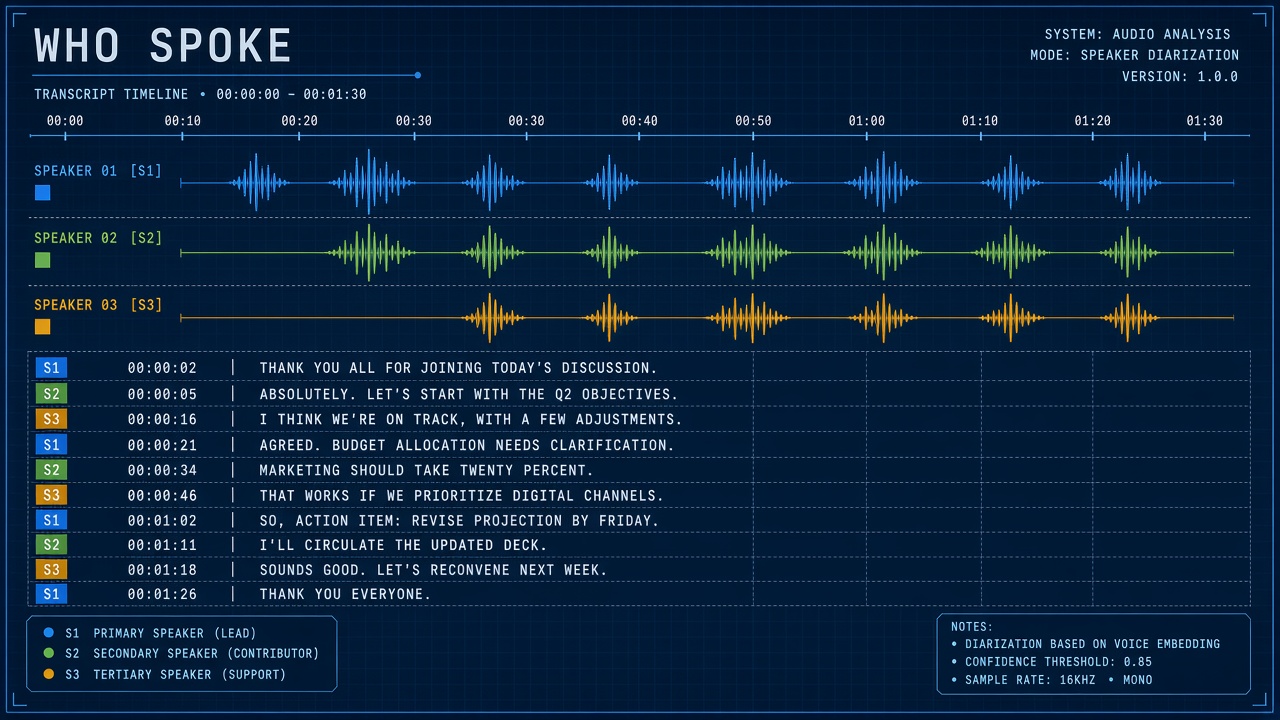
A one-hour sales call recording arrives with no attendee list attached. Transcription alone returns a wall of text. Speaker diarization explained in practice: an AI pipeline segments the audio timeline by voice identity, outputting labels such as Speaker 1, Speaker 2, and Speaker 3 with start and end timestamps, even when the system does not know legal names yet. Diarization answers "who spoke when"; speech-to-text answers "what was said." Together they produce readable meeting notes with attributed quotes.
Contact centers, podcast editors, legal discovery teams, and meeting assistants from Zoom, Microsoft Teams, Otter, and AssemblyAI expose diarization behind toggles or paid tiers. Developers building on AI code assistants may diarize workshop recordings for retro notes, while AI transcription platforms bundle diarization with word-level timestamps and vocabulary customization.
Definition and Speaker Labels
Speaker diarization partitions an audio stream into segments attributed to distinct speakers without prior enrollment of voice prints, though some systems optionally map segments to enrolled profiles afterward. Output is typically a list of (start_time, end_time, speaker_id) tuples. Speaker IDs are arbitrary labels (Speaker A, spk_0) unless a downstream step links them to CRM contacts or calendar attendees.
Diarization differs from speaker recognition, which classifies a segment against known identities, and from simple voice activity detection, which only detects speech versus silence. Diarization must also handle overlapping speech, short backchannels ("yeah", "right"), and mid-meeting arrivals.
Embeddings and Clustering Pipeline
Modern diarization extracts short-window speaker embeddings (voice fingerprints), clusters them into speaker groups, and refines segment boundaries with neural diarization models such as pyannote.audio or vendor equivalents. A typical pipeline runs voice activity detection, embeds each speech region, clusters embeddings, then applies resegmentation to smooth boundaries and split merged speakers.
| Stage | Purpose | Failure symptom |
|---|---|---|
| Voice activity detection | Find speech regions | Music or HVAC labeled as speech |
| Embedding extraction | Map audio to speaker vectors | Similar voices collapse to one speaker |
| Clustering | Group segments by identity | One person split into two labels |
| Resegmentation | Adjust boundaries and overlaps | Bleed between speakers at handoffs |
Combining Diarization with Speech-to-Text
Production meeting products align diarization timestamps with ASR word timings so each transcript line carries a speaker label; joint models can improve consistency versus stitching independent vendors. Order matters: some APIs diarize first then transcribe per segment; others run unified multitask models. Mismatched timestamps produce lines attributed to the wrong speaker at segment edges.
Common integration patterns
- Diarize then transcribe: Cut audio per speaker segment, run STT on slices.
- Transcribe then align: Force-align words to diarization segments post hoc.
- End-to-end: Single model predicts speaker turns and text together.
For compliance archives, store raw audio, diarization JSON, and transcript versions separately so relabeling speakers does not require re-transcription.
Edge Cases and Accuracy Limits
Diarization accuracy drops with similar-sounding voices, heavy overlap, poor microphones, code-switching, short utterances, and more speakers than the model expects. Podcast interviews with crosstalk challenge every vendor. Phone bridges compress audio and erase cues embeddings rely on. More than eight active speakers in a roundtable may confuse clustering unless the product supports high speaker counts explicitly.
Mitigation tactics
- Request separate tracks per participant when the platform allows (Zoom isolated audio).
- Use headset mics in hybrid rooms to reduce room bleed.
- Manually merge or split speaker labels in review UI before publishing notes.
- Set expected speaker count when the API exposes that hint.
Privacy and Voice Biometrics
Speaker embeddings are biometric-like signals; storing them or mapping labels to employees may trigger GDPR, BIPA, or internal HR policies even when legal names are not auto-filled. Diarization for analytics (talk-time equity) differs from surveillance: document purpose, retention, and whether humans review attributions before performance use.
Optional speaker enrollment ("voice print") increases naming accuracy but shifts the feature toward biometric identification. Obtain consent, offer opt-out, and restrict enrollment to enterprise-controlled directories rather than open web uploads.
Vendor Landscape and APIs
Speaker diarization ships as a feature inside meeting bots, contact-center analytics suites, and standalone speech APIs from AssemblyAI, Deepgram, Google Cloud Speech-to-Text, Azure Speech, and Amazon Transcribe. Pricing may bundle diarization with transcription minutes or charge a premium per hour. Compare whether speaker labels are included in base STT or require enterprise tiers.
| Deployment style | Typical buyer | Tradeoff |
|---|---|---|
| SaaS meeting assistant | Teams wanting notes without engineering | Less control over models and retention |
| Speech API | Product teams embedding diarization | You own UX and compliance wiring |
| Open-source (pyannote) | Regulated on-prem workloads | GPU ops and model license management |
Buyer Checklist for Diarization
Before signing a speech contract, validate diarization on ten internal recordings that mirror production noise, overlap, and speaker counts. Request sample JSON output showing speaker segments aligned to word timestamps. Confirm whether relabeling speakers in the UI propagates to exported CRM notes.
- Run DER or manual handoff review on sales calls, support calls, and roundtables separately.
- Test with phone bridge audio, not only studio WAV files vendors demo.
- Verify diarization works in every language you support on the same SKU.
- Ask how overlapping speech is represented (dominant speaker vs dual label).
- Document retention of embeddings if speaker enrollment is enabled later.
Real-Time vs Batch Processing
Live meeting captions use incremental diarization with revisable speaker tags; batch archives run full-file models with cleaner boundaries at the cost of minutes to hours of latency. Choose mode based on UX: sales reps want live talk-time hints; legal wants batch accuracy on uploaded depositions. Hybrid products stream provisional labels then refine offline for the stored record.
Downstream use cases beyond transcripts
Revenue intelligence tools compute talk-listen ratios per rep. Compliance teams search for who mentioned forward guidance. Podcast editors auto-split tracks for manual polish. Legal teams pair diarization with redaction before discovery production. Each use case stresses different failure modes: sales analytics tolerates occasional mislabels more than sworn deposition workflows.
Frequently Asked Questions
Is speaker diarization the same as transcription?
No. Transcription converts speech to text; diarization assigns speaker labels to time ranges. You need both for attributed meeting transcripts. Either can run without the other, with limited usefulness.
How many speakers can diarization handle?
Consumer meeting tools often optimize for two to eight speakers; accuracy degrades as overlap and similarity increase. Ask vendors for benchmarks on your audio domain (call center vs podcast).
Does diarization work across languages?
Embeddings primarily capture voice characteristics, so diarization can work on multilingual meetings, but code-switching and accented overlap still stress models. Verify language packs do not disable diarization on your plan.
Is diarization available in real time?
Live captioning products increasingly show provisional speaker tags, though final labels may revise after a few seconds of context. Offline batch mode usually yields cleaner boundaries for archives.
How should teams evaluate diarization quality?
Measure diarization error rate (DER) on representative internal recordings and review edge cases at speaker handoffs manually. A low word error rate with bad speaker labels still fails meeting-note workflows.
Regulatory and Retention Considerations
Financial services, healthcare, and EU workplaces may restrict how long diarized transcripts and embeddings are stored, who can access speaker-attributed quotes, and whether voice analytics count as employee monitoring. Legal should review whether diarization outputs are personal data under GDPR when combined with calendars that reveal identity. US state biometric laws may apply if enrollment maps voice prints to employees without notice.
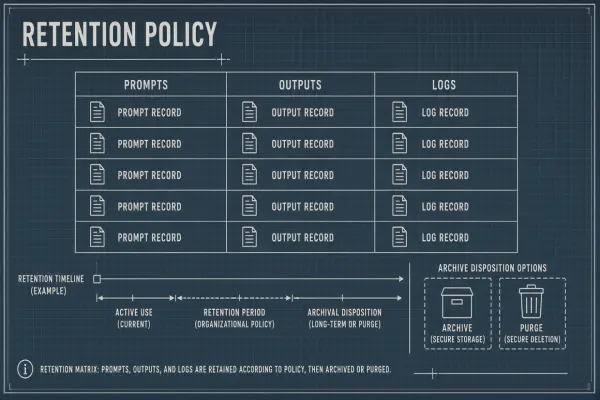
Default retention policies should separate raw audio, diarization JSON, and display transcripts so teams can delete layers independently during subject access requests.
Metrics and Benchmarks
Diarization error rate (DER) combines missed speech, false alarm speech, and speaker confusion; lower DER is better but domain benchmarks vary widely. NIST DIHARD and AMI meeting corpora are common academic references, yet your call-center narrowband audio may behave differently. Build an internal golden set with human-labeled speaker boundaries and track DER monthly as models update.
Pair DER with conversational metrics: speaker purity (how often a segment contains one voice) and coverage (how much speech received any label). A system with low DER but poor coverage silently drops quiet participants from analytics.
Human-in-the-loop review
High-stakes workflows should present diarized drafts with click-to-merge and click-to-split controls before publication. Automate only after override rates fall below your risk threshold. Store reviewer corrections to fine-tune enrollment mappings or tune clustering hyperparameters if your deployment allows.
Integration with CRM and Ticketing
Attributed transcripts sync to Salesforce, HubSpot, or Zendesk when speaker labels map to known contacts via calendar attendee lists or manual assignment post-call. Without mapping, Speaker 1 remains anonymous in CRM forever. Build UI flows that let reps confirm "Speaker 2 was the prospect" once per recurring meeting series. Avoid auto-attributing quotes to executives when diarization confidence is low.
Accessibility and Captioning
Speaker-labeled captions help deaf and hard-of-hearing participants follow who is speaking in multi-party calls, especially when video is off. WCAG-oriented products should expose speaker names (once confirmed) in caption tracks, not only in post-meeting PDFs. Test caption sync when diarization revises labels mid-stream in live mode. Screen reader users benefit when speaker changes are announced as structural breaks, not buried inside undifferentiated caption paragraphs.
Conclusion
Speaker diarization explained for buyers means knowing it labels anonymous speakers on a timeline via embeddings and clustering, pairs with STT for attributed transcripts, and breaks under overlap and similar voices. Test on your microphones, benchmark DER on real audio, clarify privacy treatment of voice embeddings, and keep a human review step before high-stakes quotes ship to customers or counsel. Treat diarization quality as a first-class requirement equal to word error rate when selecting speech platforms.