What is TalkHelper Call Recorder for Skype?
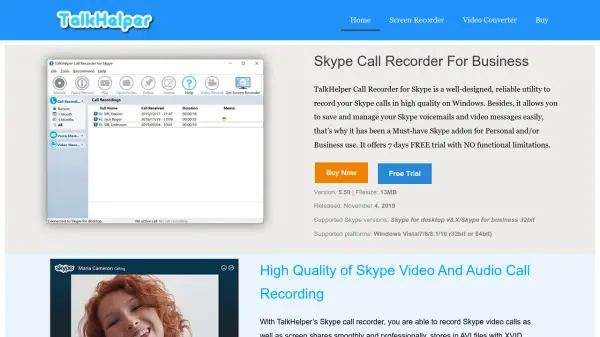
TalkHelper Call Recorder for Skype is a specialized Windows application designed to record Skype calls with high-quality output. It captures both video and audio calls, including screen shares, and saves them in AVI format with XVID codec for video, and MP3 or WAV for audio with stereo or mono options. Unlike screen-based recorders, it records directly inside Skype, ensuring every video frame is captured regardless of window mode.
The tool also simplifies saving Skype voicemails and video messages with one-click functionality, storing them locally for easy playback. It is compatible with the latest Skype for desktop and Skype for Business versions, supported on Windows Vista through 10. A 7-day free trial is available with no functional limitations.
Features
- High-Quality Recording: Captures Skype video calls in AVI format with XVID codec and audio calls in MP3 or WAV with stereo/mono options
- Direct Skype Integration: Records inside Skype to capture every video frame, even in full screen or floating windows
- Voicemail and Video Message Saving: Saves Skype voicemails and video messages locally with one-click functionality
- Latest Skype Support: Compatible with the newest Skype for desktop and Skype for Business versions
- Windows Compatibility: Works on Windows Vista, 7, 8, 8.1, and 10 (32-bit or 64-bit)
Use Cases
- Recording business meetings on Skype for documentation
- Saving educational or training sessions conducted via Skype
- Archiving personal video calls with family and friends
- Managing and reviewing Skype voicemails for customer support
- Capturing screen shares during Skype presentations
FAQs
-
What formats does TalkHelper save recordings in?
It saves video recordings in AVI format with XVID codec and audio recordings in MP3 or WAV format with stereo or mono options. -
Is TalkHelper compatible with the latest Skype versions?
Yes, it supports the newest Skype for desktop and Skype for Business versions. -
Does TalkHelper offer a free trial?
Yes, it provides a 7-day free trial with no functional limitations.