What is Siyaa?
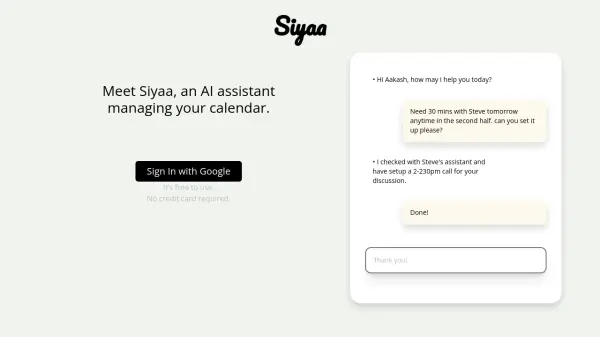
Siyaa operates as an intelligent assistant focused on streamlining calendar management. Users can interact with Siyaa via chat to schedule meetings involving multiple participants. The AI analyzes everyone's availability and priorities to identify the most suitable time slots, even navigating complex schedules where no obvious openings exist.
A key function is automated conflict resolution. When overlapping meetings occur, Siyaa takes proactive steps: if the user organized the meeting, it automatically reschedules based on participant priorities. If the user is merely a participant, Siyaa suggests alternative times to the organizer, aligning with the user's designated priorities. Additionally, Siyaa manages inbound scheduling requests sent to a dedicated email address ([email protected]), finding optimal times for external parties to connect with the user, thereby minimizing administrative overhead.
Features
- AI Meeting Scheduling: Schedule meetings with individuals or groups via chat commands.
- Intelligent Slot Finding: Identifies optimal meeting times considering participant priorities and availability.
- Automated Conflict Management: Automatically resolves overlapping meetings by rescheduling or proposing alternatives.
- Inbound Request Handling: Manages meeting requests sent via a dedicated email address.
- Priority-Based Scheduling: Considers user-defined priorities when finding slots and resolving conflicts.
- Google Calendar Integration: Connects directly with Google Calendar for seamless management.
Use Cases
- Scheduling complex meetings with multiple attendees.
- Automating the resolution of calendar conflicts.
- Managing external meeting requests efficiently.
- Optimizing personal and team schedules.
- Reducing administrative time spent on scheduling tasks.
- Delegating calendar management to an AI assistant.