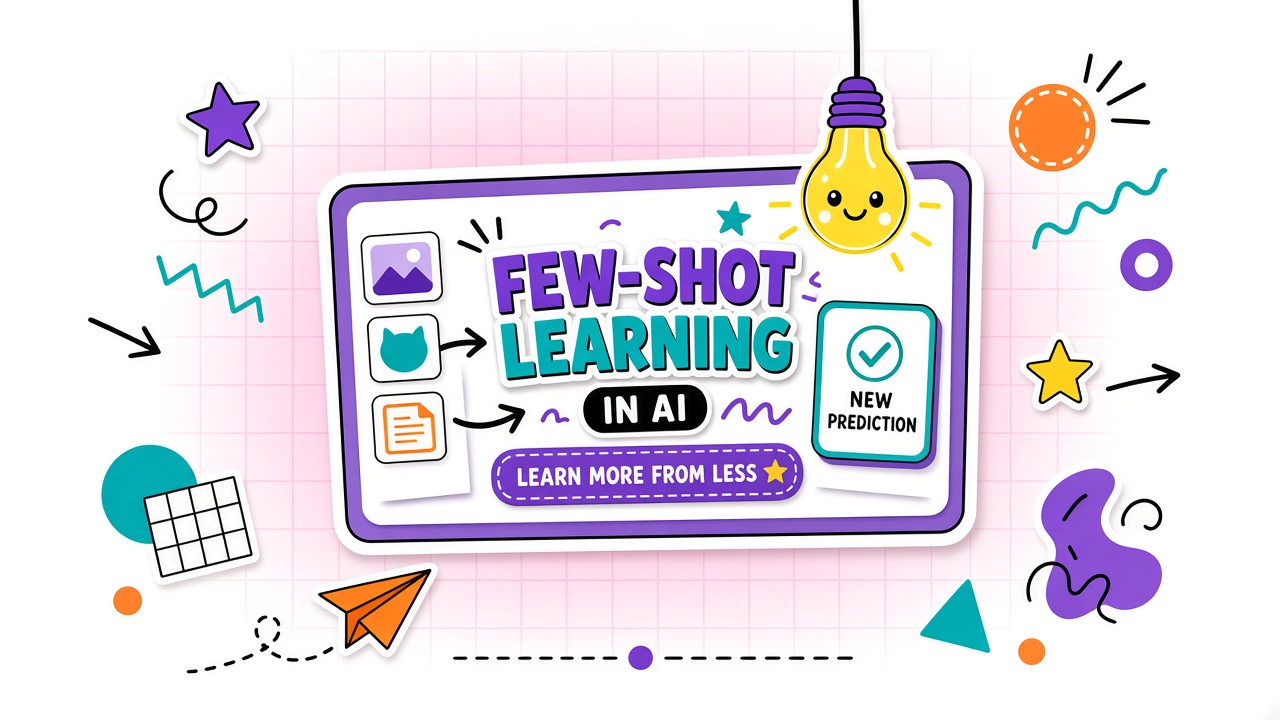
You paste three sample product descriptions and ask the model to write a fourth in the same voice. The output suddenly matches your format, tone, and length. You did not fine-tune anything. You did not open a training dashboard. You used few-shot learning, also called in-context learning, where the model infers a task from demonstrations embedded in the prompt itself.
This guide explains how few-shot learning works in commercial AI tools, when it beats long written instructions, how many examples to include, and what token costs to expect. You will also see a reusable prompt template and how few-shot differs from fine-tuning. For tools where you build prompt libraries, browse AI writing tools and AI chatbot products with saved prompt workflows before you scale examples across a team.
What Is Few-Shot Learning in AI?
Few-shot learning, in the context of large language models, means providing a small number of input-output examples inside the prompt so the model performs a new task by pattern matching rather than by updating model weights. The model reads the examples, infers the mapping rule, and applies it to your new input. Researchers often call this in-context learning because the learning happens during inference, not during a separate training run.
The term "few-shot" is relative. Classic few-shot prompting uses roughly one to five demonstrations. Long-context models now support many-shot prompting with dozens or hundreds of examples, but the core idea is unchanged: show the model what good looks like, then ask for more of the same.
Few-shot vs zero-shot vs one-shot
| Pattern | What you provide | Best for |
|---|---|---|
| Zero-shot | Instructions only, no examples | Common tasks the model already knows well |
| One-shot | A single demonstration pair | Simple format mimicry with low token budget |
| Few-shot | Two to five (sometimes more) demonstration pairs | Custom tone, labels, extraction schemas, niche formats |
When Few-Shot Beats Long Instructions
Few-shot prompting wins when the task is easier to show than to describe. Formatting rules, label taxonomies, brand voice, and structured extraction fields are classic cases. A paragraph of rules about JSON keys often produces inconsistent output. Three clean example pairs usually produce tighter alignment because the model copies surface patterns it already encodes well.
Few-shot also helps when your vocabulary is domain-specific. Medical coding shorthand, internal ticket categories, or product SKU conventions are hard to define exhaustively in prose. Examples anchor the model to your exact labels without a custom classifier.
Long instructions still matter. Combine a short rule block with examples: state non-negotiables (no PII, max length, required fields), then show demonstrations. Instructions handle constraints; examples handle style and structure.
Tasks where few-shot struggles
- Reasoning with hidden rules: Multi-step math or logic may need chain-of-thought, not just format examples.
- Contradictory examples: Mixed label quality teaches the wrong pattern.
- Very long outputs: Examples that exceed context budget crowd out the actual task.
- Strict factual grounding: Examples cannot replace retrieval from verified sources.
How Many Examples and What Format
Start with three to five diverse examples that cover edge cases, not five near-duplicates. Each demonstration should share the same template: clear input delimiter, clear output delimiter, consistent field names. Diversity matters more than volume for many classification and formatting tasks.
| Task type | Starting example count | Format tip |
|---|---|---|
| Tone or style mimicry | 2 to 3 short samples | Match target length; include one formal and one casual if both appear |
| Classification labels | 3 to 5 per class if possible | Balance classes; avoid ordering bias (shuffle examples) |
| Structured extraction | 3 to 4 JSON examples | Use identical key names; show one messy input |
| Translation or rewrite rules | 2 to 3 pairs | Show forbidden transformations explicitly in output |
Few-shot prompt template (before and after structure)
Use a fixed skeleton so the model recognizes where demonstrations end and the live task begins.
- Role and rules (2 to 4 sentences): Task goal, constraints, output format.
- Example block: Repeat the same labels for each pair (Input / Output or Q / A).
- Live task: One new input with an empty output slot or "Your turn:" cue.
Before: vague instruction "Classify support tickets." After: three labeled ticket snippets with Category lines, then the new ticket. The after version reduces label drift because the model copies the visible pattern instead of guessing your taxonomy from prose alone.
Token Cost of Few-Shot Patterns
Every example consumes context window space on every request. Few-shot is not free accuracy; it is accuracy bought with input tokens. Long demonstrations, large JSON payloads, or many-shot libraries can dominate billing on API products and slow consumer chat when context fills up.
Cost control tactics: shorten examples to the minimum viable pattern, cache static example blocks in API systems that support prompt caching, move stable patterns into fine-tuned or custom models when example sets grow past a few thousand tokens, and test whether two strong examples beat five mediocre ones before scaling.
Few-Shot in Tools With Prompt Libraries
Many AI writing and chatbot products let you save system instructions, persona settings, and reusable prompt templates. Few-shot examples belong in the saved template when the pattern is stable (weekly report format, support macro structure, extraction schema). Keep live user content out of the saved library unless your retention policy allows it.
Team workflows: store a canonical few-shot block in a shared prompt doc, version it when labels change, and run a monthly regression set of inputs to catch format drift when the vendor updates base models.
In-Context Learning: How Few-Shot Actually Works
When researchers describe in context learning AI, they mean the model reads demonstrations in the prompt and temporarily behaves as if it learned the task, without gradient updates. The model is not storing your examples permanently. On the next request without those examples, the behavior disappears unless you send the block again or fine-tune weights.
Long-context models shifted the practical ceiling from a handful of shots to hundreds or thousands in a single prompt (many-shot in-context learning). Gains are not automatic: example order, label balance, and template consistency still dominate results. Teams that dump 200 noisy examples often see less improvement than teams that curate eight diverse, perfectly formatted pairs.
Few-shot workflow for AI writing teams
Marketing teams using AI writing tools often build a "style packet": three approved blog intros, three email subject lines, and one negative example showing what to avoid. Paste the packet above the live brief. Rotate examples monthly so the model does not overfit to outdated campaign language. Track acceptance rate (how often editors publish with light edits) rather than subjective "sounds good" reviews.
Few-shot patterns for support chatbots
Support macros benefit from few-shot because tone and escalation rules are easier to show than to legislate. Include one example where the bot refuses a refund politely, one where it escalates to billing, and one where it asks a clarifying question before answering. Pair with AI chatbot guardrails so demonstrations never contain live customer PII; use synthetic ticket text in the saved template.
Few-Shot vs Fine-Tuning
Few-shot learning needs no weight updates and adapts instantly to new tasks, but it re-sends examples on every call. Fine-tuning bakes patterns into model weights, which reduces per-request example tokens after setup but requires labeled data, training jobs, and retraining when labels shift. Research comparisons often show fine-tuning winning at very small example counts on some benchmarks, while many-shot in-context learning can approach or match fine-tuning when hundreds of demonstrations fit in context. For most business users, few-shot is the first step; fine-tuning is the move when latency, token cost, or consistency requirements outgrow prompt libraries.
Frequently Asked Questions
Why are my few-shot results inconsistent run to run?
Sampling randomness, example order, and model updates all affect output. Lower temperature for structured tasks, shuffle example order during testing to detect ordering bias, and pin model version in API calls when vendors allow it. Inconsistent examples in your prompt are the most common fixable cause: one demonstration breaks the JSON schema and the model learns the exception.
Should my team use few-shot or fine-tuning?
Start with few-shot if you have fewer than a few dozen labeled examples, need fast iteration, or use multiple tasks on one general model. Consider fine-tuning when you process high volume with a fixed schema, need lower latency, or cannot fit reliable examples in context. Pilot both on the same holdout set before committing to training pipelines.
Does example order matter in few-shot prompts?
Yes. Models can exhibit primacy and recency effects, especially in classification. Shuffle order across tests, balance label sequences, and avoid placing all "hard" examples last. For production, pick one canonical order that scores best on your eval set rather than randomizing per user.
Can I use few-shot learning with image or multimodal models?
Multimodal models support few-shot style demonstrations with image-text pairs in products that allow multiple attachments per prompt. Token and attachment limits still apply. Check whether your tool stores uploaded examples in chat history under your retention policy.
How is few-shot different from RAG?
Few-shot teaches output format and task behavior through examples you write. Retrieval-augmented generation (RAG) injects external documents so answers cite facts from a knowledge base. Use few-shot for how to respond; use RAG for what facts to include. Many production systems combine both.
Few-Shot Evaluation Checklist Before Production
Before promoting a few-shot template from pilot to production, score it on a fixed test set of at least thirty inputs representing real edge cases. Track format validity (parsable JSON or label set), semantic correctness (human judgment), and token cost per success. Re-run the suite when the vendor changes default models or when you add new product lines that shift vocabulary. Few-shot is fast to iterate but easy to leave unmaintained until outputs silently drift.
Document ownership: who updates examples when taxonomy changes, who approves new demonstrations containing customer-like text, and how often you purge outdated shots from shared libraries. Governance matters as much as prompt craft when multiple teams share one chatbot workspace.
Common Few-Shot Pitfalls and Fixes
Pitfall one: label imbalance teaches majority-class bias. Fix by equalizing demonstrations per label or explicitly stating priors in instructions. Pitfall two: examples that include outdated product names teach obsolete outputs. Fix with quarterly template reviews. Pitfall three: mixing JSON and plain text formats across examples confuses parsers. Fix with one canonical template per task. Pitfall four: oversized examples crowd out user content in small context windows. Fix by trimming to minimal viable demonstrations.
The Bottom Line
Few-shot learning lets you teach AI tools new patterns by showing input-output examples in the prompt, without retraining model weights. It shines when format, tone, or labels are easier to demonstrate than to describe, but every example costs tokens and context space. Use three to five diverse, consistently formatted demonstrations, combine them with short hard rules, and regression-test when vendors ship new models. Move toward fine-tuning or many-shot caching only when volume and consistency demands justify the setup cost.