An AI plagiarism checker compares a document against a database of existing sources and flags passages that match. Many tools now bundle a second, separate feature: AI detection, which estimates whether the text itself was generated by a language model. In 2026 the best known checker is still Turnitin, but it is licensed almost exclusively to schools and universities, so most students, writers, and freelancers rely on free or low-cost alternatives such as Check Plagiarism, GPTZero, and Copyleaks.
This guide separates plagiarism checking from AI detection, ranks the free tools that do useful work, compares them with Turnitin, and explains where accuracy breaks down. Pricing and limits change often, so the numbers below reflect vendor pages and third-party trackers as of October 2026. Every tool named here has a profile in the plagiarism checker category on EliteAI.tools.
What is an AI plagiarism checker and how does it work?
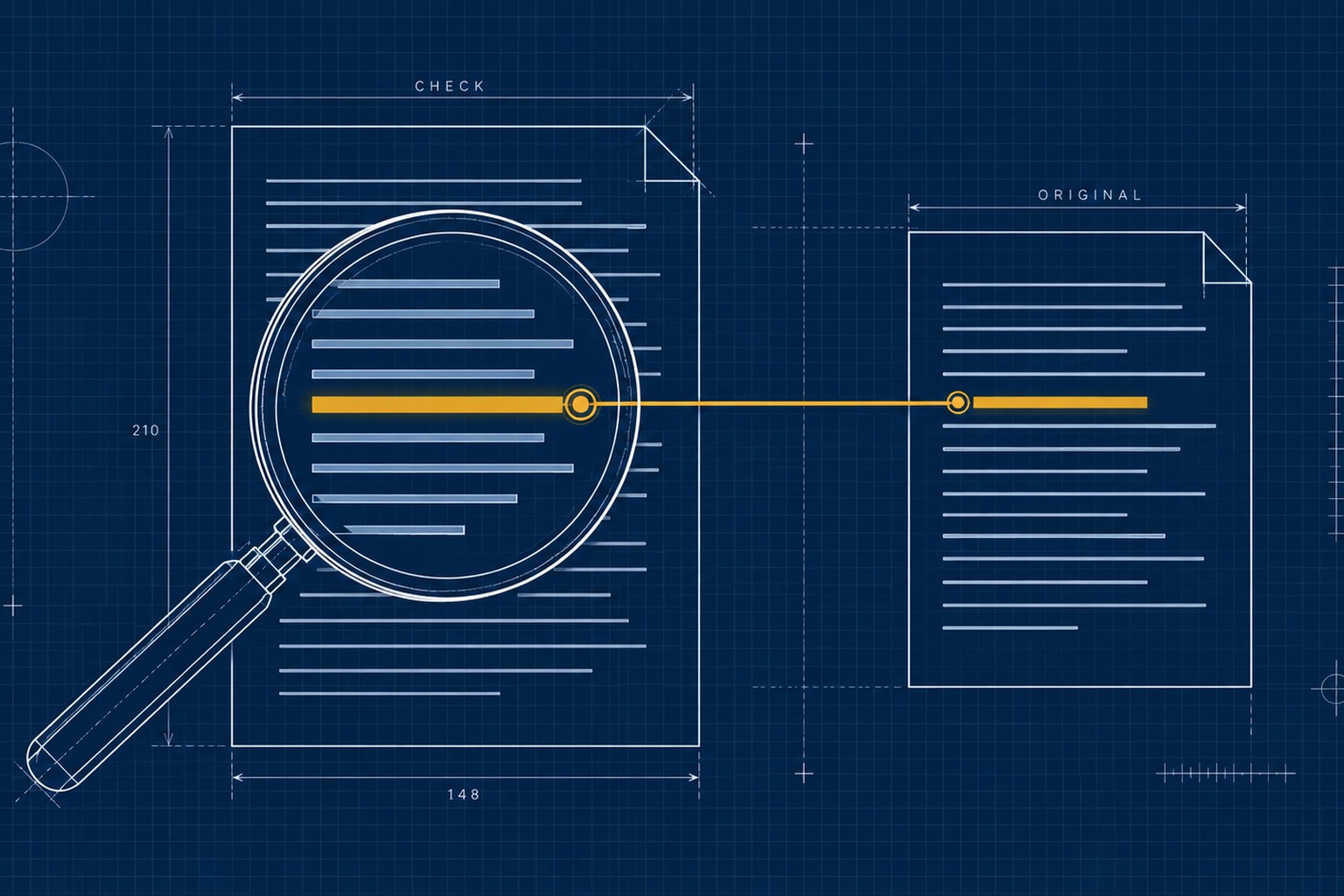
An AI plagiarism checker scans text for overlap with existing content and returns a similarity score plus highlighted matches. It does not judge intent: it fingerprints phrases and sentence patterns, then searches an index of web pages, publication archives, or previously submitted papers for close matches.
Most checkers follow the same four-step pipeline:
- Ingest. You paste text or upload a document in PDF, DOCX, or plain text format.
- Fingerprint. The tool converts the document into searchable chunks, hashes, or embeddings.
- Match. Chunks are compared against an index: live and archived web pages, journal databases, and, on institutional platforms, a private repository of student papers.
- Report. Matches return grouped by source with a percentage and inline highlights. Newer tools add paraphrase detection, which uses trained models to catch rewritten passages that share meaning but not wording.
Plagiarism checks versus AI detection: two different questions
Plagiarism checking asks whether text matches existing sources. AI detection asks whether text looks machine-written. The two tests use different technology and can disagree completely on the same document. Fully AI-written text that matches nothing online scores 0 percent on similarity. Human-written text copied from a blog scores high on similarity and zero on AI detection. A similarity score is not an AI score, and an AI score is not evidence of copying.
That is why the strongest platforms bundle both signals. Turnitin, Copyleaks, Originality.ai, GPTZero, and Winston AI all run similarity and AI checks from one report, though licensing and tiers vary by tool. The AI-detection half deserves its own deep dive: our guides to free AI detector and checker tools and the best AI detector tools in 2026 cover that side of the puzzle, and the AI detector category tracks the current field.
Turnitin in 2026: the institutional benchmark
Turnitin remains the tool most schools use, and its access model is the defining constraint for everyone outside one: as of October 2026, individuals generally cannot buy a personal plan, and licensing is negotiated per institution.
The practical details worth knowing before you compare alternatives:
- Two separate reports. The Similarity Report shows matched text and sources. The AI Writing Report is a separate measure that requires the Turnitin Originality add-on, and a department can license one without the other.
- AI report limits. Turnitin's documentation says an AI Writing Report needs at least 300 words of qualifying long-form prose and is not generated for submissions above 30,000 words.
- Database scale. Turnitin's published figures describe a comparison index of roughly 47 billion current and archived web pages, 1.9 billion student papers, and more than 190 million articles from publications.
- Similarity bands. Report colors follow the score: light blue at 0 percent, dark blue from 1 to 24 percent, yellow from 25 to 49 percent, orange from 50 to 74 percent, and red from 75 to 100 percent. A high score is not automatically misconduct. Quotes, references, and template phrases can push a paper upward.
- Cost benchmark. Turnitin does not publish retail pricing. A U.S. institutional procurement schedule listed in May 2026 put Feedback Studio Essential, which includes AI detection, at roughly $6.70 per full-time-equivalent student. Treat that as a benchmark, not a quote.
- Research and student ancillaries. iThenticate, Turnitin's platform for researchers and publishers, is available through individual credits and does not add submissions to the student repository by default. Draft Coach, offered at some institutions through Google Docs, lets students check drafts for similarity and citation issues before an official submission.
Best free plagiarism checkers and Turnitin alternatives, ranked
No free tool fully replaces institutional Turnitin, though several free tiers handle real self-checks. The ranking below weighs whether plagiarism scanning is included at all, how much text one scan covers, and whether AI detection ships alongside.
Check Plagiarism for no-account quick scans
Check Plagiarism is the simplest free option in this list: paste text, get a similarity percentage and source matches, no signup required. The free tier caps each check at 1,000 words, and the site applies monthly query caps for visitors, so confirm the current limits before relying on it for a long paper. The index covers web sources, not academic databases or a student-paper repository, which is exactly where it diverges from Turnitin. For a direct feature-by-feature read, see our Turnitin versus Check Plagiarism comparison.
GPTZero for the most generous free combined quota
GPTZero built its audience in education, and its free plan is the rare tier that includes plagiarism checking: 10,000 words per month shared across AI and similarity scans, with longer scans requiring a free account. The vendor reports a similarity index of more than 100 million scholarly articles, papers, websites, and books. Paid tiers raise the monthly quota into the hundreds of thousands of words, priced roughly $10 to $25 per month depending on tier and billing cycle. Treat those paid figures as tracker estimates and confirm on gptzero.me.
Copyleaks for testing an enterprise-style workflow
Copyleaks is the tool schools and enterprises evaluate when they want similarity and AI detection in one pipeline, with LMS integration on education plans. Its free tier is limited, roughly 10 pages per month per third-party trackers in mid-2026, plus a scan of up to 25,000 characters without an account. That is enough to learn the workflow, not enough for a semester. The combined AI and plagiarism plan starts around $13.99 per month billed annually.
Originality.ai for publisher-grade scanning
Originality.ai targets content teams, and its free tier covers AI detection only: 3 scans per day up to 2,000 words each. Plagiarism scanning requires a paid plan, with the Pro tier at $14.95 per month, or $12.95 billed yearly, including 2,000 credits per month. The vendor claims up to 99.5 percent accuracy on direct copy detection, while its own published figure for paraphrase detection is far lower. Those are vendor benchmarks, so test them against your own content before buying seats.
Winston AI, QuillBot, and PrePostSEO as hybrid options
Winston AI gives every new account a free trial that covers plagiarism checks up to 1,000 words, with full plagiarism detection and OCR arriving on its Advanced tier at 200,000 credits per month. QuillBot is not a free plagiarism checker at all: its checker is Premium-only with a 25,000-word monthly allowance, and the free account only includes the AI detector, capped at 1,200 words per scan. Its value is convenience for people who already paraphrase in the suite. PrePostSEO offers a free checker with a 1,000-word limit per scan and no signup, with premium plans from about $10 per month for longer documents. Independent reviews note that its index is web-only and that paraphrase detection is weak, so use it for informal checks rather than academic screening.
AI plagiarism checker comparison table (2026)
The table below summarizes where each tool stands as of October 2026. Free tiers change without notice, so verify limits before a deadline.
| Tool | Free plagiarism checking | Free scan limit | AI detection included | Best for |
|---|---|---|---|---|
| Turnitin | No, institutional license only | Managed by your school | Yes, with the Originality add-on | Schools screening coursework at scale |
| Check Plagiarism | Yes, no account needed | 1,000 words per check | No | Short drafts and quick overlap scans |
| GPTZero | Yes, shares the monthly quota | 10,000 words per month | Yes | Students self-checking essays |
| Copyleaks | Yes, limited | About 10 pages per month | Yes | Testing an enterprise-style workflow |
| Originality.ai | No, AI detection only is free | 3 AI scans per day, 2,000 words each | Yes | Publishers and content teams |
| Winston AI | Trial only | 1,000 words on trial | Yes | Teams that also want image and OCR checks |
| QuillBot | No, Premium only | 25,000 words per month on Premium | Yes | Writers already inside the QuillBot suite |
| PrePostSEO | Yes, no account needed | 1,000 words per scan | No | Informal web-copy checks |
Accuracy comparison: what checkers catch and what they miss
Similarity matching is reliable for direct copying and unreliable for everything else. Word-for-word lifting is found by every major checker, provided the source is in its index. Accuracy drops when the source is paywalled, private, translated, or rewritten.
Paraphrase detection is the hard problem, and published numbers reflect it. Originality.ai states up to 99.5 percent accuracy for direct copy detection on its own tests, while the same page reports far lower figures for paraphrase detection. Those are vendor benchmarks with no independent standard behind them, so treat any checker's headline accuracy number as a starting point for testing, not a guarantee.
AI detection accuracy is a separate question again. No detector, including Turnitin, publishes proof that a given document was machine-written, and false positives remain a documented risk, especially for non-native English writers and highly formal prose. Turnitin itself describes its AI indicator as a prompt for review rather than a verdict. Expect every score to come with a margin of error proportional to how short and how unusual the text is.
Common false alarms and blind spots
- References and quotes. Bibliographies and block quotes match by design and inflate similarity scores. Most institutional tools offer exclusion filters for exactly this reason.
- Short texts. A 150-word abstract gives a checker very little signal, on both the similarity and AI sides.
- Paywalled and private sources. Text copied from a book, a paid database, or a private document may never appear in a free tool's index.
- Translated content. Machine translation can disguise copied text or make original text look machine-generated.
- Database differences. The same document can score differently across tools because their indexes differ. Turnitin sees student papers; free web checkers see neither those nor paywalled journals.
Best plagiarism checkers for students and educators
Students should use free checkers as a self-review habit, not as a preview of their school's verdict. A free check confirms that you cited your sources, but it cannot see the student-paper repository your institution's Turnitin uses. The practical sequence:
- Self-check the draft. Run it through GPTZero's free plan or Check Plagiarism in sections if the document is long.
- Fix real matches, not scores. If a passage matches a source, add the citation, quote it properly, or rewrite it in your own words. Chasing a percentage down with paraphrasing tools creates new problems.
- Use institutional previews where offered. If your school enables Draft Coach or draft submissions in Turnitin, use them, because they run the exact check that matters.
- Keep your revision trail. Drafts, notes, and version history are your evidence if a score is ever questioned.
Educators need the opposite emphasis: process over scores. Treat similarity and AI indicators as signals that start a conversation, document your policy so students know the rules before they write, and never discipline on a single percentage. Where a department licenses Turnitin, use its exclusion filters for references and quotes, and remember that the AI Writing Report requires at least 300 words of qualifying prose before it appears at all. For a fuller ranking of the AI-detection side used in classrooms, our best AI detector tools in 2026 roundup compares the tools teachers reach for most.
Frequently asked questions
What is the best free AI plagiarism checker in 2026?
For a combined free tier, GPTZero is hard to beat: 10,000 words per month with plagiarism checking included. For a no-signup quick scan, Check Plagiarism and PrePostSEO both handle up to 1,000 words at no cost. None of them matches Turnitin's index or its student-paper repository.
Can students or writers buy Turnitin directly?
As of October 2026, no. Turnitin is licensed to institutions and does not sell personal plans to individuals. Third-party resellers exist, but their reliability varies, so check your institution's policy before using one. iThenticate is the exception on the research side, available through individual credits for manuscripts and theses.
Does Turnitin detect AI-generated text?
Only when the institution licenses the Originality add-on, and even then the AI Writing Report is separate from the Similarity Report. Turnitin requires at least 300 words of qualifying prose to generate an AI score and does not produce the report for submissions above 30,000 words. Turnitin describes AI indicators as review prompts rather than proof.
Why do a plagiarism checker and an AI detector disagree about my document?
They are measuring different things. A similarity score measures how much text matches existing sources; an AI score estimates how the text was written. Copied human text can score high on similarity and zero on AI, while original AI text can show the reverse. Run both checks and read them separately. Our free AI detector guide explains the AI side in more depth.
How accurate are free plagiarism checkers?
Accurate enough for self-review, not for verdicts. Free tools mainly index the open web, so copied text from books, paywalled journals, or a classmate's unpublished essay can slip through. Their paraphrase detection is also weaker than institutional platforms. Use two tools, scan longer passages, and treat any score as one signal among several.
Is it safe to paste my essay into a free checker?
Only if you accept the privacy trade-offs. Free web forms may retain submissions or use them for model improvement, and irreversible indexing is possible on some services. For unpublished research or client work, strip identifying details or use a tool with a stated retention policy such as iThenticate for manuscripts.
The takeaway
Choose by the question you are actually asking. If you need to know whether text matches existing sources, start with a free checker such as Check Plagiarism or PrePostSEO for short documents, and move to GPTZero or Copyleaks for combined monthly quotas. If you need the institutional standard, that decision belongs to your school's Turnitin license, not to you. If you are screening content professionally, Originality.ai and Winston AI sell the volume and reporting that free tools cannot. Whatever you pick, remember that both similarity and AI scores are signals, and a single percentage should never end an argument about authorship. Browse the full plagiarism checker category to compare every option in the directory, or start from the head-to-head tool comparisons when you have two finalists.