AI stacks drift faster than traditional SaaS. New models launch, teammates start trials, automations break when APIs change, and zombie subscriptions renew because nobody owns a recurring check. Quarterly reviews arrive too late; the waste already compounded.
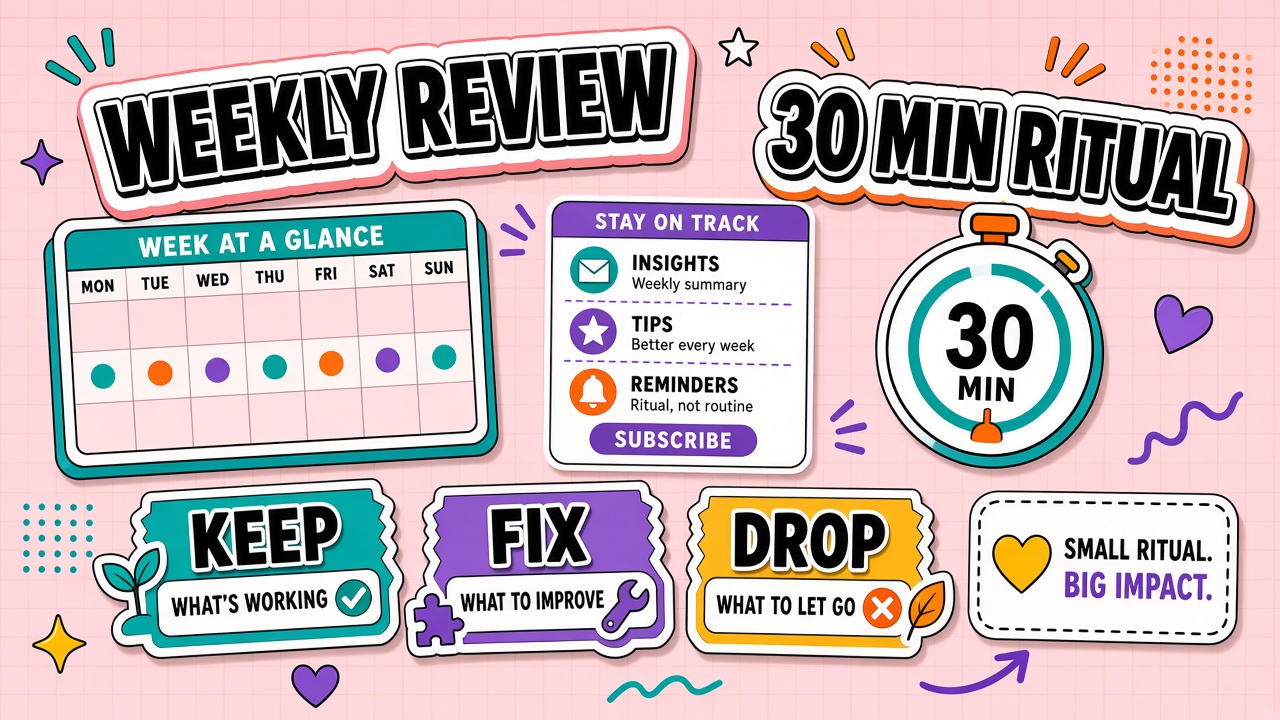
A weekly AI tool review is a thirty-minute operating ritual: scan usage, cost, quality, and blockers, then log keep, fix, replace, or drop decisions before the next billing cycle. This guide provides a time-boxed agenda and decision log format. Use AI productivity tools and AI writing tools directories to evaluate replacements only when the log shows a drop or replace decision.
Why Weekly Beats Quarterly for AI Stacks
AI pricing, model behavior, and integration surfaces change on vendor timelines, not your fiscal calendar. Weekly reviews catch a broken Zapier step before it silently stops saving hours. They surface duplicate writing tools before both renew on the same credit card. They give practitioners a forum to report quality regression while examples are still fresh.
Thirty minutes is enough when you reuse the same tracker every week. The meeting is operations, not strategy. Strategy belongs in quarterly planning; weekly work is maintenance.
Review Agenda: Usage, Cost, Quality, Blockers
- Usage snapshot (5 minutes): Which tools had real workflow runs this week? Flag zero-use seats.
- Cost check (5 minutes): Subscription allocation plus usage-based API spend vs prior week
- Quality signals (10 minutes): Rework spikes, failed automations, support tickets tied to AI output
- Blockers (5 minutes): Integration gaps, policy questions, training needs
- Decisions (5 minutes): Assign keep, fix, replace, or drop per flagged tool with owner and due date
| Tracker column | What to record |
|---|---|
| Tool / workflow | Name and primary job it supports |
| Owner | Person accountable for outcomes, not only billing |
| Weekly usage | Runs, active users, or accepted outputs |
| Weekly cost | Allocated subscription plus variable spend |
| Quality score (1-5) | Team judgment on usefulness this week |
| Decision | Keep, fix, replace, drop |
Decision Log: Keep, Fix, Replace, Drop
Every decision gets a one-line rationale and owner. "Keep: still cuts report time by half." "Fix: prompt template outdated after model update, owner Sarah, due Friday." "Replace: overlaps with Copilot on same workflow, evaluate alternatives." "Drop: zero usage four weeks, cancel before renewal on the 12th."
Append-only logs build institutional memory. Six months later you can see why a tool left the stack instead of relitigating the same debate.
Identifying Zombie Subscriptions
Zombie subscriptions have active billing and near-zero workflow evidence. Common causes: pilot that became production without adoption, personal upgrade charged to team card, duplicate category tools after consolidation failed, or automation that broke without alerting anyone.
Apply a two-strike rule: flag after two consecutive weekly reviews with no meaningful use; drop or retrain before the third review unless a documented project needs the tool soon.
Celebrating Wins to Sustain Adoption
Maintenance meetings feel punitive if they only cut tools. Reserve five minutes for one win: a template that spread across the team, an automation that saved measurable time, or a quality improvement after a fix decision. Wins reinforce the behaviors you want next week.
Sample Weekly Tracker Row
Example entry: "Notion AI / weekly meeting notes / Owner: Alex / Usage: 12 summaries / Cost: $18 allocated / Quality: 4 / Decision: Keep / Note: cut prep time for exec brief." Another: "Legacy image tool / ad hoc social / Owner: none / Usage: 0 / Cost: $29 / Quality: n/a / Decision: Drop / Cancel before 18th."
Integrating review with finance
Export decision log drops to finance monthly so cancellations happen before renewal, not after. Flag tools in "fix" status for two consecutive weeks; escalate to replace or drop on the third. Finance appreciates predictable cuts more than emergency refunds.
When to deepen into quarterly audit
Weekly reviews catch drift; quarterly audits validate contracts, security posture, and overlap across departments. Schedule quarterly depth in the same calendar series so it does not get orphaned.
Automating Tracker Inputs
Where possible, pull usage from admin consoles and API billing into your tracker automatically. Manual entry works for teams under ten seats; larger stacks need scripted imports or finance exports. Automation reduces meeting time spent arguing about numbers and increases trust in drop decisions.
Even with automation, keep a qualitative column humans fill: "what broke this week?" Numbers without narrative miss integration failures that usage counters undercount.
Pairing weekly review with adoption metrics
When a tool shows healthy billing but weak workflow penetration, schedule retraining before cancellation. When penetration is strong but quality scores fall, fix prompts or model settings first. The weekly ritual connects spend to outcomes faster than finance-only audits.
Frequently Asked Questions
How does solo review differ from team review?
Solos can run fifteen minutes with the same tracker minus seat allocation politics. Focus on cost per output and broken automations. Teams add usage fairness, training gaps, and duplicate tool politics.
What if we lack usage analytics?
Ask each owner for one number: how many times they completed the supported workflow this week. Rough counts beat no data. Add admin telemetry when a drop decision justifies the setup time.
Can we skip weeks during quiet periods?
Skip only with an explicit pause and resume date. Quiet periods are when zombie tools grow. A biweekly cadence is acceptable for stable solo stacks; monthly is too slow for active team experimentation.
Should finance attend every week?
Invite finance monthly or when cost deltas exceed a threshold you define. Weekly operational reviews stay with workflow owners and the stack admin to preserve speed.
First Four Weeks Implementation
Week one: build the tracker, list every paid AI tool, assign owners, pull last thirty days usage where available. Week two: run the first ritual even if data is imperfect; log decisions anyway. Week three: act on first drops or fixes; cancel one zombie if found. Week four: refine columns based on what questions repeated. By week four the meeting should feel routine, not experimental.
Publish the decision log read-only to the team. Transparency reduces suspicion that IT is cutting tools randomly and helps champions defend keep decisions with evidence.
When usage data is missing, use proxy signals: SSO login counts, output artifacts in shared drives, automation run logs, or self-reported weekly numbers from owners. Imperfect data beats skipping the ritual until perfect analytics arrive.