What is ShutterSnitch?
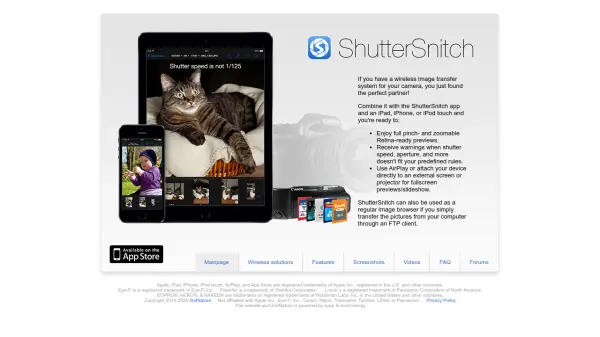
ShutterSnitch is an iOS application designed to enhance the workflow of photographers using wireless image transfer systems. It integrates with cameras equipped with wireless capabilities to deliver high-quality, Retina-ready previews that are fully pinch- and zoomable on compatible Apple devices. The app provides real-time monitoring with customizable warnings for key camera settings like shutter speed and aperture, ensuring shots meet predefined criteria.
Beyond live previews, ShutterSnitch supports AirPlay and direct connections to external screens or projectors for fullscreen displays or slideshows. It also functions as a versatile image browser, allowing users to transfer pictures from their computer via FTP for offline viewing and management. This makes it a comprehensive tool for both on-location shooting and post-shoot organization.
Features
- Wireless Image Transfer Integration: Partners with camera wireless systems for real-time image previews on iOS devices.
- Retina-Ready Previews: Provides full pinch- and zoomable high-resolution previews optimized for Retina displays.
- Rule-Based Warnings: Alerts users when camera settings like shutter speed and aperture do not meet predefined criteria.
- External Display Support: Enables AirPlay or direct connections to screens or projectors for fullscreen previews and slideshows.
- FTP Image Browser: Functions as a regular image browser by allowing picture transfers from computers via FTP clients.
Use Cases
- Real-time image preview and monitoring during photoshoots.
- Ensuring camera settings comply with predefined rules to avoid errors.
- Displaying photos on external screens or projectors for client reviews or presentations.
- Browsing and managing images transferred from a computer via FTP for post-shoot organization.
- Enhancing photography workflows with wireless integration on iOS devices.