
What is Photo Transfer App?
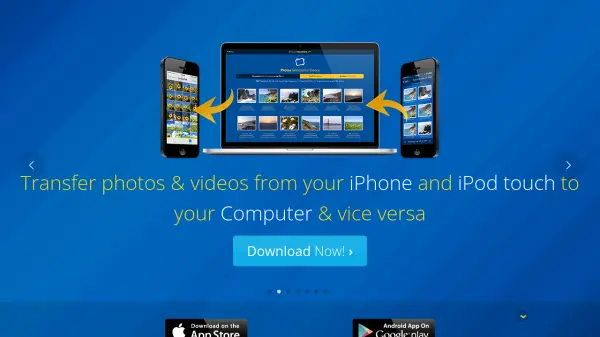
Photo Transfer App facilitates seamless wireless transfers of photos and videos across various devices including iPhones, iPads, Android smartphones, and computers running Windows or macOS. The application operates exclusively over local Wi-Fi networks, eliminating the need for physical cables or additional software installations. All data transfers occur directly between devices without routing through external servers, ensuring that personal media remains secure within the user's private network environment.
The tool supports multiple transfer directions, allowing users to move content between computers and mobile devices as well as between different mobile platforms. It preserves original photo resolutions and metadata during transfers and offers compatibility with RAW image formats from iOS devices. Users can choose between web browser interfaces or dedicated desktop applications for managing their photo libraries efficiently.
Features
- Wireless Transfer: Works over local Wi-Fi networks without cables
- Cross-Platform Compatibility: Supports iPhone, iPad, Android, Windows, and Mac devices
- Privacy Protection: Transfers occur directly between devices without external server storage
- Metadata Preservation: Maintains photo metadata during all transfer operations
- Multiple Transfer Methods: Offers web browser access and dedicated desktop applications
- Cloud Integration: Includes plugins for Google Drive, Dropbox, and Flickr services
- Batch Operations: Allows uploading and downloading multiple photos simultaneously
- RAW Format Support: Transfers RAW photo formats from iOS devices to computers
Use Cases
- Transferring photos from an iPhone to a Windows PC wirelessly
- Moving videos from an Android device to a Mac computer without cables
- Exchanging photos between an iPad and another iOS device
- Backing up mobile device photos to a computer over Wi-Fi
- Sharing photos between Android and iOS devices directly
- Accessing mobile photos from a computer web browser for management
- Transferring RAW format photos from iOS devices to editing workstations
- Using cloud services to upload/download photos through integrated plugins
FAQs
-
Does Photo Transfer App require an internet connection?
No, it works over local Wi-Fi networks without needing an active internet connection. -
Can I transfer photos between Android and iOS devices?
Yes, the app supports photo transfers between Android devices and iPhones, iPads, or iPod touches. -
Are my photos stored on external servers during transfer?
No, all transfers occur directly between devices on your local Wi-Fi network, with no external server storage. -
What photo formats does the app support?
It supports standard photo formats and RAW formats from iOS devices, preserving metadata. -
Can I use the app without installing desktop software?
Yes, you can use any web browser to transfer photos without installing desktop apps.