
What is EXIF Viewer by Fluntro?
EXIF Viewer by Fluntro is a pioneering photography app designed exclusively for iPhone and iPad users. This comprehensive tool allows users to delve deep into the metadata of their photographs, uncovering a wealth of information that enhances their photography experience. With its intuitive interface and powerful functionalities, it has revolutionized the way photographers and enthusiasts engage with their images.
The app offers a wide range of features including viewing over 30 EXIF tags, editing metadata such as date and time, and removing sensitive information like location data before sharing. It supports high-resolution photos up to 80 MB, provides a map view for GPS coordinates, and includes a photos extension for quick access. The free version offers basic functionality with ads, while the PRO version provides unlimited access without restrictions.
Features
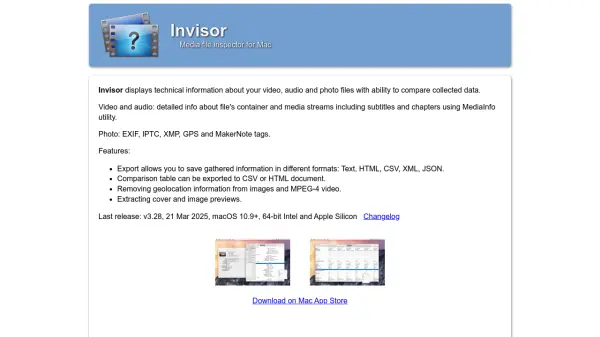
- View 30+ EXIF Tags: Access detailed metadata including ISO, shutter speed, aperture, camera model, lens model, GPS location, and more.
- Edit EXIF Metadata: Modify incorrect details such as date, time, and location for single or multiple photos simultaneously.
- Remove EXIF Metadata: Strip sensitive information like geotagging before sharing photos on social media.
- GPS Location Map View: View photo locations on a map with coordinates, altitude, and direction.
- High-Resolution Photo Support: Zoom into photos up to 80 MB without loss of clarity.
- Customizable Tag Display: Reorder or hide EXIF tags according to user preferences.
- Privacy Control: Conceal photos without EXIF metadata and remove location data before sharing.
- Photos Extension: Access EXIF data directly from the native Photos app or third-party apps.
Use Cases
- Photographers analyzing camera settings and composition of their shots.
- Organizing and correcting date and location metadata in large photo collections.
- Removing personal location data before sharing photos on social media.
- Investigating image authenticity by examining EXIF metadata.
- Backing up and archiving photos with accurate metadata for record-keeping.
FAQs
-
What is EXIF Metadata?
EXIF, or 'Exchangeable Image File Format,' stores information in each photo, such as camera settings (ISO, aperture, focal length, shutter speed), camera model, lens model, GPS location, and date/time. It helps photographers analyze how a photo was taken. -
What distinguishes the FREE and Full versions?
The FREE version has ads and limits access to the first two albums, first 50 photos, and up to 100 photos on the Map View. The PRO version has no ads and provides unlimited access to all features. -
How to remove EXIF metadata on iPhone or iPad using Exif Viewer?
You can overwrite the original photo with a new version without EXIF data, or create a duplicate copy without EXIF data. The app ensures other apps cannot revert to the original metadata. -
How to reorder or hide EXIF tags in the app?
Go to Settings and select 'Manage & Reorder Exif Data Tags.' Drag and drop items to reorder, or toggle off tags you don't want to see on the EXIF Detail screen. -
What are the various image views in the EXIF Viewer app?
The app offers EXIF Cards List View (swipeable cards), Grid View (visual overview), and Map View (clusters of photos on a map).