Removex
Effortlessly Remove Unwanted People from Your Photos

What is Removex?

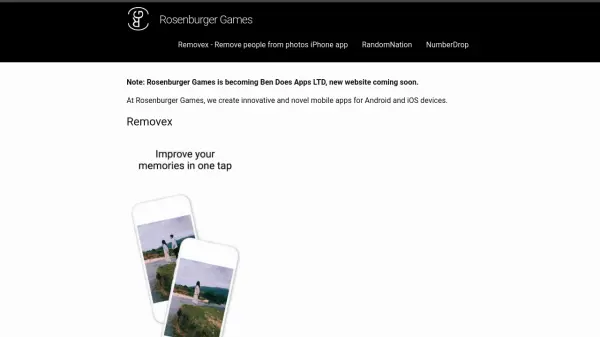
Removex is a cutting-edge iPhone application designed to help users seamlessly remove unwanted people from their photos. Utilizing advanced artificial intelligence technology, the app enables users to enhance their favorite memories in a single tap without compromising the quality of the original image.

The intuitive interface ensures a user-friendly experience, making photo editing and background clean-up accessible for all skill levels. Removex is ideal for individuals seeking a simple yet effective solution for improving their photos on iOS devices.

Features

  • AI-Powered Removal: Automatically detects and removes people from photos.
  • Quality Preservation: Maintains original image quality during edits.
  • Single-Tap Enhancement: Quickly improves photos with one tap.
  • User-Friendly Interface: Easy-to-use design for efficient editing on iPhone.

Use Cases

  • Removing strangers from vacation photos
  • Editing group pictures to focus on selected individuals
  • Cleaning up backgrounds in special event photographs
  • Improving professional photos for personal use

Related Tools:

Blogs:

  • AI Testimonial Videos: How to Build Social Proof That Actually Converts

    AI Testimonial Videos: How to Build Social Proof That Actually Converts

    AI testimonial videos are transforming marketing in 2026 by helping businesses create professional customer-style videos quickly and affordably. Using real customer reviews, short scripts, and AI tools like Pollo AI, brands can produce engaging testimonials for social media, landing pages, and ads while saving time and improving conversions.

  • Top 6 AI note-taking tools for 2026: in-person, online, and hybrid use cases

    Top 6 AI note-taking tools for 2026: in-person, online, and hybrid use cases

    Most AI note-taking lists are really lists of meeting bots, which join your video call and transcribe it. That's useful, but it's half the picture. Decisions happen in hallway conversations, client dinners, on-site visits, and hybrid rooms where nobody is on a video link. This guide covers different parts of the note-taking workflow: hardware capture for in-person settings, platform-native tools for online calls, and AI layers for organizing and synthesizing what you've captured. It compares six tools by capture context, workflow fit, pricing, and limitations.

Didn't find tool you were looking for?

Be as detailed as possible for better results