
What is Camera M?
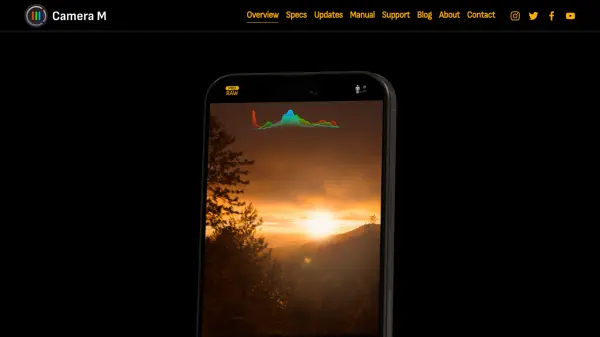
Camera M is a specialized camera application designed for iPhone and iPad users who seek advanced manual controls and superior image quality. The app leverages artificial intelligence to enhance photography through features like AI-powered focus tracking, which automatically maintains focus on moving subjects when tapped. It offers comprehensive manual adjustments for focus, exposure, and white balance, along with tools such as focus peaking, a 4x magnifier, and live RGB histograms to assist in precise shooting.
With support for multiple image formats including Apple ProRAW, RAW DNG, HEIF, JPEG, TIFF, and PNG, Camera M ensures maximum image quality through its Max Image Processing feature, which activates Deep Fusion and Smart HDR on compatible devices. The app includes various shooting modes like Single, Burst, Timer, Live, Depth, Dual/Triple Photo, and Bracket, catering to diverse photography needs. Additional functionalities include Siri Shortcuts integration, widgets for photography insights, and a camera roll with an EXIF viewer for detailed metadata analysis.
Features
- AI Focus Tracking: Automatically tracks and maintains focus on moving subjects when tapped
- Manual Focus Controls: Precise focus adjustment with focus peaking and a 4x magnifier for macro photography
- Manual Exposure Controls: Adjust ISO and exposure duration with semi-priority modes and live histograms
- Manual White Balance: Change temperature and tint values with a live RGB histogram and manual grey card mode
- Max Image Processing: Enhances image quality with Deep Fusion and Smart HDR on compatible iPhones
- Multiple Image Formats: Supports Apple ProRAW, RAW DNG, HEIF, JPEG, TIFF, and PNG formats
- Shooting Modes: Includes Single, Burst, Timer, Live, Depth, Dual/Triple Photo, and Bracket modes
- Siri Shortcuts Integration: Comprehensive hands-free control through Siri Shortcuts
- Camera Roll with EXIF Viewer: Access detailed metadata including location, direction, and RGB histograms
- Photography Widgets: Provides widgets for Golden Hour times, EXIF metadata, and camera specifications
Use Cases
- Capturing professional-quality photos with manual camera controls on iPhone or iPad
- Tracking moving subjects in photography using AI-powered focus tracking
- Shooting in RAW or ProRAW formats for enhanced post-processing flexibility
- Using macro photography with focus peaking and magnifier tools
- Creating depth photos with multiple segmentation matte types for portraits
- Utilizing burst mode for action or sports photography
- Setting up timer shots for group photos or self-portraits
- Bracketing exposures for HDR photography
- Accessing photography insights through home screen and lock screen widgets
- Managing photos with detailed EXIF metadata analysis