
What is SASA?
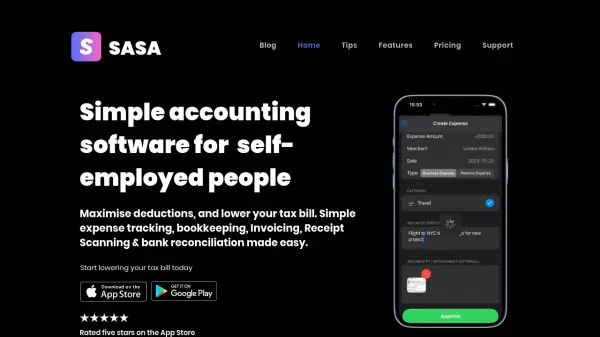
SASA delivers a streamlined accounting solution specifically designed for freelancers, solopreneurs, and self-employed professionals. The platform combines essential financial management tools including expense tracking, invoice creation, receipt scanning, and bank reconciliation capabilities to simplify business operations.
Through AI-powered receipt scanning and intelligent bank connection features supporting over 20,000 banks, users can effortlessly organize their finances, separate business from personal expenses, and prepare for tax season. The platform's intuitive interface allows for quick invoice generation, expense report creation, and seamless export of financial data in multiple formats.
Features
- Bank Reconciliation: Connect with 20,000+ banks and track all accounts in one place
- AI Receipt Scanner: Automatically extract data from receipts using AI technology
- Invoice Generation: Create and track professional invoices and estimates
- Expense Tracking: Effortlessly categorize business and personal expenses
- Multi-format Export: Export financial data in PDF, XLS, and CSV formats
- Expense Report Creation: Generate detailed expense reports for clients
Use Cases
- Tracking business expenses for tax deductions
- Creating and managing professional invoices
- Organizing receipts digitally
- Reconciling bank transactions
- Generating expense reports for clients
- Preparing financial data for tax season
FAQs
-
Which banks does SASA support for reconciliation?
SASA supports integration with over 20,000 banks for account reconciliation. -
What file formats are available for exporting financial data?
Users can export their financial data in PDF, XLS, and CSV formats. -
How does the receipt scanning feature work?
Simply take a picture of your receipt, and SASA's AI technology automatically extracts and processes the data.