What is Phia?
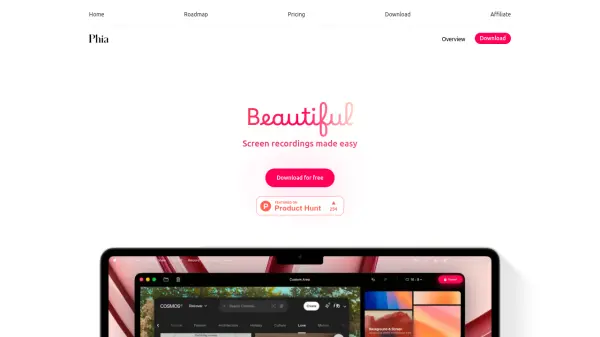
Phia is a modern screen recording application designed exclusively for macOS, enabling users to create professional-quality videos effortlessly. The app automatically enhances recordings with features like intelligent zoom, smooth cursor movements, and cinematic animations, eliminating the need for advanced editing skills. It supports flexible exports with various aspect ratios, integrated layouts for combining text and visuals, and built-in tools for capturing webcam, microphone, and captions in a single recording.
Phia prioritizes privacy by saving all data locally and operating fully offline, with no account or cloud connection required. Built using Apple technologies like SwiftUI and Metal, it delivers a native macOS experience with high performance on Apple Silicon devices. The app is available as a one-time purchase with lifetime updates, offering a cost-effective solution for creators, teams, and professionals seeking to produce polished screen recordings for demos, tutorials, and presentations.
Features
- Automatic Zoom: Automatically zooms into key interactions to keep the audience focused without distraction
- Smooth Animations: Adds professional motion and smooth cursor movements to recordings automatically
- Flexible Layouts: Combines titles, slides, images, and video into cohesive scenes with balanced designs
- Built-in Audio/Video Capture: Records webcam, microphone, system audio, and captions in a single recording
- Local Storage and Offline Operation: Saves all data locally and works completely offline with no cloud connection required
Use Cases
- Creating polished demos and tutorials for software or products
- Recording educational content with enhanced visual clarity
- Producing professional presentations with integrated layouts and animations
- Sharing ideas or walkthroughs with automatic zoom and smooth effects
- Generating videos for social media or marketing with customizable aspect ratios
FAQs
-
What macOS version is required to use Phia?
Phia requires macOS Sequoia or later to ensure modern performance and stability. -
Can I use Phia on multiple devices?
Phia is licensed per device; you can purchase licenses for multiple Macs as needed. -
Does Phia support automatic caption generation?
Yes, Phia can generate transcripts automatically and allows fine-tuning of captions for accuracy. -
Is there a free version of Phia available?
Phia offers a free download, but full features require a one-time purchase license. -
How does Phia handle privacy and data security?
Phia saves all recordings locally on your Mac, works offline, and does not require any account or cloud connection, keeping your data private and secure.