What is Screen Charm?
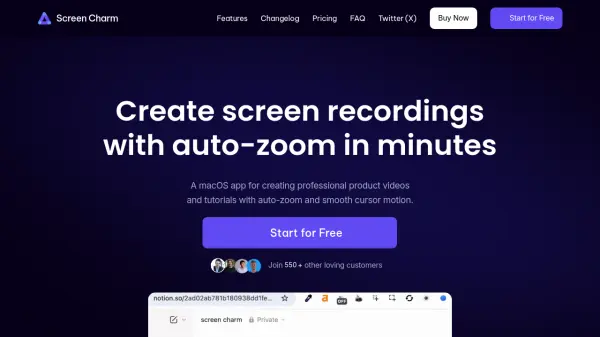
Screen Charm is a dedicated macOS application designed for creators looking to produce professional screen recordings with enhanced visual effects. It empowers users to create engaging product videos, demos, and tutorials by automatically tracking cursor actions and applying dynamic zoom in and out. The software offers a programmable cursor icon with customizable size and movement, allowing for seamless focus on key interactions.
Users can record their webcam alongside the screen to add personal narration or presence in their content, select or personalize backgrounds, and utilize a built-in video editor to further refine their recordings. Screen Charm supports high-resolution exports up to 4K UHD and provides a one-time purchase model, granting lifetime updates and unlimited exports. Built for ease of use, it streamlines the video creation process for entrepreneurs, educators, and marketers alike.
Features
- Automatic Zoom Effects: Applies zoom in and out based on element interaction and cursor movement.
- Customizable Cursor: Allows selection and adjustment of cursor icon size and speed before and after recording.
- Webcam Capture: Enables simultaneous recording of user webcam and on-screen activity for added presentation value.
- Custom Backgrounds: Offers a choice between preset backgrounds or user-defined colors for enhanced visual appeal.
- Integrated Video Editor: Provides editing tools to manage zoom effects and other video properties post-recording.
- High Resolution Support: Exports finished videos in 4K UHD quality.
- One-Time Purchase: Requires a single payment for unlimited exports and lifetime updates.
Use Cases
- Creating product demo videos for startups and SaaS platforms
- Developing interactive tutorials for software onboarding
- Producing educational walkthroughs for online courses
- Generating marketing videos with animated cursor focus
- Recording personalized video messages for clients or users
- Capturing and presenting UX/UI reviews for design teams
FAQs
-
Which operating systems should I have for Screen Charm?
Screen Charm is compatible with macOS and recommends version Ventura 13.1 or higher for optimal performance. -
How can I contact support?
Users can reach out to the Screen Charm support team through the contact information provided on the website. -
Where will my recordings be saved?
Recordings created with Screen Charm are saved locally on the user's Mac device. -
Can I get a refund if I don't like it?
Screen Charm offers a 30-day money-back guarantee for users who are not satisfied with their purchase.