What is FocuSee?
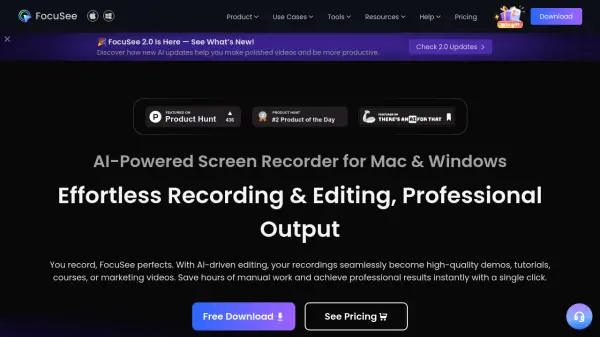
FocuSee is an innovative AI-powered screen recorder available for Mac and Windows that simplifies the video creation process from recording to professional output. With its intelligent features like automatic zoom, smart spotlight, and cursor tracking, it ensures viewers stay focused on what matters most in your recordings.
The software offers comprehensive AI capabilities including virtual avatars, subtitle generation in over 50 languages, background removal, and audio enhancement. FocuSee eliminates tedious editing by automatically removing awkward pauses and filler words, while providing tools for template creation, teleprompter guidance, and multi-format exporting optimized for different social platforms. Whether creating product demos, tutorials, online courses, or marketing videos, FocuSee streamlines the entire production process.
Features
- AI Visual Focus: Smart auto-zoom and spotlight features that highlight important screen areas
- Intelligent Cursor: Customizable cursor effects with animations and sounds
- AI Virtual Avatar: Digital persona creation for privacy or branding purposes
- AI Subtitle Generation: Automatic subtitles in over 50 languages with 98% accuracy
- AI Background Removal: Remove or blur backgrounds without green screen
- AI Voice Enhancement: Removes breathing sounds and mouth noises for studio-quality audio
- AI Smart Cut: Automatic detection and removal of awkward pauses and filler words
- AI Noise Reduction: Eliminates background noise for clear audio
- Built-In Teleprompter: On-screen script guidance for fluent recordings
- Multi-Format Export: Optimized output for various social media platforms
Use Cases
- Creating professional product demos with guided attention
- Producing clear tutorial videos with highlighted steps
- Developing engaging online course materials with enhanced visual focus
- Creating marketing and promotional videos with consistent branding
- Recording reaction videos with clean audio and visual focus
- Making presentation videos with professional appearance
- Producing software demonstrations with precise cursor tracking
- Creating social media content optimized for different platforms
How It Works
Record your screen
Capture your screen, webcam, and audio simultaneously with easy-to-use controls.
Let AI enhance your recording
FocuSee automatically applies smart zoom, cursor effects, removes pauses and enhances audio.
Customize as needed
Fine-tune visual elements, add virtual avatars, subtitles, or apply templates for consistent branding.
Export and share
Export in your preferred format optimized for any platform, or share directly online with secure links.
FAQs
-
What operating systems is FocuSee compatible with?
FocuSee is available for Windows 10+ and macOS 10.13+. -
Does FocuSee offer a money-back guarantee?
Yes, FocuSee offers a 60-day money-back guarantee. -
Can FocuSee generate subtitles in multiple languages?
Yes, FocuSee supports speech recognition and subtitle generation in over 50 global languages with an accuracy rate of over 98%. -
Does FocuSee have a free version?
Yes, FocuSee offers a free version with basic functionality alongside paid options with more advanced features. -
Can I optimize my videos for different social media platforms?
Yes, FocuSee allows you to export videos optimized for platforms like TikTok, YouTube, Instagram, Facebook, and Twitter with one-click resizing.