Teams store runbooks, product specs, and meeting notes in Notion because editing is fast and structure is flexible. When they connect a AI chatbot or internal copilot, the integration must mirror only approved pages, respect who may read each document, and stay current without re-embedding the entire workspace nightly.
Integrating AI tools with Notion knowledge bases requires selective page and database sync through the Notion API, honest documentation of permission inheritance gaps, incremental update schedules, and explicit handling of embedded files and comments. This guide covers platform owners and knowledge managers building retrieval-augmented generation (RAG) pipelines alongside AI API providers. The goal is accurate answers without leaking private pages into a shared vector index.
Integration Goals and Knowledge Threat Model
Define which Notion workspaces, top-level pages, and databases may feed the AI index before issuing integration tokens. Common goals include employee self-service Q&A, support deflection, and engineering onboarding search. Threats include syncing HR pages into a public chatbot, stale embeddings after page deletes, and guest-access pages appearing in answers for full-time employees only.
- Scope: single team wiki versus entire company workspace.
- Retention: how long chunk text and embeddings persist after Notion deletes.
- Identity: whether answers filter by the asking user's Notion access.
- Outbound actions: read-only RAG versus write-back comments or page updates.
Selective Page and Database Sync
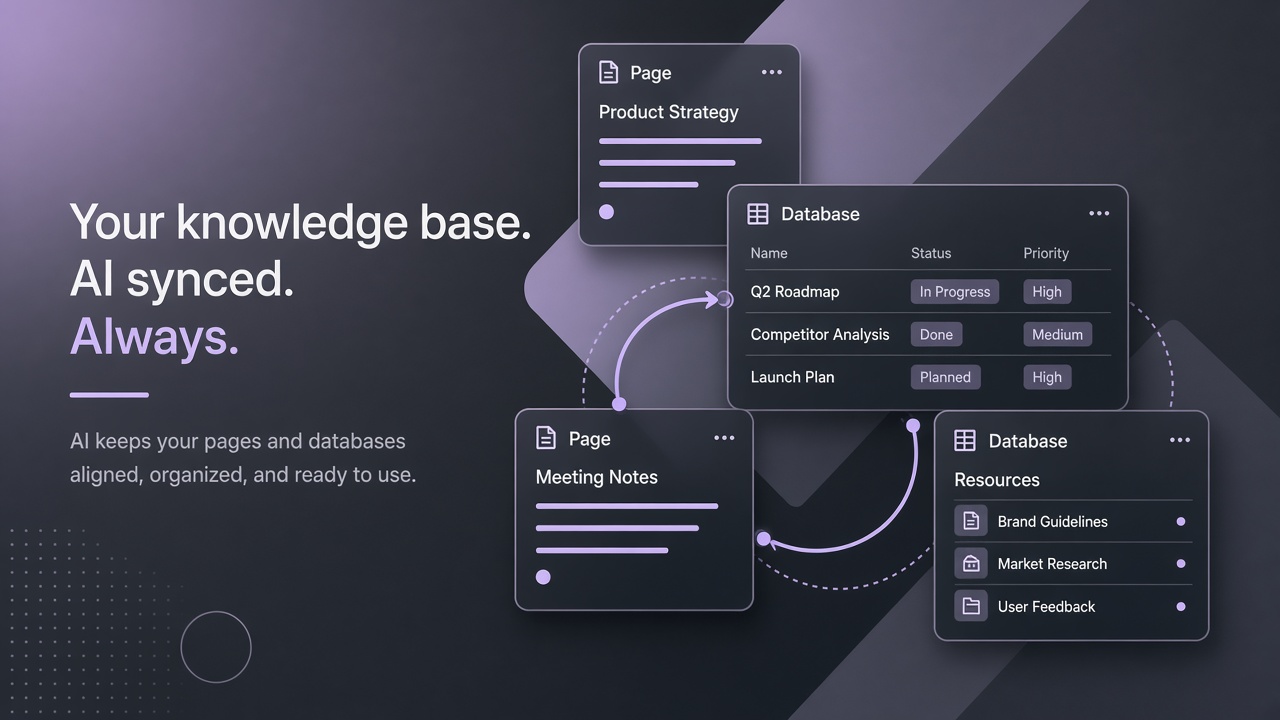
Sync only allowlisted parent pages and linked databases through the Notion API; never crawl the full workspace root without explicit governance approval. The API returns block trees recursively. Start from curated hubs like Engineering Handbook or Support Playbooks rather than an individual employee's private sidebar.
- Create a dedicated Notion integration with read content capability only unless write-back is required.
- Share allowlisted pages explicitly with the integration; Notion does not grant implicit workspace-wide access.
- Map each page ID to a sync job with owner contact and review cadence.
- Exclude templates, archived duplicates, and draft pages tagged status:WIP via database filters.
- Version chunk metadata with Notion last_edited_time for change detection.
| Sync scope | Best for | Risk if overbroad |
|---|---|---|
| Single parent page subtree | Department handbooks with clear ownership | Child pages moved under parent inherit sync unintentionally |
| Database rows (filtered) | FAQ entries, policy records with status field | Unfiltered DB syncs internal and public rows together |
| Workspace search API | Ad hoc discovery during setup only | Not a production sync strategy; rate limits apply |
| Webhook-driven delta | Near-real-time updates on edited pages | Webhook gaps if worker is down; needs reconciliation |
RAG Chunking Strategy
Chunk Notion blocks by heading hierarchy: H1 sections become primary chunks with child bullets attached; tables flatten to markdown rows for embedding. Toggle blocks and synced blocks need deduplication logic or the same policy text embeds twice with conflicting versions. Store notion_page_id and block_id on every vector for citation links back to source.
Permission Mirroring Limitations
External RAG indexes do not inherit Notion page permissions automatically; you must enforce access at query time or maintain separate indexes per audience. This is the largest gap between Notion's native Q&A and third-party AI chatbot connectors. A page shared only with Legal in Notion becomes visible to all employees if synced into a company-wide index without filters.
- Per-audience indexes: Employee, Support-Tier-2, Leadership with disjoint page allowlists.
- Query-time metadata filters: attach sensitivity labels at sync and filter retrieval by user group from SSO.
- Live permission checks: call Notion API to verify reader access before returning a chunk (higher latency).
- Deny by default: pages without explicit share to the integration are never synced.
Guest Pages and External Collaborators
Guest-access pages and external collaborators complicate permission mirroring because guest membership does not map cleanly to corporate identity groups. Exclude guest-shared pages from employee indexes unless legal approves. Document that contractors with Notion guest seats may see answers sourced from pages they cannot open in Notion if indexes are too broad.
Incremental Update Schedules
Run incremental sync on a schedule keyed to last_edited_time rather than full re-embeds of the workspace; reconcile deletes on a slower cadence. Notion API rate limits reward batched, efficient polling. Full re-index weekly as a safety net catches missed webhooks.
| Schedule | Action | Typical cadence |
|---|---|---|
| Incremental poll | Fetch pages where last_edited_time changed | Every 15 to 60 minutes |
| Delete reconciliation | Remove vectors for pages returning 404 from API | Daily |
| Full re-embed | Rebuild all chunks for allowlisted roots | Weekly or after schema changes |
| Manual on-publish | Trigger sync when author clicks Publish to AI | Event-driven for regulated content |
API Rate Limits and Backpressure
Respect Notion average rate limits by queuing sync jobs with exponential backoff and prioritizing high-traffic handbook pages over archival content. Burst traffic after a company-wide Notion migration can stall incremental sync for days without backpressure controls. Monitor queue depth and alert owners when staleness exceeds SLA.
Handling Embedded Files and Comments
Embedded PDFs, images, and file blocks require separate download and text extraction pipelines; inline comments are not always visible to integrations and should not be treated as authoritative policy text. Notion comments may contain informal decisions that never made it into the page body. Default RAG scope to page blocks only unless comment ingestion is explicitly approved.
- Detect file blocks and fetch signed URLs within expiry windows.
- Run OCR on scanned PDFs; skip binaries over size caps.
- Strip embedded spreadsheets to CSV snippets for embedding, not full workbooks with hidden tabs.
- Ignore comment threads unless tagged #include-in-ai by a page owner.
- Store attachment hashes to avoid re-OCR on unchanged files.
Connecting to AI API Providers
Chunk text flows from your sync worker to embedding and chat AI API endpoints; keep Notion tokens on the sync side only. The chat layer should receive chunk IDs and citations, not raw integration secrets. Log which API model version produced each embedding batch for rollback.
Notion API Sync for RAG Pipelines
Production RAG pipelines treat the Notion API as the source of truth for text while the vector database holds derived embeddings with pointers back to page URLs. Never edit canonical policy in the vector store without updating Notion first. Bi-directional sync is rare and risky for regulated handbooks; default to Notion-to-index one-way flow unless legal approves write-back.
Use block children pagination cursors until has_more is false. Deeply nested toggle lists exhaust rate limits if fetched naively. Cache block trees in object storage between embed jobs so re-embedding after a model upgrade does not re-hit Notion for unchanged pages.
Sync Scope Rules for Teams
Publish sync scope rules in the handbook itself: which emoji in a page title means include in AI, which database Status value means exclude. Authors forget integration boundaries. Automated filters on database properties reduce reliance on manual sharing clicks when new FAQ rows are created daily.
Staleness SLAs and User Expectations
Communicate embedding staleness SLA to employees: for example, changes appear in the chatbot within 60 minutes. Urgent policy updates should trigger manual sync from the page owner dashboard. Without SLA messaging, employees assume real-time Notion parity and mistrust the bot after single lag incidents.
Governance and Content Ownership
Assign a page owner for every synced root who reviews AI answers monthly and approves new child pages under that root. Stale Notion content produces confident wrong answers. Pair technical sync with editorial workflow: outdated pages get archived or a prominent deprecation banner before the next embed.
Run quarterly content audits: sample twenty chatbot answers, verify citations resolve to current Notion pages, and score helpfulness with the teams who own each handbook section. Retire sync roots that no longer receive updates and confuse retrieval with outdated competing guidance.
Citation and Source Links
Every chatbot answer should link to the canonical Notion page URL in citations so employees can verify context the model paraphrased. Broken links after page moves indicate sync metadata drift. Store stable page IDs even when titles change so reconciliation jobs can update URLs without full re-embed.
Frequently Asked Questions
Should guest-access Notion pages sync to the company chatbot?
Default deny: guest pages often contain client-specific material that employees without guest access should not retrieve via AI. If a narrow use case requires guest content, create a separate index with matching SSO restrictions and legal sign-off.
What happens when a Notion page is deleted?
Deleted pages return 404 from the API; your sync job must delete corresponding vectors within the reconciliation SLA, typically 24 hours or less. Until deletion propagates, the chatbot may cite removed content. Run daily reconciliation even when incremental sync appears healthy.
How does Notion AI differ from external RAG?
Notion AI respects in-product permissions because queries run inside Notion's boundary; external RAG copies text out and must rebuild those controls manually. Many teams use Notion AI for authors and external RAG for Slack or support portals with stricter allowlists.
Why do Notion permissions not inherit to RAG indexes?
RAG indexes copy text out of Notion into a separate vector store that has no native connection to Notion sharing ACLs unless you rebuild them with metadata filters or live API checks. This permission inheritance gap is the top reason confidential pages leak through company chatbots. Plan per-audience indexes or query-time filters before launch, not after an incident.
How often should incremental Notion sync run?
Most teams poll every 15 to 60 minutes for handbook content and run daily delete reconciliation; regulated content may require manual publish triggers instead of polling alone. Communicate staleness SLA to users. Full weekly re-embed catches edge cases incremental jobs miss after API outages.
How should embedded files be handled in Notion RAG?
Download file blocks within signed URL expiry, OCR or parse text, and skip binaries over size caps; never embed raw images without a vision pipeline approval. Comments on files are informal and should stay out of default RAG scope unless tagged for inclusion by page owners.
Should database property fields be embedded?
Embed properties that carry semantic meaning (status, owner, effective date) as metadata filters; avoid embedding internal ticket IDs alone. Rich text page bodies remain the primary source. Structured properties improve faceted search without bloating chunk text.
Vendor and Model Provider Review
Before syncing Notion content to an external RAG vendor, collect SOC 2 reports, data processing agreements, and subprocessors lists; confirm embedding and chat APIs support your data residency requirements. Re-review when the vendor adds new model providers. Notion page text may include confidential strategy; treat exports with the same care as email archives.
Allowlisted Sync, Honest Permissions, Fresh Chunks
Notion knowledge base integrations succeed when sync scope stays allowlisted, permission inheritance gaps are closed with per-audience indexes or query filters, incremental schedules keep embeddings fresh, and embedded files plus comments follow explicit ingestion rules. Knowledge owners govern content; platform teams govern tokens and vector stores.