What is Outline Plus?
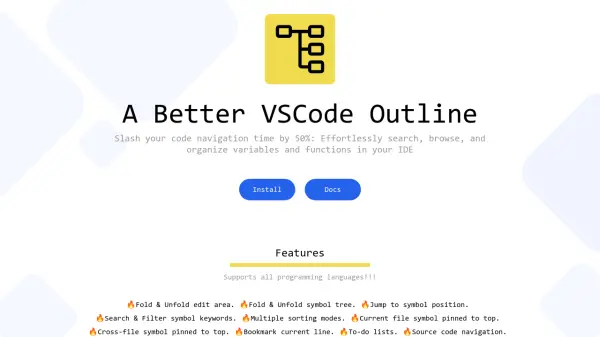
Outline Plus enhances the Visual Studio Code (VSCode) development experience by providing advanced tools for code navigation and organization. Users can effortlessly search, filter, and sort code symbols such as variables and functions, across any programming language supported by VSCode. The extension introduces efficient symbol tree management, allowing for folding, unfolding, bookmarking, and pinning within the development environment, significantly improving workflow efficiency.
Additional productivity features include jump-to-symbol, bookmark management, customizable region lists, to-do lists, and file memory functions, making it easier to manage large codebases and maintain focus during development. With an easy installation process and a lifetime license, Outline Plus delivers an optimal organization solution for professional and casual developers alike.
Features
- Fold & Unfold Edit Area: Collapse or expand code sections for easier navigation.
- Fold & Unfold Symbol Tree: Manage visibility of variables and functions hierarchically.
- Jump to Symbol Position: Instantly move to any symbol's location in code.
- Search & Filter Symbol Keywords: Find specific functions and variables quickly.
- Multiple Sorting Modes: Organize symbols by various attributes.
- Pinned Symbols: Keep important symbols at the top for faster access.
- Bookmark Current Line: Mark specific lines for quick revisits.
- To-Do Lists: Track tasks directly within the IDE.
- File Memory: Maintain navigation history for easy access.
- Custom Region Lists: Group code regions for personalized navigation.
Use Cases
- Efficient navigation of large codebases in VSCode.
- Managing to-do lists and bookmarks within development projects.
- Quickly locating and organizing variables and functions.
- Sorting and filtering code symbols across any programming language.
- Enhancing workflow productivity for developers.