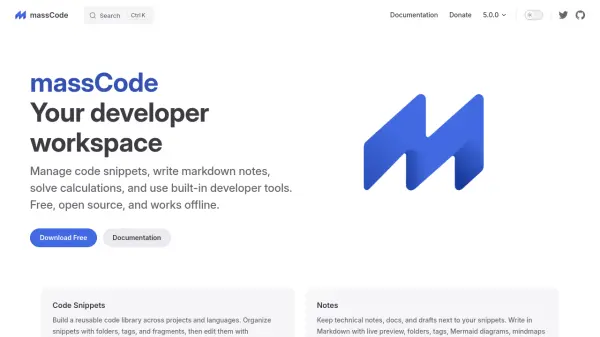
What is massCode?
massCode is a comprehensive developer workspace designed to streamline coding workflows by integrating multiple essential tools into one application. It allows developers to organize code snippets across projects and languages using folders, tags, and fragments, with features like real-time HTML and CSS previews, JSON inspection, and screenshot exports for sharing code. The tool also supports markdown note-taking with live previews, Mermaid diagrams, and presentation modes, alongside a math notebook for quick calculations involving currencies, time zones, and unit conversions.
Built with a focus on local data control, massCode stores notes and snippets as plain markdown files, enabling easy syncing with services like iCloud, Dropbox, or Git. It includes developer tools for tasks such as data conversion, encoding, and hashing, and offers integrations with VS Code and Raycast for enhanced accessibility. The application is available in 15 languages and operates offline, making it a versatile solution for developers seeking an efficient and portable workspace.
Features
- Code Snippets: Organize snippets with folders, tags, and fragments, edit with CodeMirror, format with Prettier, preview HTML and CSS in real time, inspect JSON visually, and export screenshots
- Notes: Write markdown notes with live preview, folders, tags, Mermaid diagrams, mindmaps from headings, and fullscreen presentation mode
- Math Notebook: Perform natural-language calculations for currencies, time zones, unit conversion, finance, and date math
- Developer Tools: Convert, encode, hash, and generate data with tools for JSON, Base64, URLs, colors, passwords, and UUIDs
- Integrations: Use VS Code Extension for searching and inserting snippets and Raycast Extension for quick access
- Open & Local: Store notes and snippets as plain markdown files for syncing with iCloud, Dropbox, or Git
- Localization: Available in 15 languages including English, Deutsch, Español, Français, Русский, 日本語, and 中文
Use Cases
- Organizing and managing code snippets across multiple projects and programming languages
- Writing and previewing technical documentation or drafts in markdown format
- Performing quick calculations for development tasks without leaving the workspace
- Converting and encoding data such as JSON, Base64, or URLs during coding sessions
- Syncing code snippets and notes across devices using cloud services or version control
- Accessing developer tools offline for tasks like password generation or color conversion
- Creating diagrams and mindmaps for project planning or documentation
FAQs
-
What programming languages does massCode support for code snippets?
massCode supports code snippets across various programming languages, allowing organization with folders and tags, though specific language support details are not listed on the homepage. -
Can massCode sync data across multiple devices?
Yes, massCode stores notes and snippets as plain markdown files, enabling syncing with services like iCloud, Dropbox, or Git for portability across devices. -
Does massCode require an internet connection to function?
No, massCode works offline, allowing developers to manage snippets, write notes, and use tools without an internet connection. -
How many languages is massCode available in?
massCode is available in 15 languages, including English, Deutsch, Español, Français, Русский, 日本語, and 中文. -
Is massCode compatible with other development tools?
Yes, massCode offers integrations such as a VS Code Extension for snippet management and a Raycast Extension for quick access from anywhere.