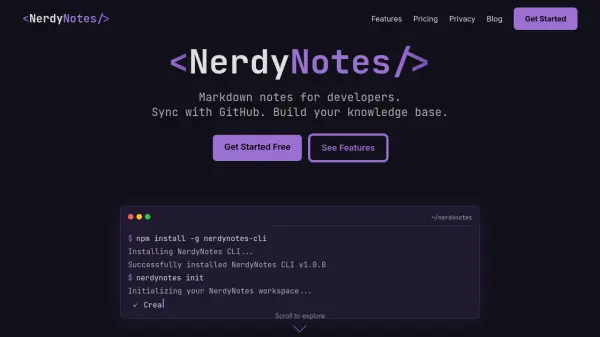


What is NerdyNotes?
NerdyNotes is a feature-rich note-taking application specifically crafted for developers who value seamless technical documentation and personal knowledge management. The platform offers advanced support for GitHub Flavored Markdown, enabling the inclusion of code blocks, syntax highlighting, tables, diagrams, and mathematical equations within notes. Users can work offline and enjoy customizable dark themes tailored to coding environments, ensuring a comfortable and intuitive writing experience.
With robust GitHub integration, users are able to sync their notes directly with repositories, facilitating smooth collaboration and version control. NerdyNotes also provides options for exporting notes to PDF or HTML, secure cloud backup, multiple workspaces, version history, and enhanced support, making it an ideal tool for managing complex project documentation and technical knowledge bases.
Features
- GitHub Flavored Markdown: Supports code blocks, syntax highlighting, tables, diagrams, and math equations.
- GitHub Sync: Seamlessly synchronize notes with any GitHub repository for easy version control.
- Offline First: Edit and store notes without an internet connection, with auto-sync when online.
- Custom Dark Theme: Developer-focused dark mode with customizable colors and editor styles.
- Export Options: Export notes to PDF or HTML formats.
- Cloud Backup: Securely back up notes and documentation in the cloud with encryption.
- Multiple Workspaces: Manage separate workspaces for different projects or teams.
- Version History: Track and restore previous versions of your notes.
Use Cases
- Maintaining up-to-date project documentation in markdown format
- Taking technical notes and code snippets for software development
- Organizing personal or team knowledge bases for engineering projects
- Syncing and collaborating on notes across multiple devices via GitHub
- Exporting documentation for sharing as PDF or HTML files
- Working offline on notes, with automatic sync when back online
FAQs
-
What markdown features are supported?
NerdyNotes supports GitHub Flavored Markdown, including code syntax highlighting, tables, diagrams, and math equations. -
How does GitHub sync work?
You can link your notes to any GitHub repository, allowing you to push and pull markdown files between NerdyNotes and your repository for seamless version control. -
Can I use NerdyNotes offline?
Yes, NerdyNotes allows you to work on your notes without an internet connection; changes will sync automatically when you reconnect. -
What export options are available?
Notes can be exported in both PDF and HTML formats for easy sharing and backup.