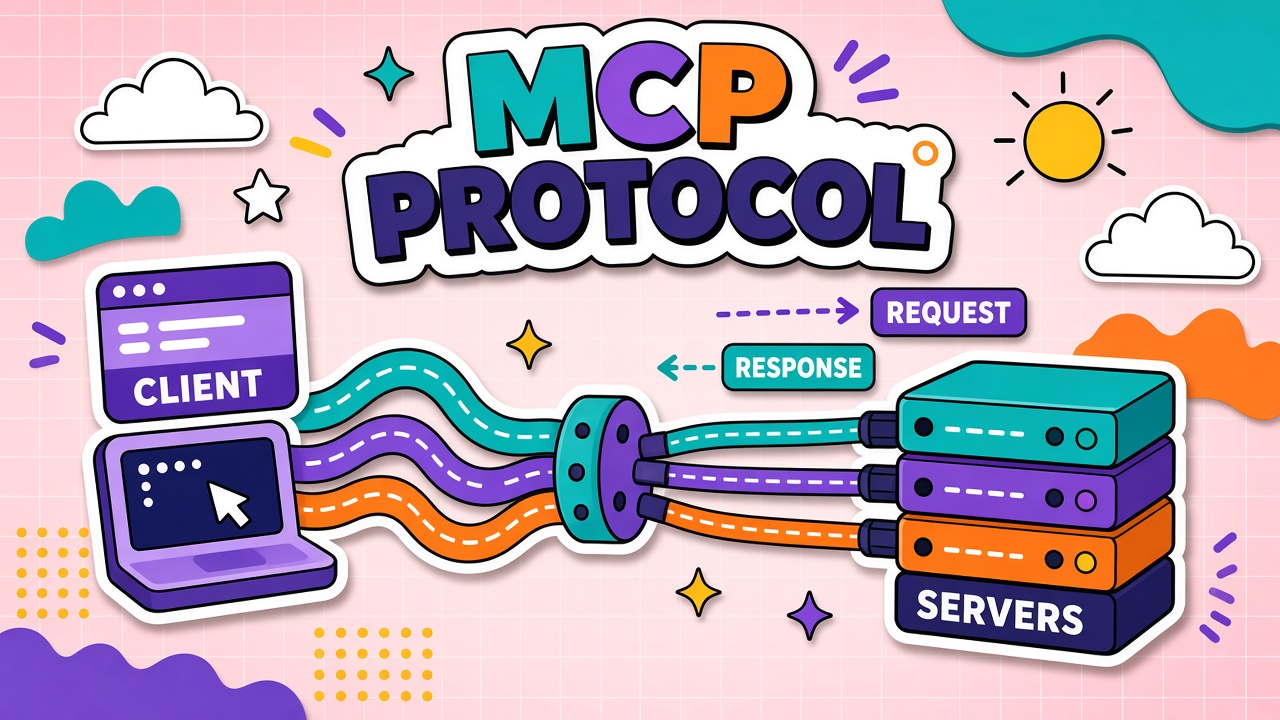
An MCP server is a small program that speaks the Model Context Protocol and exposes tools, readable resources, or prompt templates to an AI host such as Claude Desktop, Cursor, or another compatible client. Instead of copying issue numbers or SQL results into chat by hand, the model can call the server when your prompt requires live data or an action.
In 2026, community and vendor-maintained servers cover the workflows people ask about most: code on GitHub, files on disk, rows in Postgres, scenes in Blender, and frames in Figma-style design tools. This guide groups popular MCP servers by category, compares what each connector type is good for, and explains how to choose and install them safely. For protocol basics, read what is Model Context Protocol (MCP). Browse more connectors in the MCP server directory and the MCP tag on EliteAI.tools.
What an MCP Server Does (60-Second Refresher)
MCP separates the AI application (host) from external systems (servers). The host runs an MCP client that discovers capabilities, passes tool schemas to the model, and executes approved calls. A single server might let the model list repositories, read a file path, or run a read-only SQL query, depending on how the server author scoped permissions.
Servers usually ship as packages you run locally (stdio transport) or as remote HTTP endpoints managed by a vendor. Local servers inherit your OS user permissions, which makes filesystem and git-style connectors convenient for developers and also increases the importance of least-privilege configuration.
Most Popular MCP Servers by Category
"Popular" here means widely documented, frequently referenced in host setup guides, and aligned with common job tasks rather than a download ranking. Categories below reflect how teams actually wire assistants into daily work in 2026.
GitHub-style repository servers
GitHub-oriented MCP servers connect an assistant to issues, pull requests, file contents, and sometimes Actions or release metadata. Typical tools include searching issues, commenting, opening pull requests, or fetching a file at a ref. These servers suit engineering leads who want triage summaries, draft review notes, or changelog drafts grounded in real tickets.
Scope tokens narrowly: read-only for research, write access only on repositories where you accept automated comments. Pair GitHub servers with code review hosts rather than general-purpose chat when the goal is shipping software, because IDE clients already understand repository context.
Filesystem and local project servers
Filesystem MCP servers expose directories the host is allowed to read or, in some setups, modify. Developers use them so an agent can search a monorepo, read config files, or draft patches against allowed paths without uploading the whole tree to a cloud chat. Creative users sometimes point a read-only server at asset folders for reference.
Treat path allowlists as mandatory. A server that can write anywhere your user can write is equivalent to giving the model a shell with your credentials. Prefer read-only roots plus a separate, tightly scoped write area when you need edits.
Postgres and database servers
Database MCP servers translate natural-language questions into SQL against a configured connection. Well-designed servers default to read-only roles, limit visible schemas, and reject destructive statements even if the model requests them. They help analysts explore metrics, help support engineers look up account rows, and help developers debug staging data without leaving the assistant UI.
Never point a broad-write database role at production through an agent that also consumes untrusted web pages in the same session. Split read replicas, masking, and separate MCP instances per environment when possible.
Blender and 3D creative servers
Blender MCP servers bridge a running Blender instance and an AI host. Capabilities vary by implementation, but the intent is consistent: let the model inspect scene objects, adjust parameters, or trigger scripted operations through Blender's API instead of manual clicking alone. Search interest in "Blender MCP" reflects solo creators and small studios experimenting with AI-assisted modeling, lighting tweaks, and repetitive scene setup.
Creative servers are high impact and high risk: a tool that can delete objects or run arbitrary scripts should run only on projects you can restore from version control or backups.
Figma-style design servers
Design-tool MCP servers (often discussed in the context of Figma or similar products) expose document structure, components, and text layers so an assistant can summarize a file, draft copy changes, or list design tokens. Some integrations are official; others are community servers built on published APIs. They help product designers sync specs with engineering and help marketers pull accurate UI copy without screenshots alone.
API rate limits and workspace permissions still apply. The MCP layer does not bypass org admin controls; it routes the same API calls through a protocol the host understands.
Developer, Creative, and Productivity Picks Compared
Use this table to match a server category to your primary outcome. Names are generic roles; exact package titles differ by host marketplace and maintainer.
| Server type | Typical transport | Common tools | Best for | Main risk |
|---|---|---|---|---|
| GitHub / Git hosting | HTTP with OAuth or PAT | Search issues, read files, open PRs | Engineering workflows | Over-scoped write tokens |
| Filesystem | Local stdio | Read/search paths, optional patch writes | Local development | Unrestricted write paths |
| Postgres / SQL | Local or remote | Run queries, describe schema | Analytics and support lookup | Sensitive row exposure |
| Blender | Local bridge to Blender | Scene inspection, scripted edits | 3D content iteration | Destructive scene operations |
| Figma-style design API | HTTP with design API token | List nodes, export metadata, text layers | Design–dev handoff | Leaking proprietary UI assets |
How to Evaluate an MCP Server Before Installing
A server listed in a directory is not automatically safe or maintained. Run through this checklist before connecting it to work accounts.
- Source and maintainer. Prefer official vendor servers or repos with clear ownership, issue tracking, and recent commits.
- Permission model. Read the tool list. If you only need search, disable create/update tools in config when the server allows it.
- Transport fit. Local stdio for laptop-only secrets; HTTP for shared team services with centralized auth.
- Host compatibility. Confirm your client supports the MCP version and transport the server expects.
- Data residency. Remote servers may log prompts and tool arguments; check privacy terms for regulated data.
- Fallback behavior. Know what happens when the server times out mid-task so agents do not half-apply changes.
The EliteAI.tools MCP directory is a starting point for discovery; always verify the upstream readme before granting credentials.
Security and Permissions to Check
MCP standardizes how tools are called, not who may call them or what data they may touch. Security for MCP servers mirrors API keys, OAuth scopes, and supply-chain hygiene.
- Least privilege tokens. GitHub PATs, database roles, and design API keys should match one job, not admin access "for convenience."
- Separate profiles per environment. Do not reuse a production Postgres MCP config on a machine that browses arbitrary web content in the same host session.
- Untrusted servers. Community servers can be updated remotely; pin versions and review diffs like any dependency.
- Prompt injection via resources. Files and issue bodies returned as MCP resources may contain hidden instructions; treat untrusted content as untrusted input.
- Audit logging. For team hosts, log tool name, arguments, and user identity where the platform supports it.
- Filesystem boundaries. Never expose home directory roots; use project-specific read-only paths.
If you are new to the threat model, read the security section in our MCP explainer before enabling write tools on GitHub or databases.
Free vs Hosted Servers and Setup Effort
Many reference servers are open source and free to run; you pay in setup time and infrastructure. Hosted MCP offerings trade monthly fees for managed auth, uptime, and support. Local Blender and filesystem bridges are usually free but require you to keep versions aligned with the host application.
| Deployment style | Typical cost | Setup effort | Good when |
|---|---|---|---|
| Local stdio (filesystem, Blender bridge) | Free software; your hardware | Low to medium | Solo dev or creator on one machine |
| Self-hosted HTTP server | Infra + engineering time | Medium to high | Team wants shared connectors |
| Vendor-managed remote MCP | Subscription or usage-based | Low for admins | Compliance-friendly central auth |
Frequently Asked Questions
Where should I browse MCP servers?
Start with the official Model Context Protocol server references, your AI host's built-in marketplace, and curated lists such as the EliteAI.tools MCP directory. Cross-check each entry against the upstream repository before installing.
What does a GitHub MCP server actually connect?
It connects an MCP host to GitHub (or compatible APIs) so the model can use structured tools instead of pasted links. Exact capabilities depend on the server implementation and the token scopes you grant.
Is Blender MCP only for professionals?
No. Hobbyists use Blender MCP experiments to speed repetitive tasks. The same permission cautions apply: backup blends and restrict destructive tools when learning.
Are Figma MCP integrations always official?
Not always. Some hosts ship partner integrations; others rely on community servers using public APIs. Verify whether the connector is maintained by the design platform vendor or a third party before connecting proprietary files.
Can Postgres MCP servers stay read-only?
They should, for most assistant use cases. Configure a database role limited to SELECT on approved views, and choose a server that refuses DDL and DML when you only need reporting.
How is an MCP server different from a single-app plugin?
Plugins are often tied to one product's extension format. MCP servers follow a shared protocol so multiple hosts can consume the same connector if they implement compatible clients. See the MCP overview for a longer comparison.
The Bottom Line
Popular MCP servers in 2026 cluster around code (GitHub-style), data (Postgres), local projects (filesystem), and creative stacks (Blender, Figma-style APIs). Pick servers by outcome, tighten permissions before enabling write tools, and treat third-party connectors like production dependencies. Explore more options via MCP-tagged tools and the MCP directory when you are ready to expand beyond your first connector.