What is OnlyThreads?
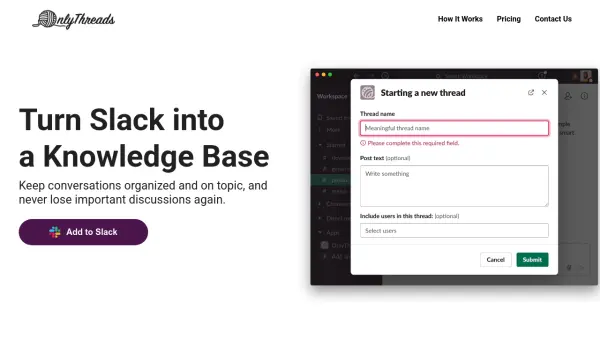
OnlyThreads enhances Slack by turning messages into organized, productivity-focused threads, helping teams avoid losing important information in endless chat backlogs. With automated thread management, users can mark discussions as concluded with a visible decision, making outcomes easy to find and reference in the future. The tool also prevents redundant conversations by automatically searching for similar threads, saving time and ensuring that past discussions remain relevant and accessible.
Teams can make specific channels 'thread-only' to streamline communication and ensure that valuable information is centrally located and searchable. Advanced smart search capabilities help users locate prior decisions in seconds, increasing focus and collaboration. OnlyThreads is designed for seamless Slack integration, making it simple to adopt and start organizing valuable knowledge instantly.
Features
- Thread-Only Channels: Automatically converts channel messages into productivity-friendly threads.
- Close Threads with Decision: Allows teams to close threads, highlighting key decisions for all members.
- Smart Search: Provides advanced search for open and similar threads to avoid repeating discussions.
- Unlimited Users: Supports unlimited team members across all subscription levels.
- Thread Tag Filtering: (Coming soon) Enables filtering and organization of threads by tags.
- Priority Support: Offers premium email and Slack support on paid plans.
- List of Opened Threads: Easily view and manage all ongoing discussions.
Use Cases
- Preventing duplicate questions and repetitive conversations in Slack.
- Maintaining a structured, searchable knowledge base within Slack.
- Making team decisions visible and easy to reference for all members.
- Streamlining communication in busy Slack channels.
- Onboarding new employees by giving access to historical team discussions.
FAQs
-
Do you offer a free trial?
Yes, you can use the forever Free plan for as long as you'd like, with a limit of 20 threads per month. -
How can I cancel my subscription?
You can cancel your paid subscription at any time by emailing OnlyThreads support, and your plan will no longer renew. -
Can I get a refund?
Refunds are not offered, but a forever free plan is available and paid subscriptions can be canceled at any time. -
What is the next step for Enterprise plans?
To discuss an Enterprise plan, you can contact OnlyThreads via email for more information and personalized pricing.