What is Manifold?
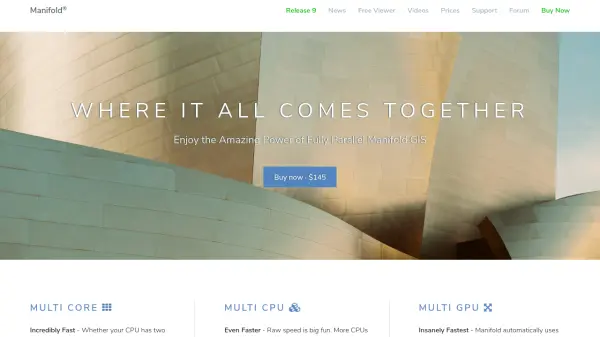
Manifold Release 9 is a comprehensive Geographic Information System (GIS) that integrates spatial data visualization with a powerful parallel database management system (DBMS). It enables users to work with tables, vector geometry, raster data, drawings, maps, and images through a unified desktop interface. The system supports hundreds of data formats and sources, including connections to major enterprise DBMS servers like Oracle, SQL Server, MySQL, and PostgreSQL.
This tool leverages multi-core CPU and GPU parallel processing to execute spatial functions and SQL queries with remarkable speed, often completing tasks in seconds that take hours with other GIS software. It includes over 300 point-and-click templates for data transformations, real spatial SQL capabilities, and built-in scripting support for 10 programming languages. Manifold is designed for reliability, handling terabyte-scale projects without crashes, and offers a free Viewer version for sharing projects.
Features
- Multi-Core Processing: Utilizes all CPU cores for fast geoprocessing and analytics
- GPU Acceleration: Automatically uses thousands of GPU cores to speed up spatial functions by 50-100 times
- Real SQL Integration: Provides full-featured spatial SQL built into the desktop GIS
- Extensive Data Connectivity: Supports hundreds of formats and connections to enterprise DBMS servers
- Point-and-Click Templates: Over 300 automatic templates for spatial and non-spatial data transformations
- High Reliability: Designed to handle terabyte-scale data without crashes
- Free Viewer: Read-only version for sharing projects with no registration or ads
Use Cases
- Processing large LiDAR datasets for flood level analysis
- Performing spatial analytics on parcel data for urban planning
- Conducting georeferencing and reprojection of raster imagery
- Extracting, transforming, and loading (ETL) spatial data between formats
- Visualizing and analyzing geographic data for environmental studies
- Automating GIS tasks through command-line scripting with Manifold Commander
- Sharing interactive maps and analytics with non-GIS users via the free Viewer
FAQs
-
What makes Manifold faster than other GIS software?
Manifold uses multi-core CPU and GPU parallel processing to execute spatial functions and SQL queries, significantly reducing processing times compared to single-core or limited-parallel alternatives. -
Can Manifold handle large datasets without crashing?
Yes, Manifold is designed for high reliability and can process terabyte-scale projects without crashes, even with complex geoprocessing tasks. -
Does Manifold support real SQL for spatial queries?
Yes, Manifold includes full-featured spatial SQL built into the desktop GIS, allowing users to run complex queries on various data sources. -
Is there a free version of Manifold available?
Yes, Manifold offers a free Viewer version that allows users to open and view projects created in Manifold, with no registration or ads required. -
What data formats does Manifold support?
Manifold supports hundreds of data formats and sources, including connections to enterprise DBMS servers like Oracle, SQL Server, MySQL, and PostgreSQL, as well as various raster and vector formats.