What is LuxPDF?
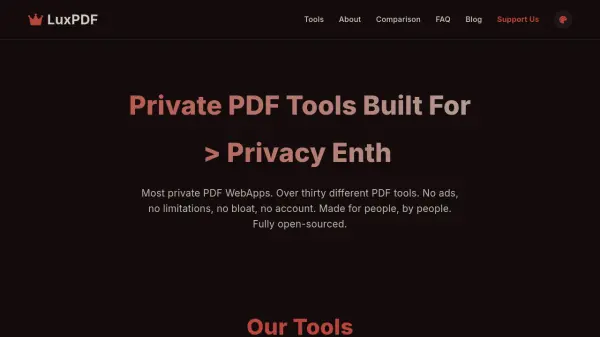
LuxPDF provides a comprehensive suite of PDF tools designed for privacy and efficiency. All file processing occurs directly in the user's browser, ensuring documents never leave the device and remain completely private. The service includes over thirty tools for converting PDFs to formats like PNG, JPEG, and TXT, as well as editing functions such as merging, splitting, compressing, and encrypting PDFs.
Built as an open-source alternative to traditional PDF web applications, LuxPDF eliminates the need for registrations, subscriptions, or data tracking. It offers unlimited usage with no file size restrictions, relying on client-side processing for fast, secure operations. The platform is funded through sponsorships and voluntary donations, maintaining a commitment to transparency and user-focused design.
Features
- Privacy-Focused: All processing is done client-side, so files never leave the device and are not stored or viewed by the service.
- Completely Free & Unlimited: No costs, registration, or usage limits for any tools or file sizes.
- No Registration Required: Users can access all features immediately without creating an account.
- Efficient & Optimized: Lightweight codebase ensures fast processing of PDF conversions and modifications.
- High-Quality Conversion: Maintains quality while converting PDFs to formats like PNG, JPEG, and TXT.
- Unlimited Batch Processing: Supports processing multiple files at once without restrictions.
- Clean UI Experience: User-friendly interface designed for easy navigation and operation.
Use Cases
- Converting PDF files to image formats for presentations or documents.
- Merging multiple PDFs into a single document for reports or portfolios.
- Splitting large PDFs into smaller sections for easier management.
- Compressing PDFs to reduce file size for email attachments or storage.
- Encrypting PDFs with passwords to protect sensitive information.
- Removing metadata from PDFs to enhance privacy and security.
- Rotating or extracting pages from PDFs for editing or reorganization.
FAQs
-
Who is LuxPDF designed for?
LuxPDF is built for anyone needing efficient and private PDF modifications, specifically catering to students, freelancers, small businesses, tech enthusiasts, and privacy-conscious individuals. -
How does LuxPDF ensure user privacy?
Privacy is ensured through client-side processing; files are handled directly in the browser without being uploaded to servers, so they are never stored or viewed by LuxPDF. -
Are there any file size or usage limitations?
No, there are no limitations on file size or usage; performance depends on the user's device hardware, with tools capable of handling large files like 1000-page PDFs. -
Why is LuxPDF open-sourced?
Open-sourcing promotes transparency and trust, allowing community contributions to improve the tool and address issues in PDF web applications. -
How is LuxPDF funded?
Funding comes from sponsorships and voluntary donations, with no reliance on ads or data sales, to cover server costs and support development.