A vendor ships a model update Friday afternoon. Monday morning support macros hallucinate policy exceptions and API classifiers return new enum values your parser never saw. Without a documented AI rollback procedure, teams debate for hours while production keeps failing. Rollback is not admitting defeat; rollback is controlled recovery while you root-cause the release.
This guide covers regression detection, rollback options (model pin, prompt revert, vendor switch), post-rollback testing, and vendor escalation. It applies to AI API integrations and AI automation chains that silently changed behavior when "latest" moved forward.
Detecting Regressions: Eval Alerts and User Reports
Catch regressions with automated evals first; treat user reports as confirmation, not the primary sensor. Detection layers:
- Scheduled eval jobs: Golden prompts scored after every model or prompt deploy
- Canary traffic: Small production slice compared to baseline output hash or rubric score
- Parser error dashboards: Spike in schema validation failures downstream
- Human override metrics: Agents rejecting AI drafts more often than baseline
- Customer tickets: Tagged spike in "wrong answer" themes linked to deploy window
Set alert routes to on-call with runbook link. Include last deploy version in alert payload so responders know what to revert without opening five dashboards.
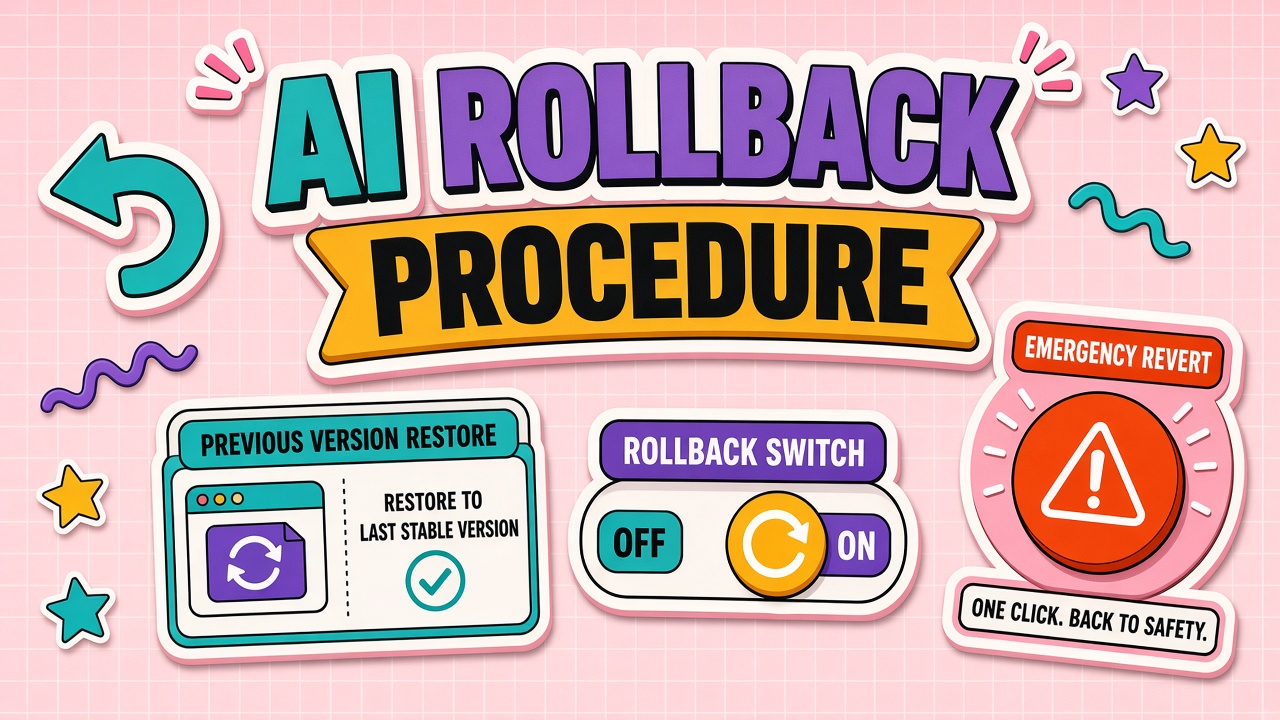
Rollback Options: Model Pin, Prompt Revert, and Vendor Switch
Pick the smallest rollback that restores safe behavior fastest. Decision order:
- Model pin: If vendor supports pinning prior model version on API or admin console, pin first.
- Prompt revert: If new prompt shipped with model change, redeploy last known good prompt version alone.
- Config revert: Roll back temperature, retrieval index, or tool-calling schema changes.
- Vendor switch: Fail over to secondary provider only if pin and prompt revert insufficient and failover tested.
- Feature disable: Turn off auto-publish paths while keeping human-only mode.
| Option | Typical time to effect | Risk if untested |
|---|---|---|
| Model pin | Minutes | Low if pin tested monthly |
| Prompt revert | Minutes to hours | Low with version control |
| Vendor switch | Hours | High if failover stale |
Document pin commands for each API key environment in the runbook. "Latest" endpoints are convenience for demos, not production defaults.
Testing After Rollback
Rollback is not complete until evals and smoke tests pass on the reverted stack. Minimum verification:
- Re-run full eval set against pinned model and prompt
- Execute ten production replay requests from logged samples (redacted)
- Confirm parser error rate returns to baseline for thirty minutes
- Spot-check customer-visible outputs with workflow owner
- Update status page or internal channel: restored, investigating forward fix
Keep forward fix work on a branch separate from production until evals beat rollback baseline. Do not stack another untested "quick fix" on top of a fragile rollback night.
Vendor Escalation and RCA Request
Open a vendor ticket with reproducible evidence the same day you rollback. Include model ID, timestamp, request IDs, before and after output samples (redacted), and business impact summary. Request written root cause and deprecation notice if a model was retired without adequate lead time.
Escalation ladder: support portal, account manager, enterprise escalation alias named in contract. Track SLA for vendor response alongside internal incident ticket. For automation vendors, ask whether change affected shared multi-tenant models or your dedicated deployment only.
Rollback Drills and Game Days
Rollback procedures decay without rehearsal. Quarterly game day: simulate model regression in staging, time how long pin plus prompt revert takes, and note missing runbook steps. Update runbook same week. Include on-call engineer who was not on last incident so knowledge spreads beyond incident veterans.
Track drill metrics: minutes to detection (injected), minutes to rollback complete, minutes to verification green. Improvement trends matter more than absolute hero numbers.
Post-Incident Forward Fix Discipline
After rollback, separate stabilization from improvement. Stabilization window (48-72 hours): no optional prompt tweaks, only monitoring and customer comms. Improvement window: forward fix branch with expanded eval set covering the failure mode that triggered rollback. Second release requires approver who was not primary author of failed release to reduce blind spot risk.
Communication Templates for Rollback
Pre-write status messages for internal and external audiences. Internal template states service restored, user impact window, next update time, and link to incident ticket. External template for account owners states facts without blaming vendor by name unless legal cleared. Templates reduce wording drift when tired engineers write customer email at midnight.
Incident Severity and Rollback Authority
Define who may authorize rollback without waiting for executive approval. Sev1 customer impact: on-call engineer may rollback immediately and notify manager within thirty minutes. Sev2 internal parser failures with workaround: engineer rolls back after ops lead ack in chat. Sev3 quality drift without downstream break: workflow owner schedules rollback in next maintenance window. Unclear authority adds hours while bad outputs continue.
Document severity examples tied to your workflows so midnight pages do not reopen philosophy debates.
Preventing Repeat Regressions
After rollback, add failing case to eval set before forward fix merges. Regressions repeat when teams fix symptoms without expanding tests. Share post-incident summary with vendor; ask for change log entry if model behavior shifted silently. Pin models in production until eval suite covers new failure mode even if vendor markets "latest" as default.
Rollback Readiness Program
Establish pinned model IDs in production configs documented in runbook. Maintain last three prompt versions hot-swappable. Store vendor support escalation paths per contract tier. Schedule quarterly game day with timed rollback plus verification. Require post-incident eval expansion before forward fix merges. Train on-call on severity matrix and rollback authority weekly during first month new hire ops rotation.
Readiness program succeeds when rollback is practiced muscle, not a myth that "we could revert if needed." Untested rollback is wishful thinking during Sev1 nights.
Runbook Minimum Sections for Rollback
Section A detection signals and dashboard links. Section B decision tree pin versus prompt revert versus vendor switch. Section C step-by-step commands with environment variable names. Section D verification eval list. Section E communication templates internal and external. Section F vendor escalation with ticket template. Missing any section slows rollback when adrenaline is high.
Coordination With Change Management
Register AI model and prompt releases in same change calendar as application deploys. Change advisory board receives eval summary for high-risk tiers. Emergency rollback gets retroactive CAB note within twenty-four hours. Siloed AI changes cause collision incidents that rollback procedures cannot cleanly separate.
Monthly Pin and Failover Tests
First Tuesday each month: verify production pin still resolves on vendor API, run single eval batch against pinned stack, and test secondary vendor key with one replay request in staging. Log results in ops ticket; failed test blocks unrelated production changes until fixed. Monthly muscle memory beats annual disaster rehearsal nobody attends.
Vendor Relationship After Rollback
Request written RCA within SLA. Ask for advance notice commitment on behavioral model changes. Negotiate pinning duration on contract renewal if repeat regressions. Document vendor response quality in renewal scorecard. Rollback without vendor feedback loop invites repeat surprise updates.
Post-Rollback Customer Impact Assessment
Within twenty-four hours of rollback, assess whether external outputs during regression window require customer notification or correction. Document count of affected deliverables from audit logs. Account owners send approved correction template where material error reached customer. Internal-only regression skips external comms but still gets incident ticket and eval expansion.
Building Eval Alerts That Wake the Right People
Route eval failures to workflow owner and on-call engineer simultaneously during business hours; overnight route to on-call only with owner notified morning. Alert payload includes last good version, current version, failing eval case IDs, and rollback runbook link. Alerts without payload get muted; payload-rich alerts get action.
Blameless Postmortem Template
Timeline, detection gap, rollback duration, customer impact, eval gap, vendor response, action items with owners. No individual blame; focus system fixes. Publish internally within five business days. Eval cases added before postmortem closes.
Executive Notification Threshold
Notify executive sponsor when rollback affects customer-facing outputs more than one hour, exceeds cost threshold in runbook, or repeats same root cause within ninety days. Notification uses factual template from communication section; executives decide external comms, not engineers alone.
Store rollback drill results next to runbook; auditors and new on-call engineers learn from last timed exercise. Drill slower than thirty minutes triggers runbook simplification project.
Maintaining Rollback Artifacts
Keep last three prompt exports, pinned model IDs, and vendor support ticket templates in single ops folder with weekly freshness check. Stale failover credentials cause rollback success on paper and failure at login. Artifact maintenance is boring until it saves a Sev1 night.
Assign artifact owner on ops rotation separate from daily incident owner so freshness checks happen even during quiet weeks without production incidents.
Include artifact check in monthly ops calendar next to billing reconciliation so rollback readiness never depends on someone remembering informally.
Frequently Asked Questions
Can we pin models on all API tiers?
Not always. Verify contract tier supports version pinning and note sunset dates. Plan migration before pin expires, with eval gates identical to this rollback guide.
Vendor gave thirty days notice. Is that enough?
Enough only if eval migration completes with headroom. Treat notice as a project start date, not a reminder to read later.
Can we rollback one workflow while others stay on new model?
Yes when configs are isolated per workflow or API key. Shared global defaults make partial rollback harder; split keys before you need independence.
Should we tell customers about rollback?
If external outputs were wrong, yes with account owner drafted message. If internal-only regression with no customer impact, internal incident summary suffices unless contracts require transparency.
The Bottom Line
Detect AI regressions with evals, rollback via pin or prompt revert first, verify with tests, and escalate to vendors with evidence. A rehearsed rollback beats heroic debugging while bad outputs still flow.